Product Verification
Why Verification?
We understand this step may feel inconvenient, but it’s a necessary measure to:
- Protect our legitimate customers.
- Ensure we can provide the best possible support.
- Avoid spending time on illicit copies and unauthorized support requests.
How to Verify
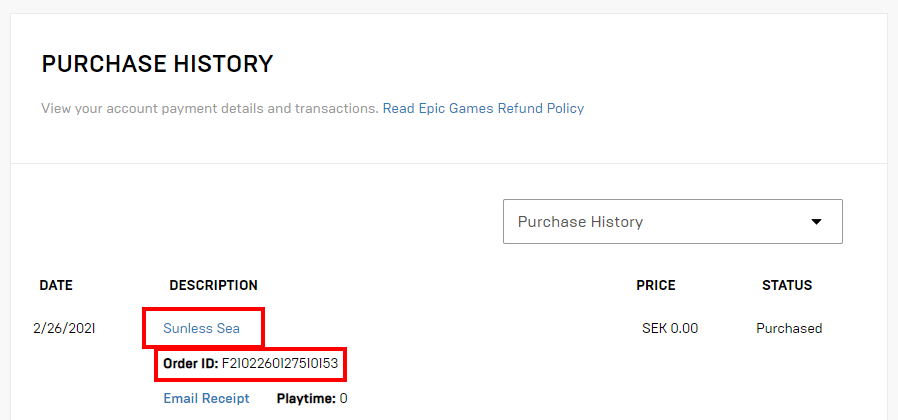
- Go to your Unreal Engine account transactions.
- Click on the Product Description to expand the purchase details.
- Copy your Order ID.
- Send the Order ID via email to support@eeldev.com.
When Will You Be Verified?
- You will receive a confirmation email once verification is complete.
- Please note our office hours.
- During weekends or outside office hours, verification may take longer.
Discord Access
If you included your Discord information with your request, you will also receive the appropriate role(s) for your product(s).