704 posts tagged with "all"

all

View All Tags

FoliagePlugin 1.5.3

· One min read
Developer
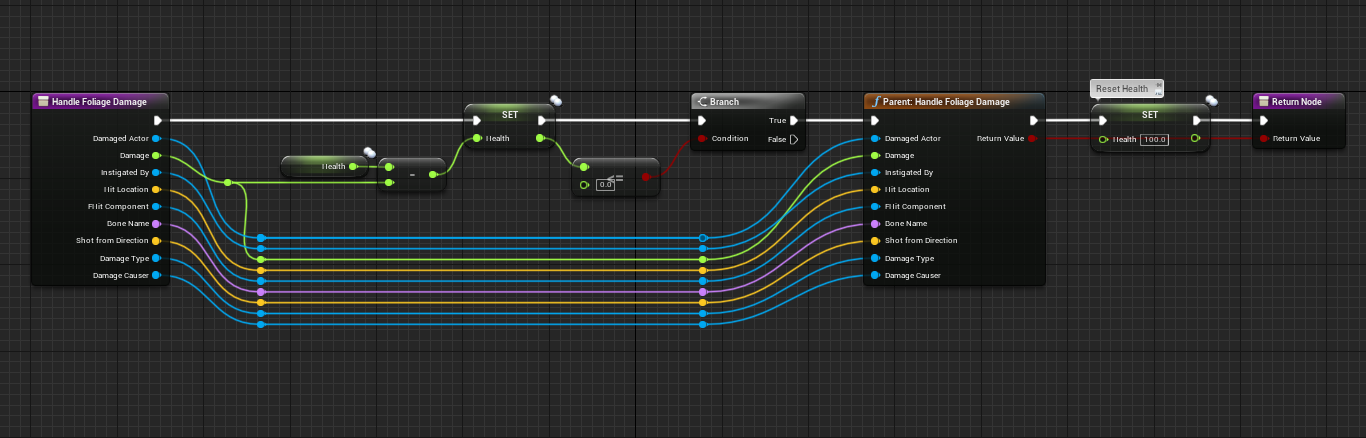
  • You can now override the event "HandleFoliageDamage" in FoliageActors to add custom logic. In the example below we'll reduce a Health value to 0 before giving the resource to the player.
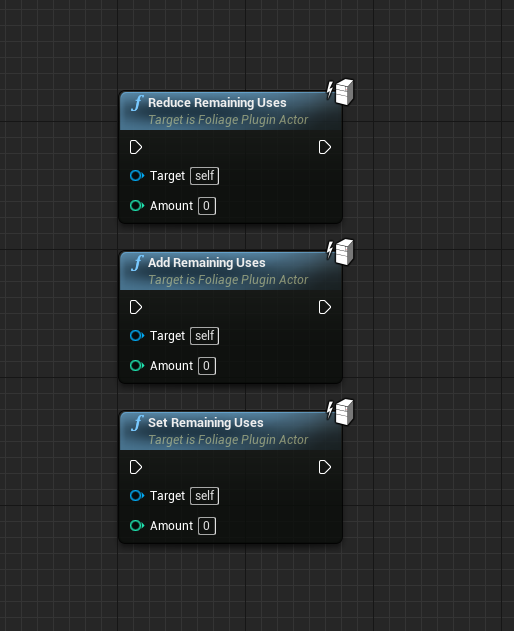
  • Added ReduceRemainigUses to FoliageActors
  • Added SetRemainigUses to FoliageActors
  • Added AddRemainigUses to FoliageActors

Cognito 1.0.8

· One min read
Developer
  • Added logging to console from AWS SDK
  • Plugin now uses Unreal Engines memory management

Enable Logging

DefaultEngine.ini

[Core.Log] LogAwsCognito=Verbose

Creating a CloudTrail User

· One min read
Developer

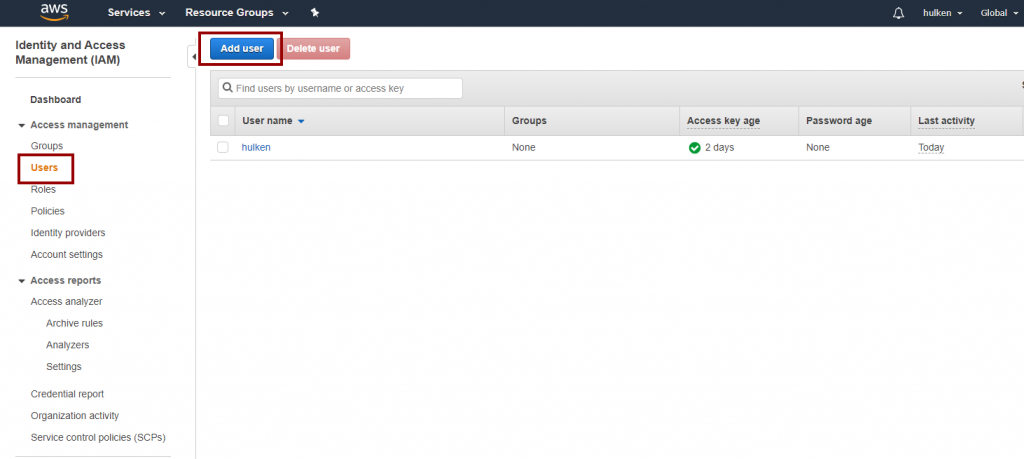
Go to https://console.aws.amazon.com/iam/ and login to your Amazon Account and access the IAM Console

Click on “Users” and then “Add User“

This image has an empty alt attribute; its file name is user_1-1-1-1024x459.png

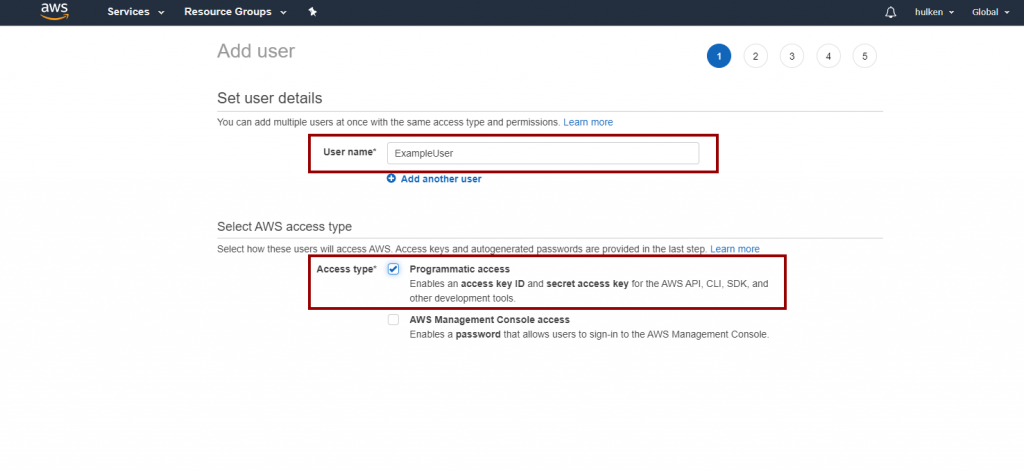
Name your user user and check “Programmatic Access“
This image has an empty alt attribute; its file name is user_2-1-1-1024x470.png

On the next screen click on “Attach existing policies directly” and search for "CloudTrail" and select “CloudTrailFullAccess“.

You can skip the “Tags” page

Verify your settings and click on “Create User“

These are the security keys that you will have to enter in Unreal Engine to access CloudTrail functionality!

DynamoDB 1.0.5

· One min read
Developer
  • Added logging to console from AWS SDK
  • Plugin now uses Unreal Engines memory management

Enable Logging

DefaultEngine.ini

[Core.Log] LogAwsDynamoDB=Verbose

Lambda 1.0.3

· One min read
Developer
  • Added logging to console from AWS SDK
  • Plugin now uses Unreal Engines memory management

Enable Logging

DefaultEngine.ini

[Core.Log] LogAwsLambda=Verbose

S3 1.0.2

· One min read
Developer
  • Added logging to console from AWS SDK
  • Plugin now uses Unreal Engines memory management

Enable Logging

DefaultEngine.ini

[Core.Log] LogAwsS3=Verbose