32 posts tagged with "foliage plugin"

foliage plugin

View All Tags

FoliagePlugin 1.5.3

· One min read
Developer
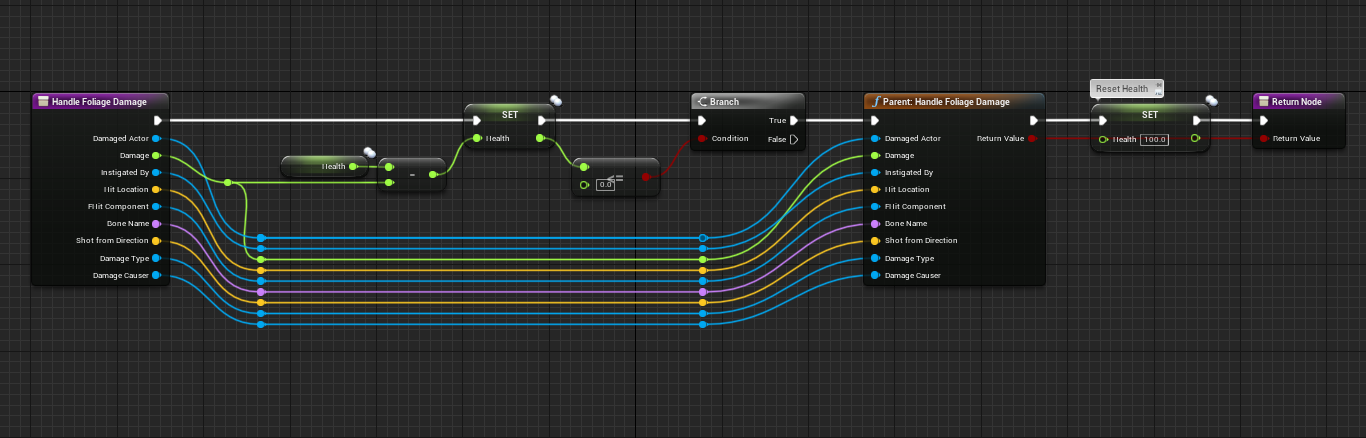
  • You can now override the event "HandleFoliageDamage" in FoliageActors to add custom logic. In the example below we'll reduce a Health value to 0 before giving the resource to the player.
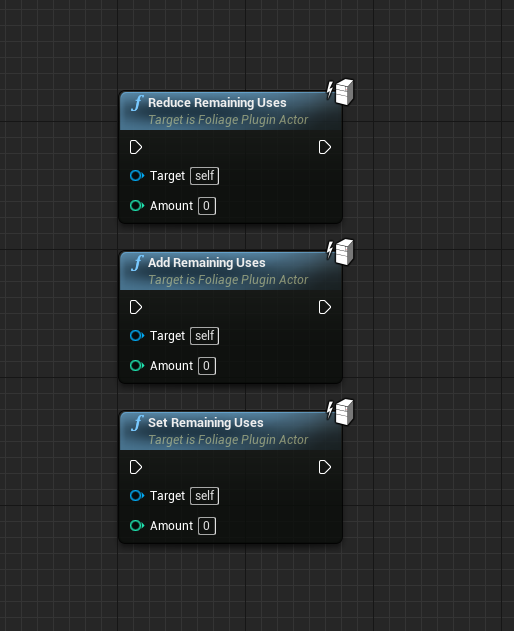
  • Added ReduceRemainigUses to FoliageActors
  • Added SetRemainigUses to FoliageActors
  • Added AddRemainigUses to FoliageActors

Foliage Plugin 1.4.1 Update

· One min read
Developer
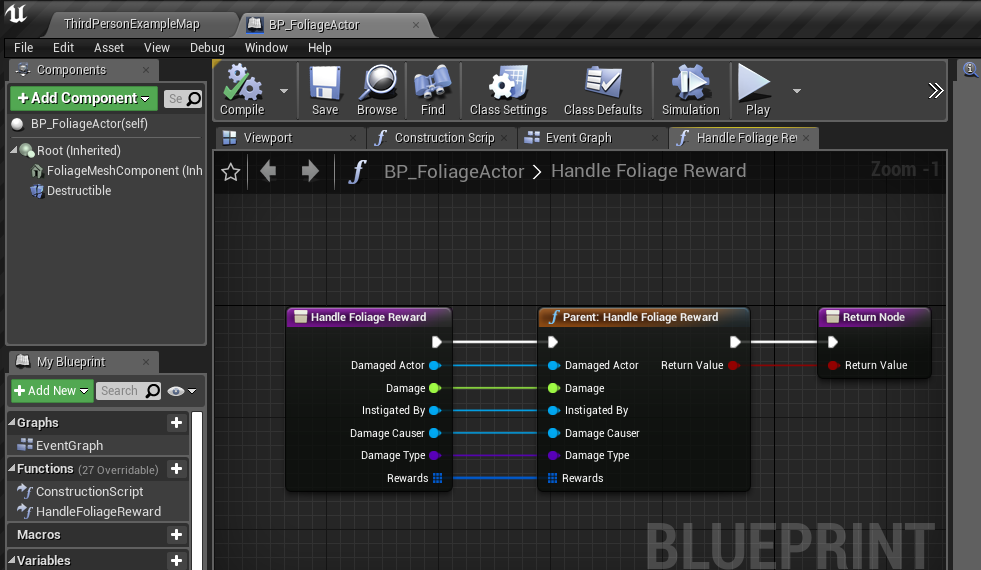
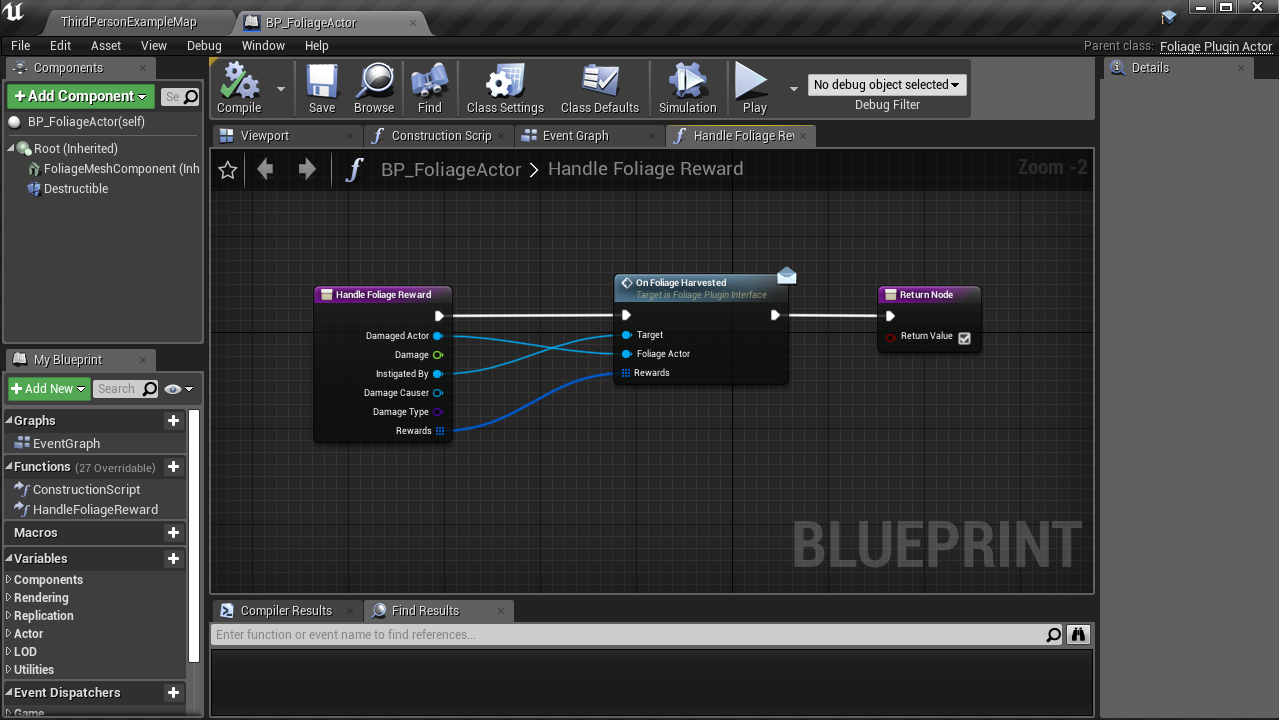
  • Changed the HandleFoliageReward function signature inside the FoligeActor that can be overriden to implement custom logic for handling the reward data.
  • Changed FoligeRewardData struct to BlueprintReadWrite to enable modifying the reward data in blueprint overridable events.
  • OnFoliageHarveted interface fucntion is now BlueprintCallable
  • Optimized Replication using FastArraySerializer
  • Fixed an issue where the blocking object types didn't always block respawns / despawns

Foliage Plugin 1.4 Update

· One min read
Developer
  • Moved the Foliage Plugin Actor Class from Project Settings to Data Table Settings so you can have different Foliage Actors depending on your resource
  • Rewards on Harvest now has a Min and Max value
  • Valid Damage Types is now an array of Damage Types so you can have multiple damage types for one resource

Foliage Plugin + Multiplayer Survival Game Template (MSGT)

· 2 min read
Developer

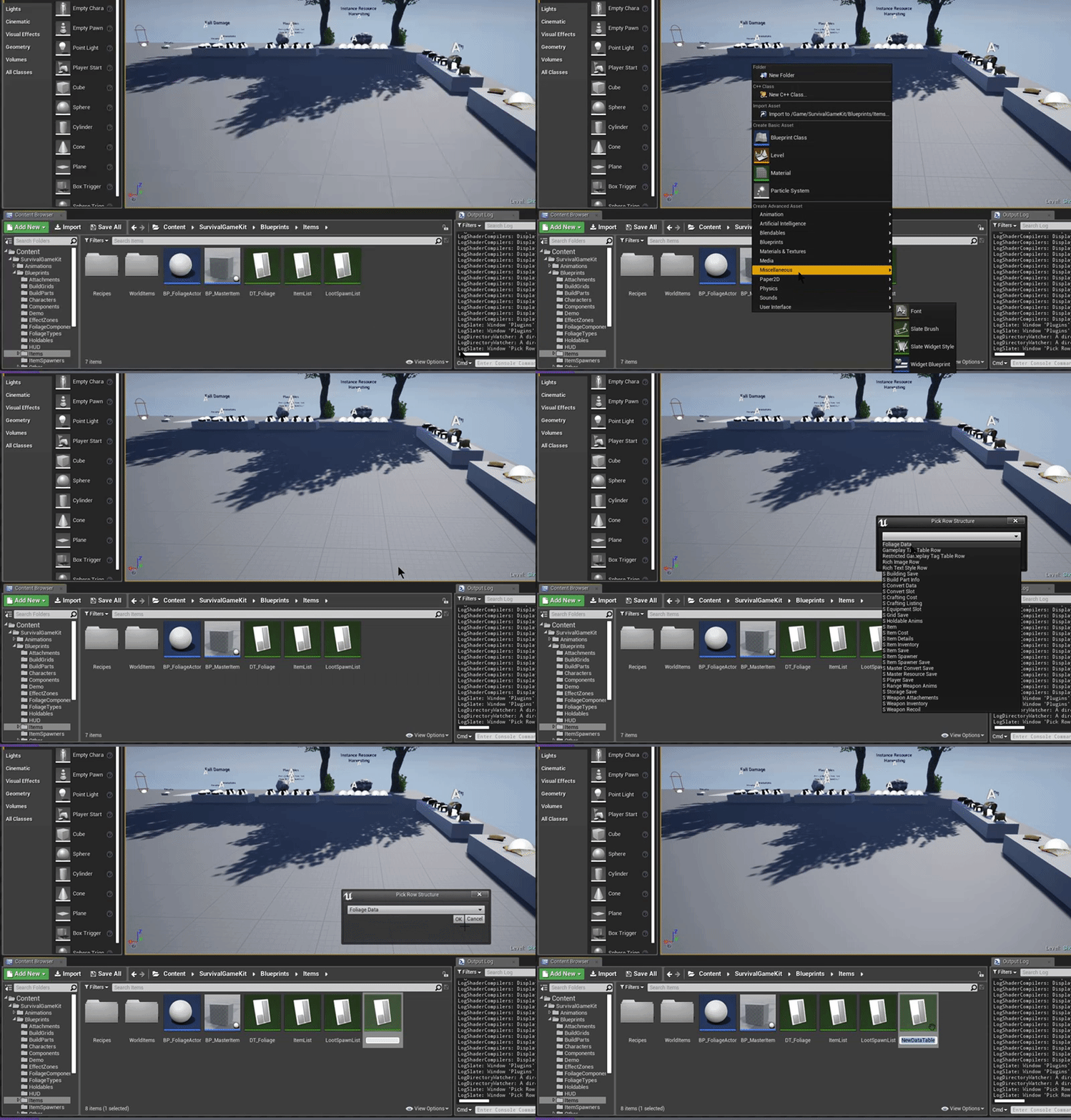
Create the Foliage Data Table

Create the Foliage Plugin Actor Blueprint Class

Assign the Data Table and Foliage Actor blueprint in Project Settings > Foliage Plugin

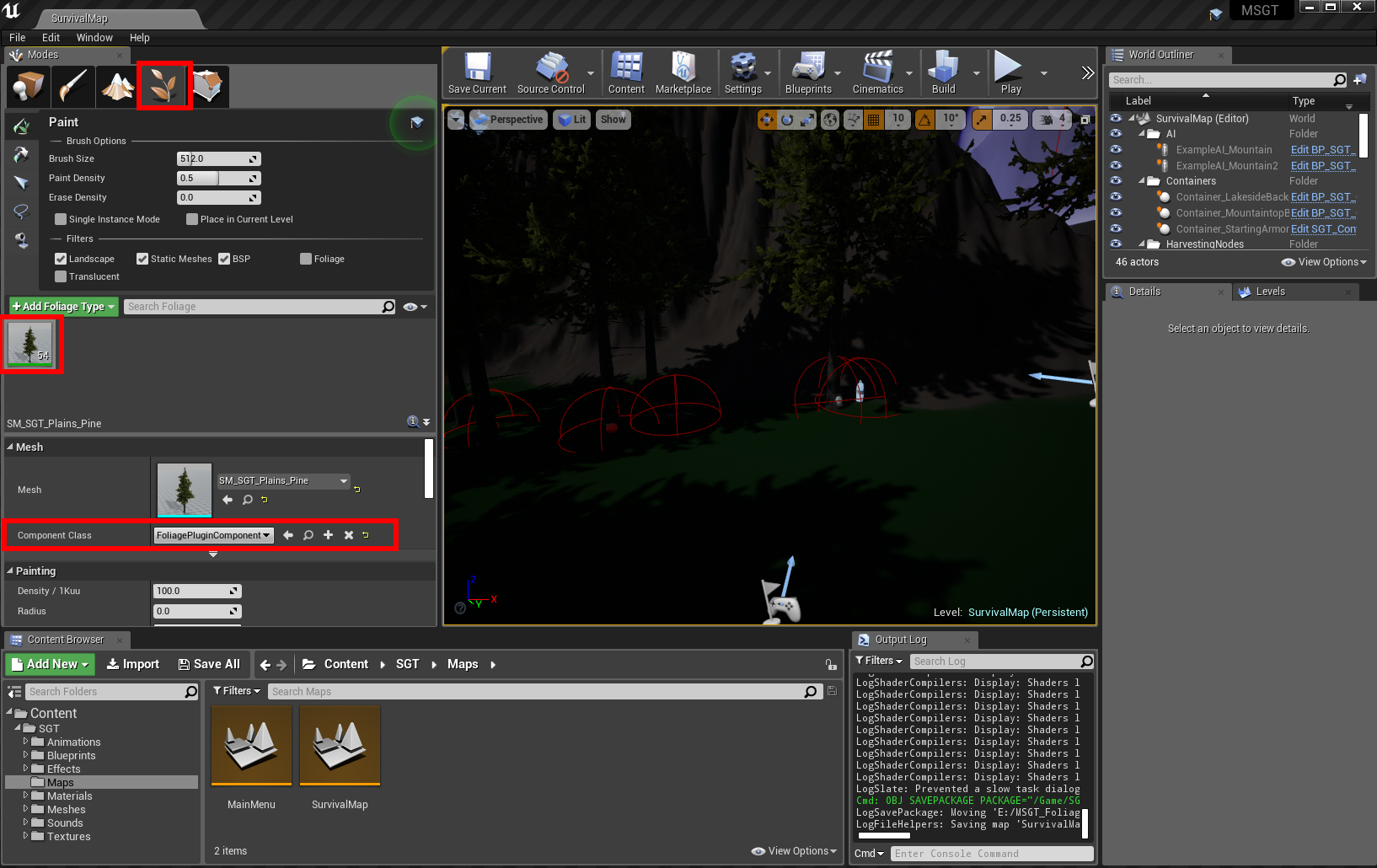
Change the Component Class for your foliage to use the "FoliagePluginComponent" as seen below

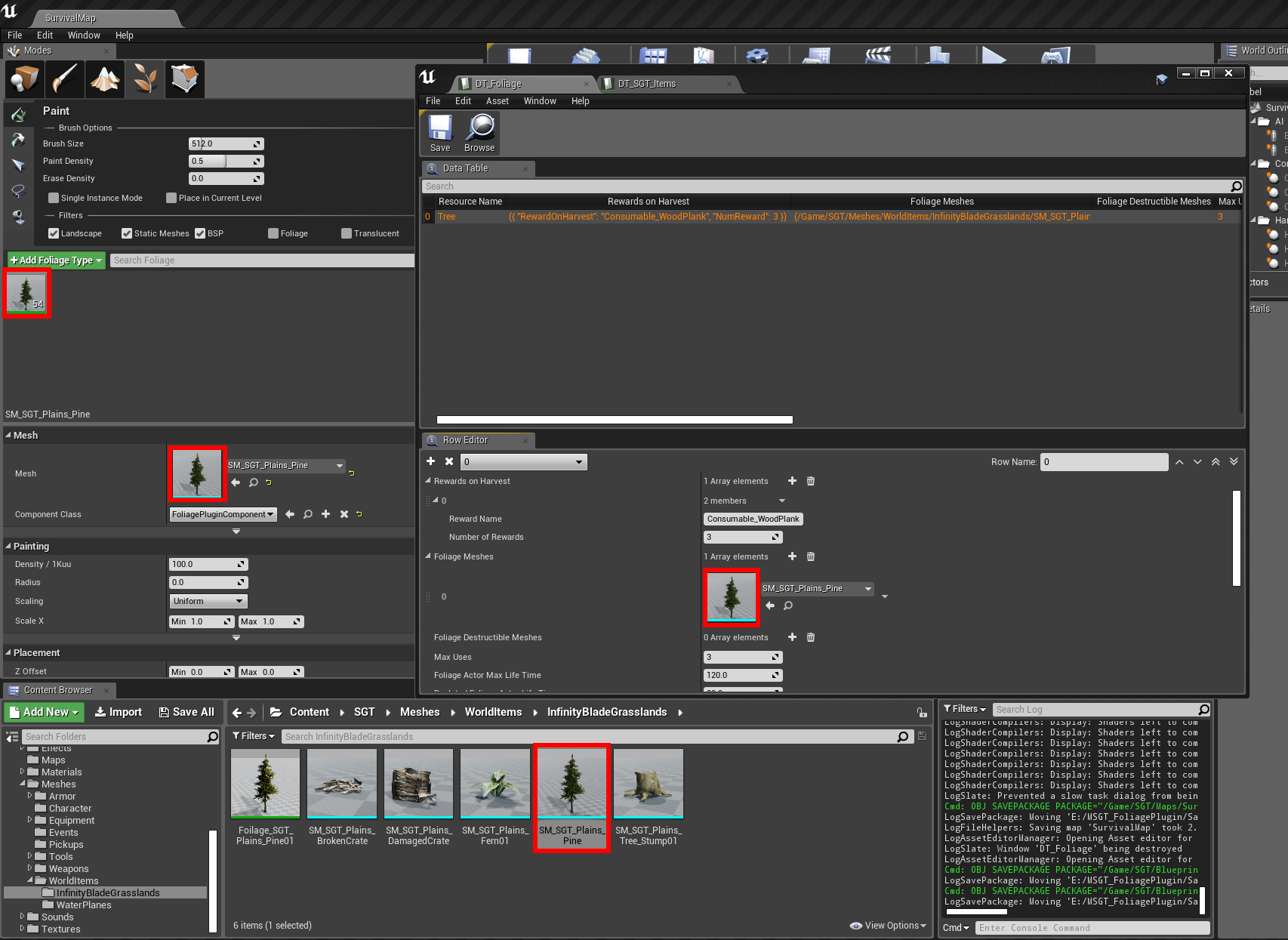
In your data table, add a new "Tree" resource, example below:

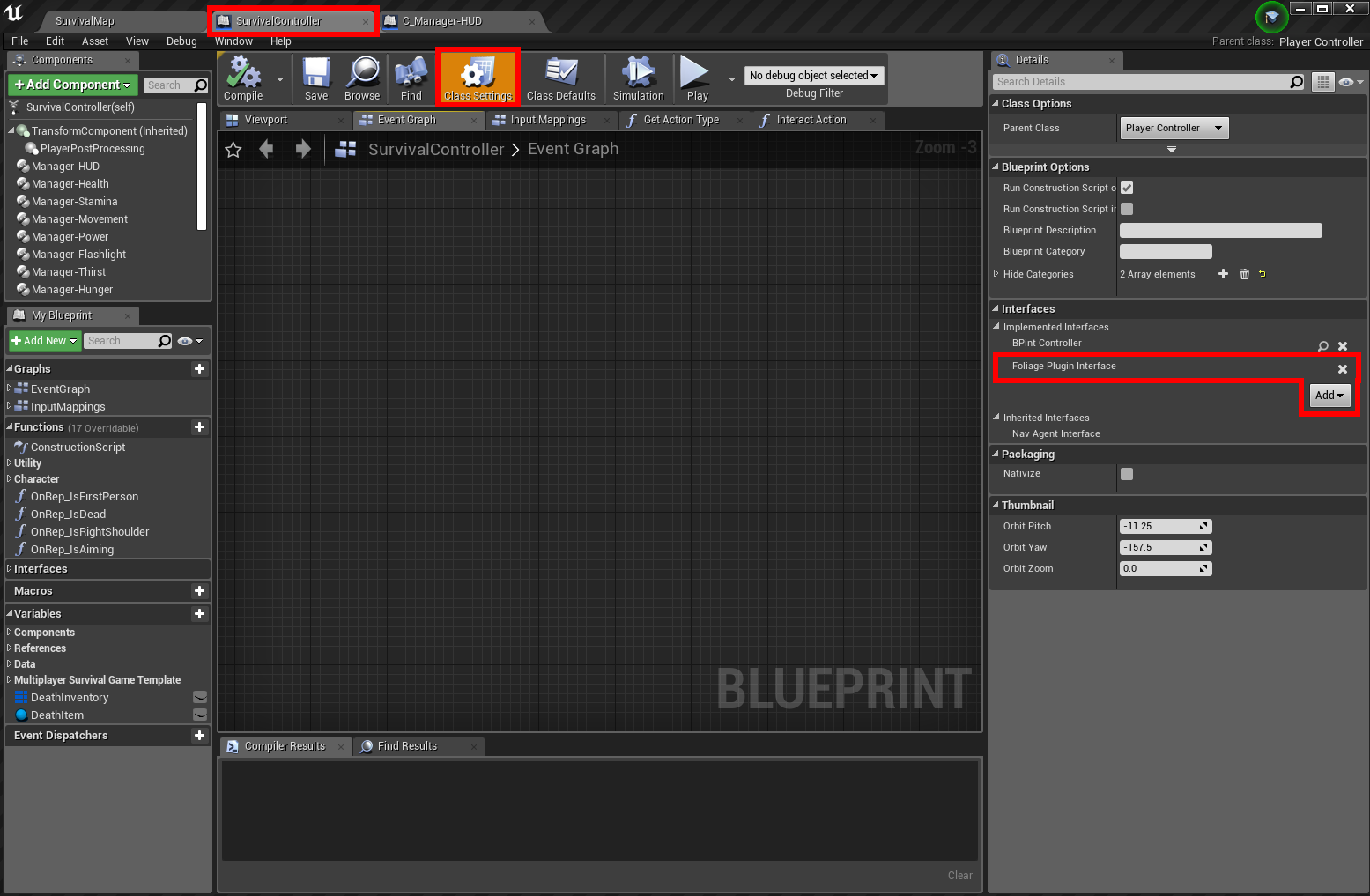
Implement the Foliage Plugin Interface in the SurvivalController Blueprint

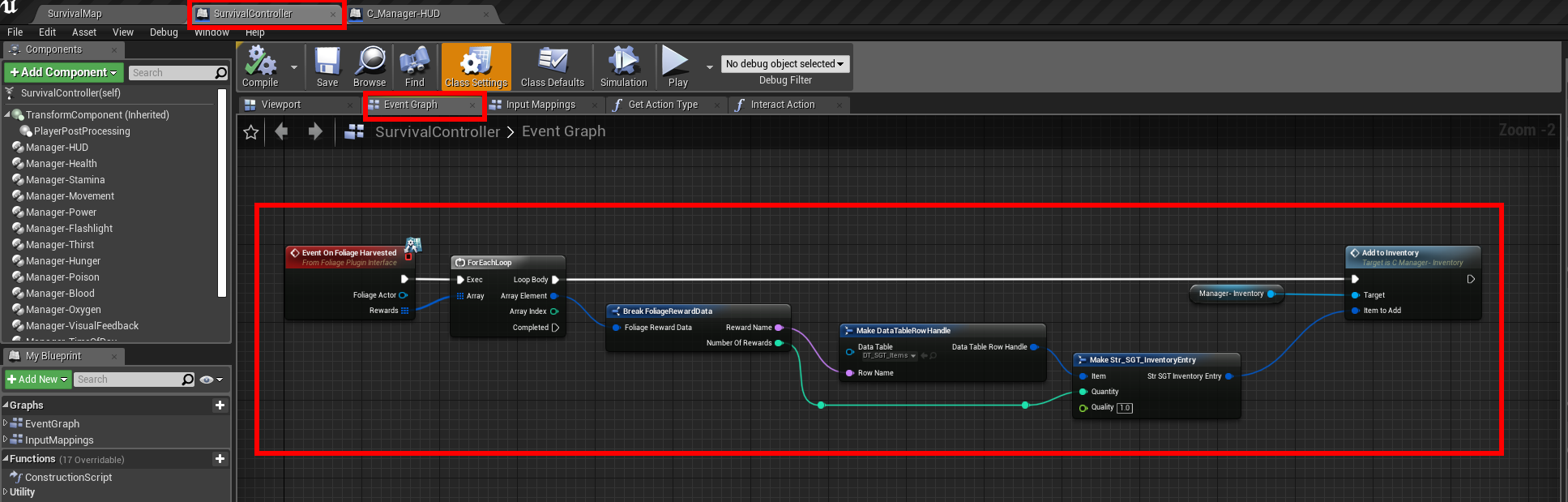
Right click anywhere inside the Event Graph (SurvivalController) and add the Interface Event as seen below:

An example of how to add foliage rewards to your inventory
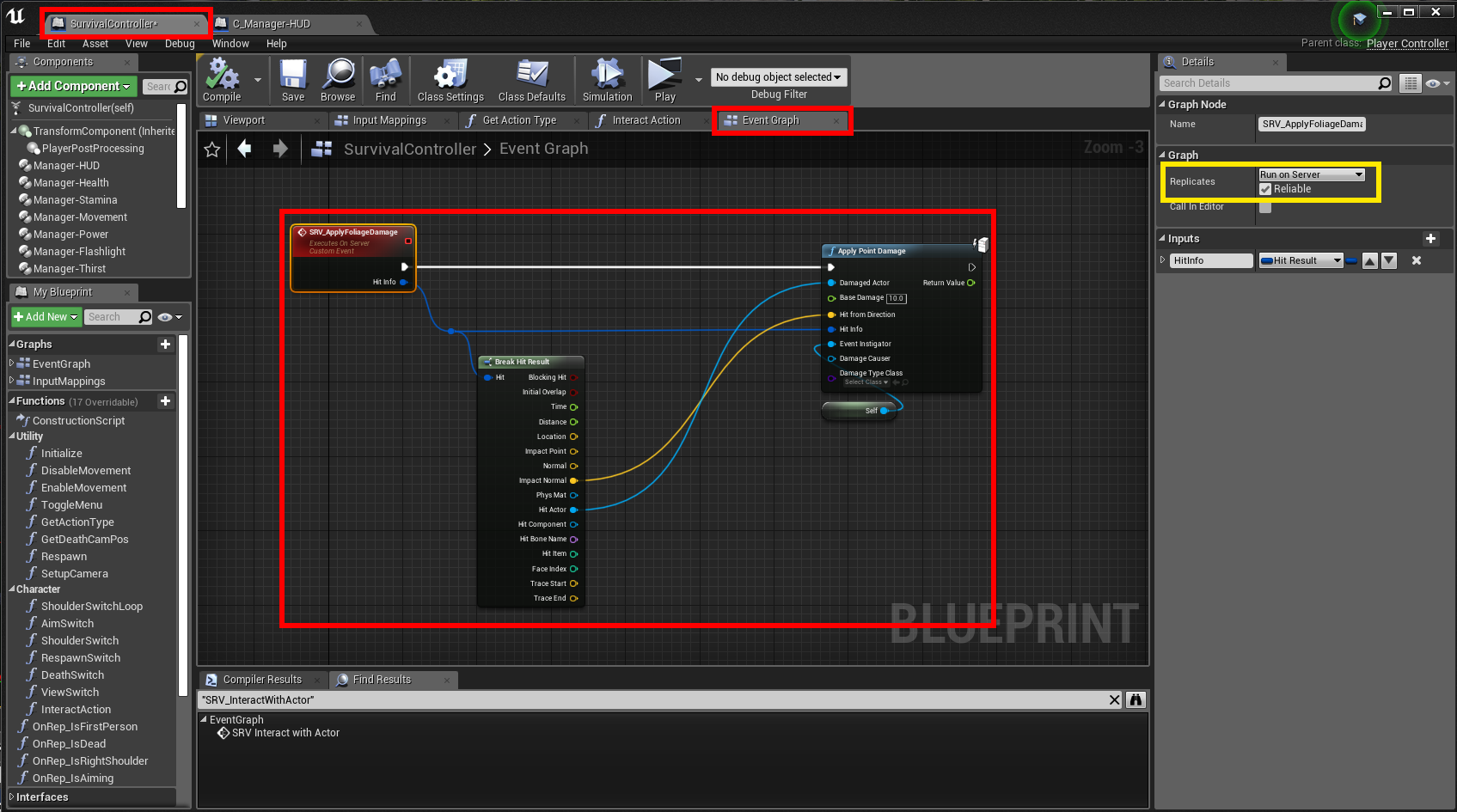
Inside the SurvivalController Event Graph, Right click and create a new event as seen below:

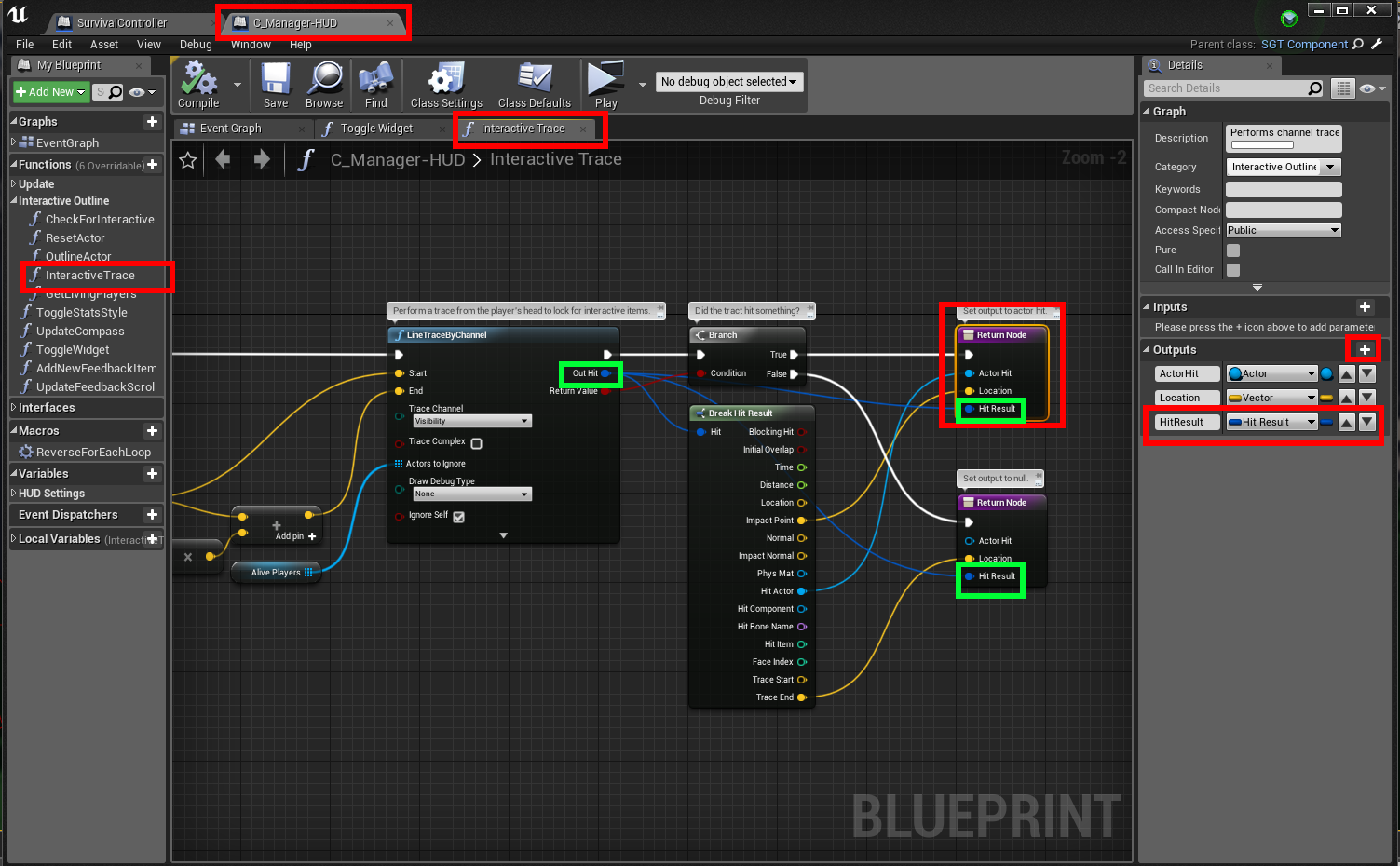
Open the C_Manager-HUD Blueprint Component and modify the InteractiveTrace function to output the Hit Result

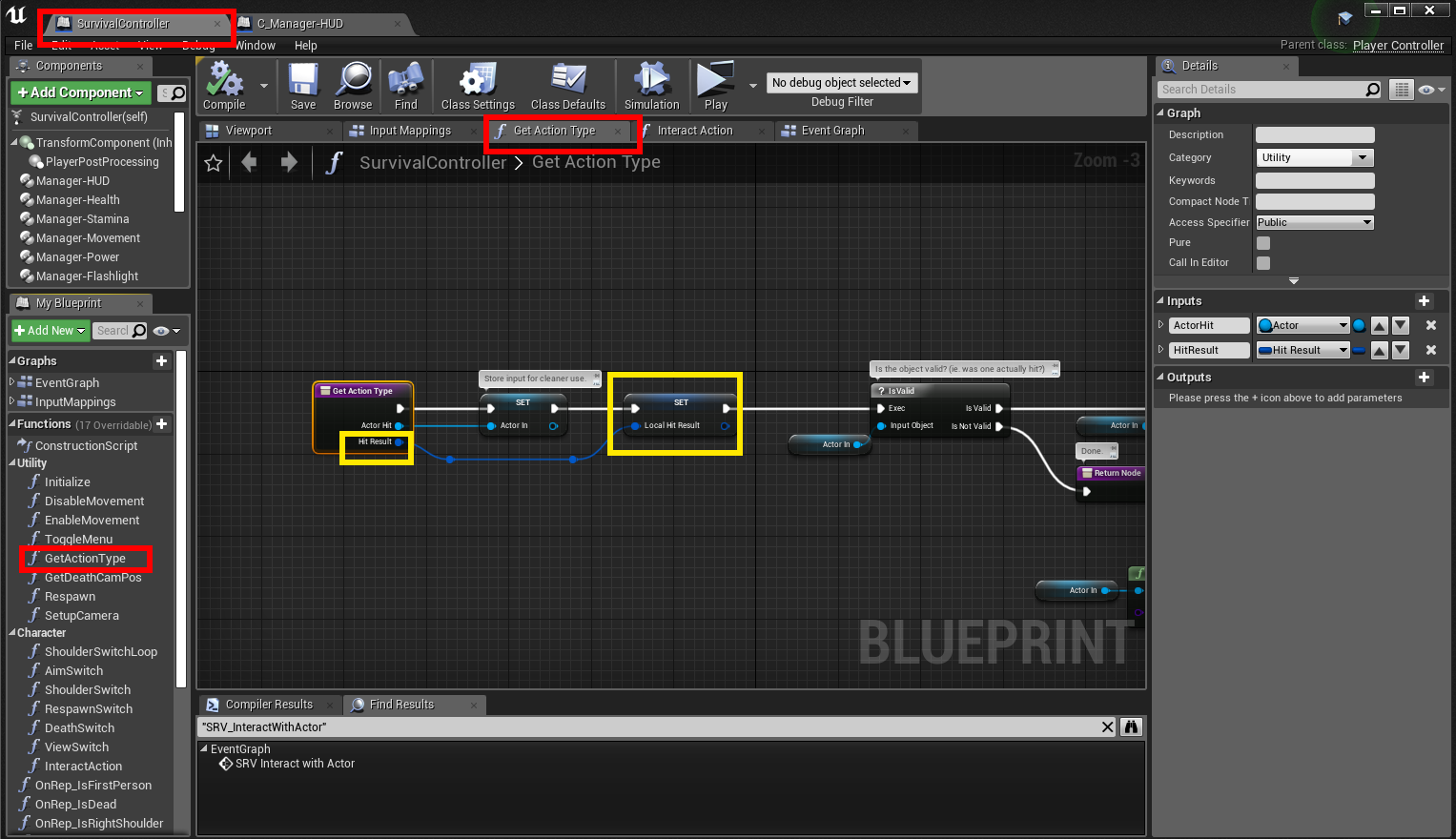
Inside the GetActionType Function (SurvivalController), add an input pin of Hit Result type as seen below:

Connect the Hit Result you just created, inside the "InteractAction" function (SurvivalController)

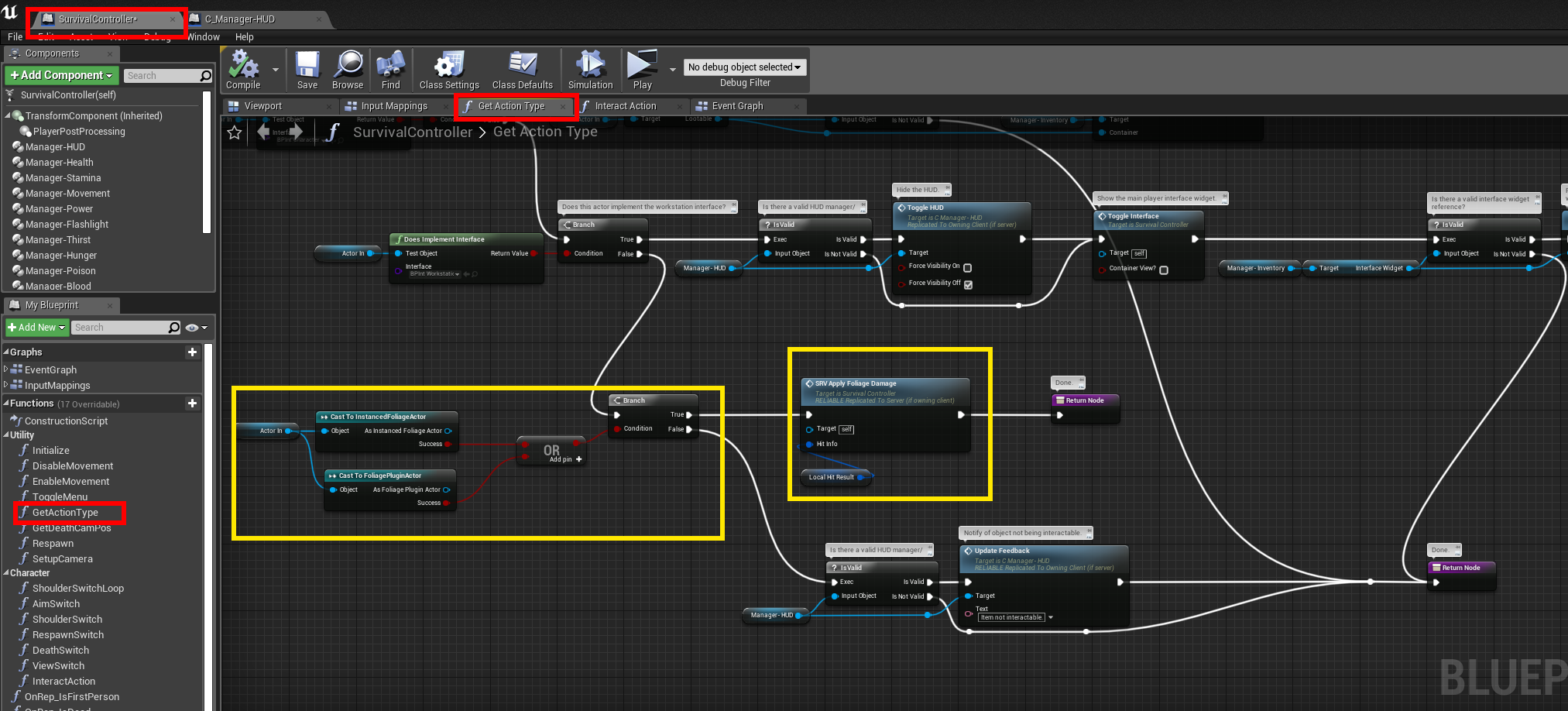
Modify the "GetActionType" function and add the event call you created earlier as seen in yellow:

Foliage Plugin + Survival Game Kit (SGT)

· 2 min read
Developer

https://youtu.be/jcDR2N0pMD4

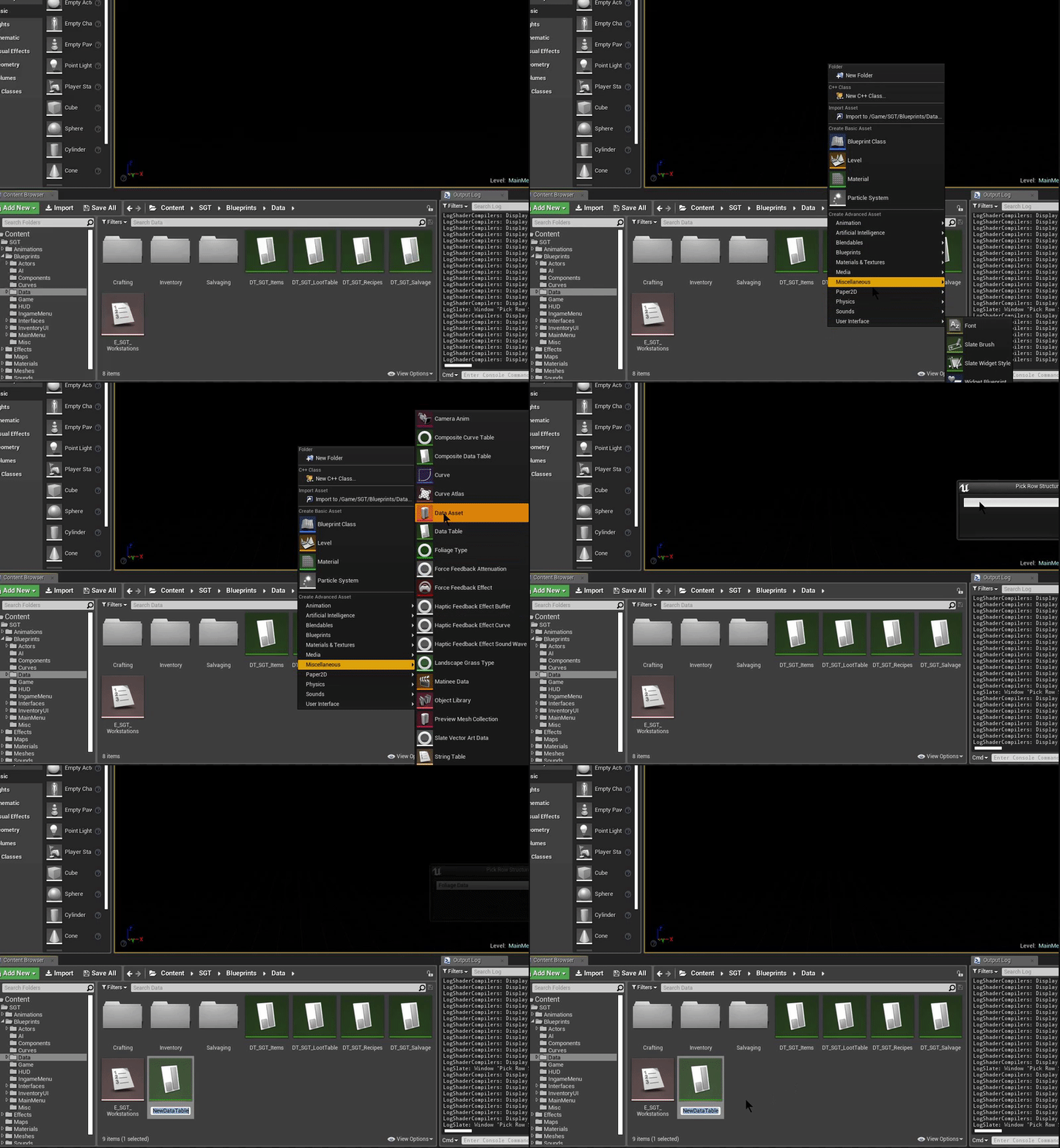
Create the Data Table (Foliage Data)

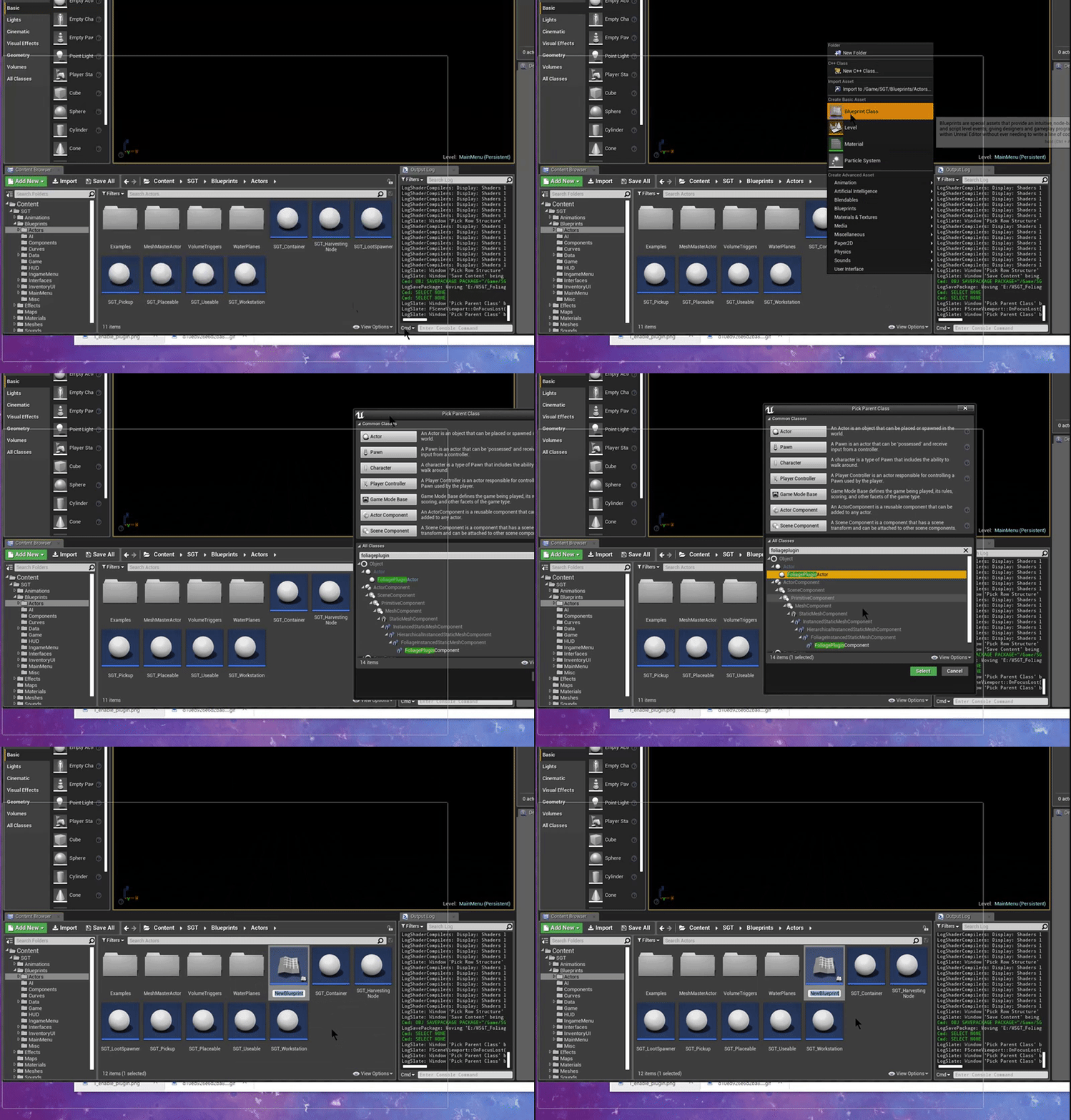
Create a Blueprint Class of type FoliagePluginActor

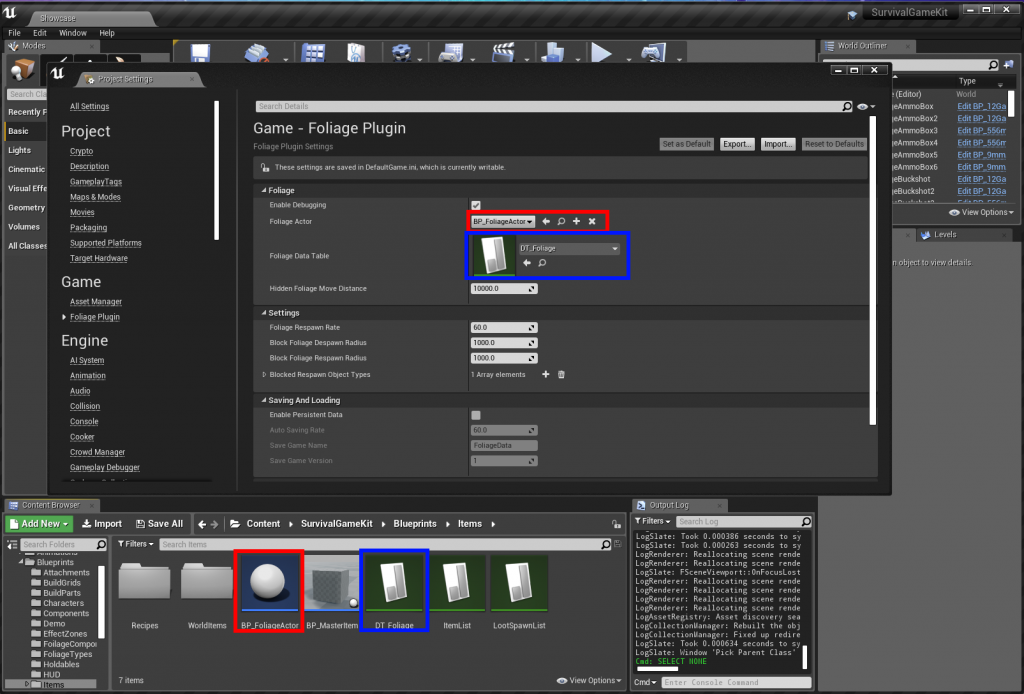
Assign the Data Table and the Foliage Actor in the Project Settings

(FOLIAGE ACTOR HAS BEEN MOVED TO THE DATATABLE)
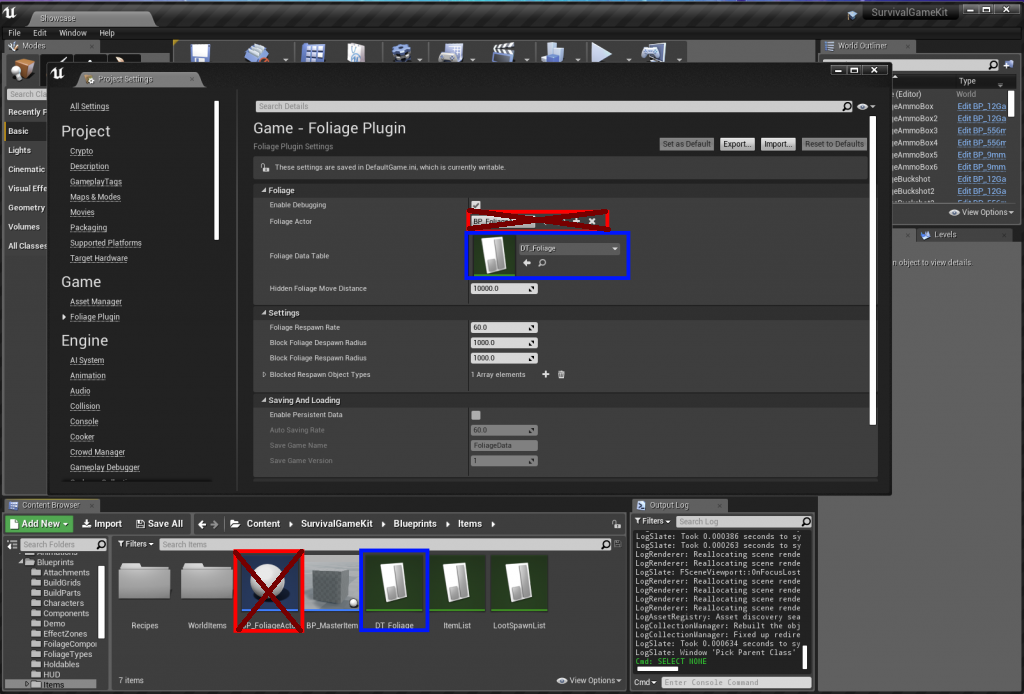
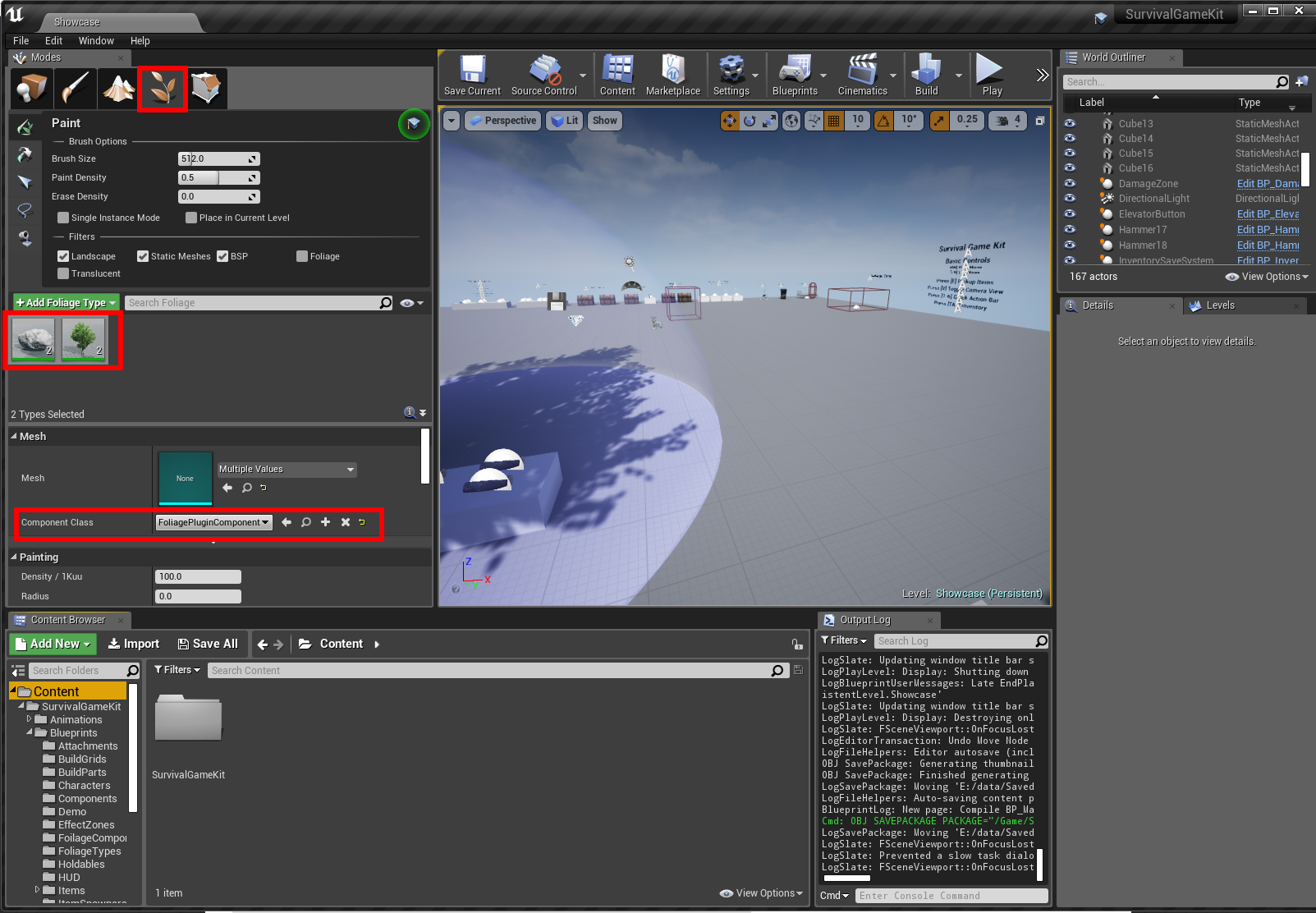
Change the Component Class for your Foliage to use the "FoliagePluginComponent"

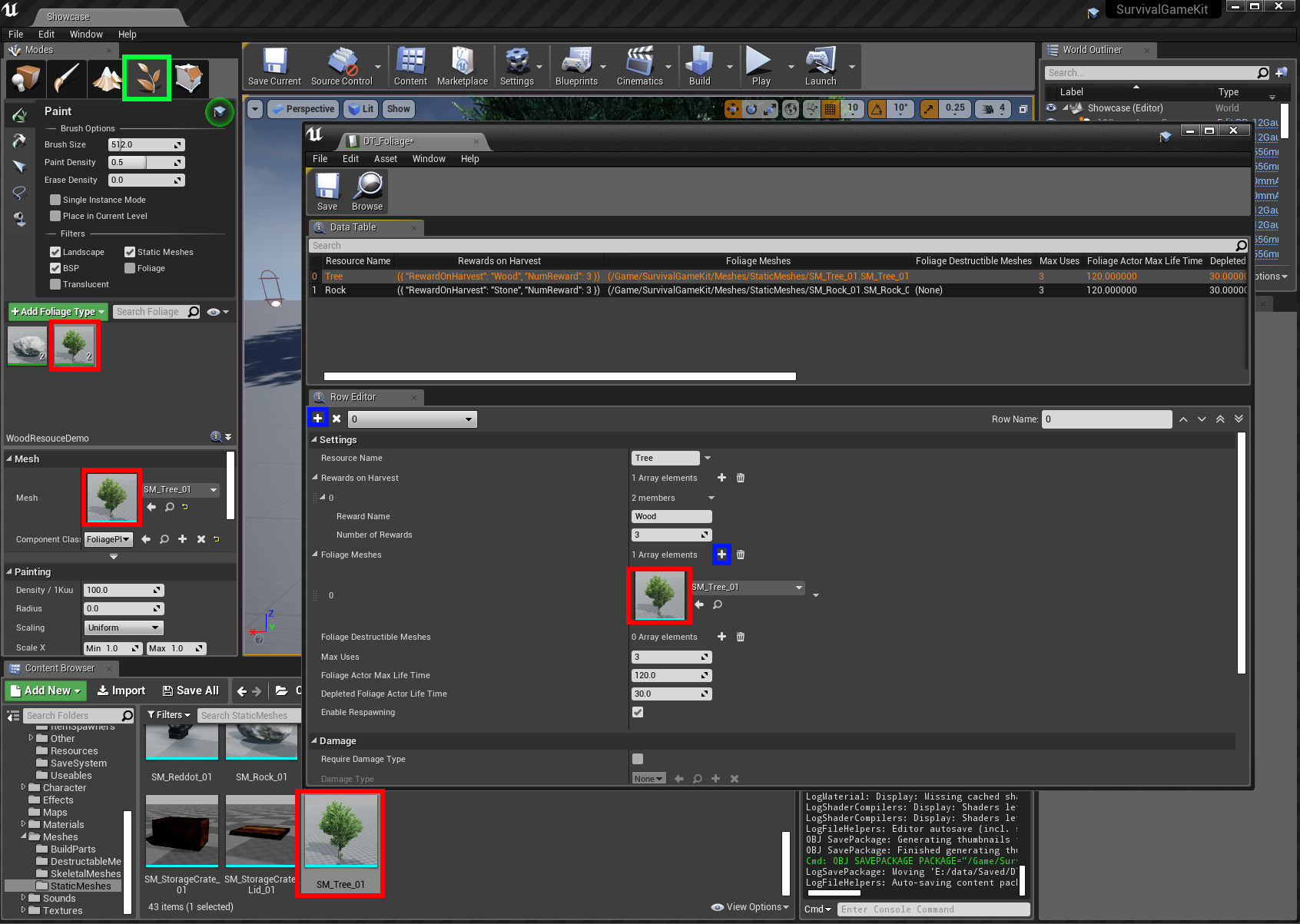
Create a new Tree resource in the Foliage Data Table you previously created, see example below

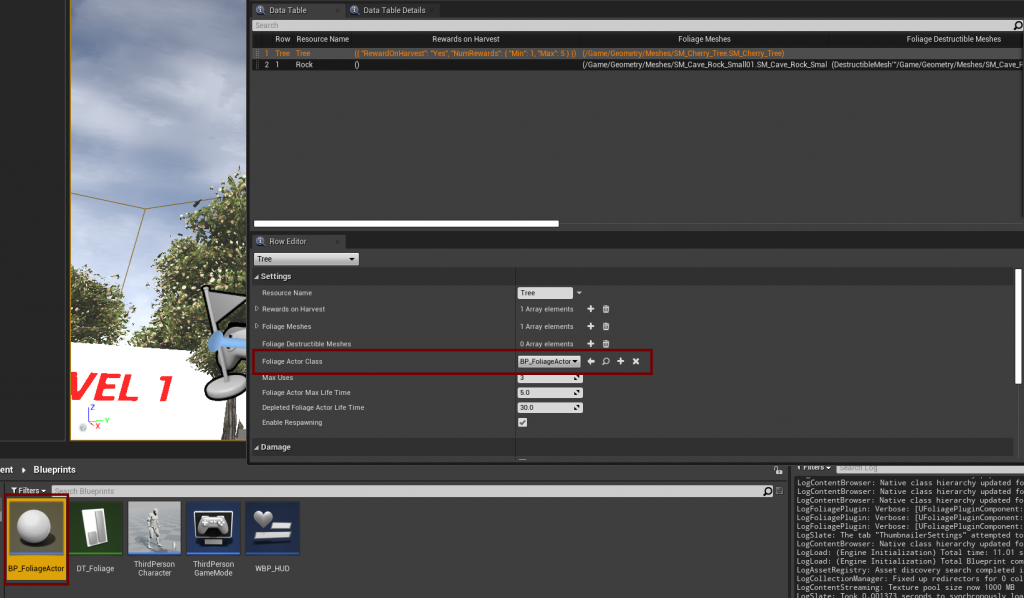
Set the BP_FoliageActor class that you created earlier in the DataTable

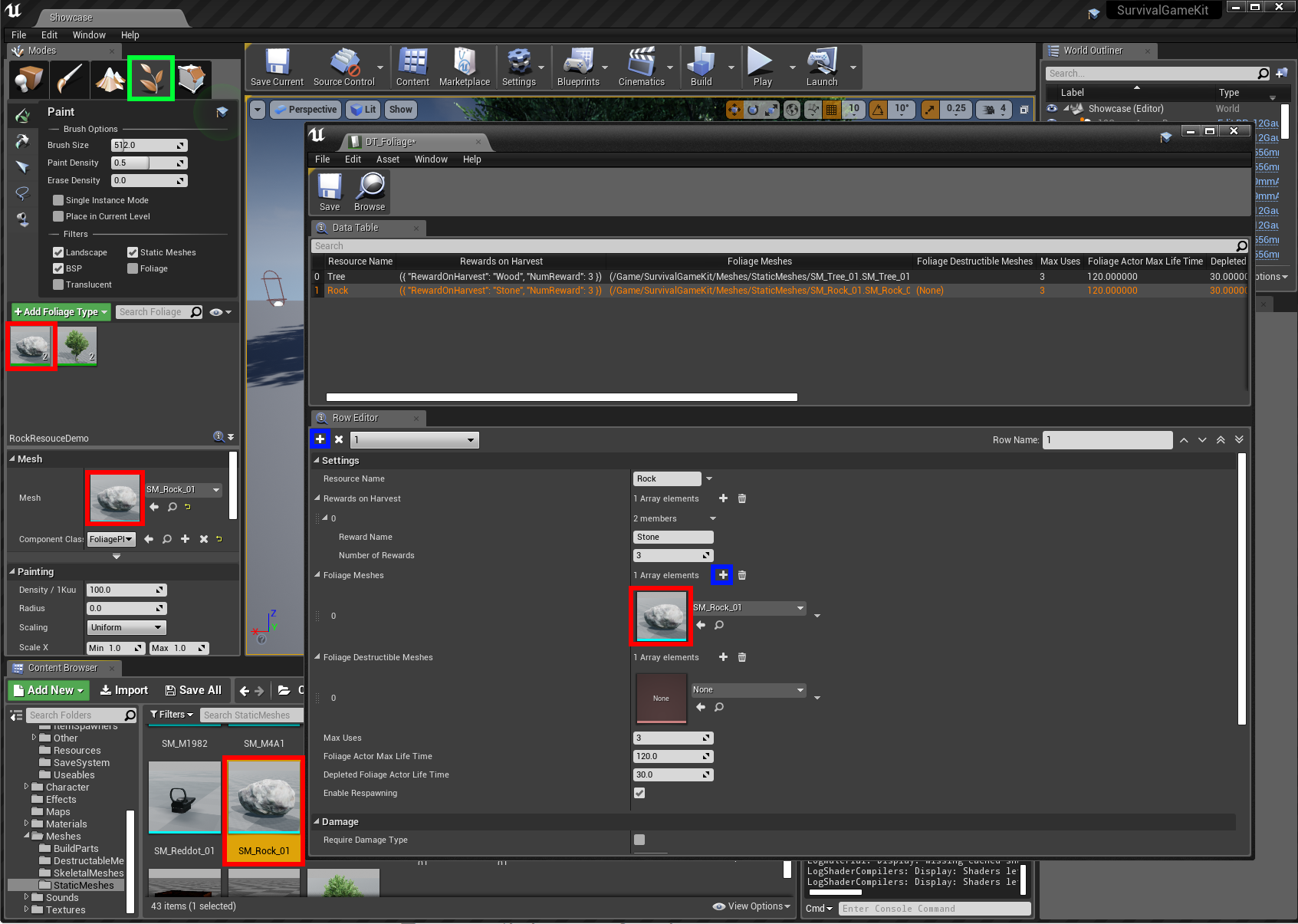
Create a new Rock resource in the Foliage Data Table you previously created, see example below

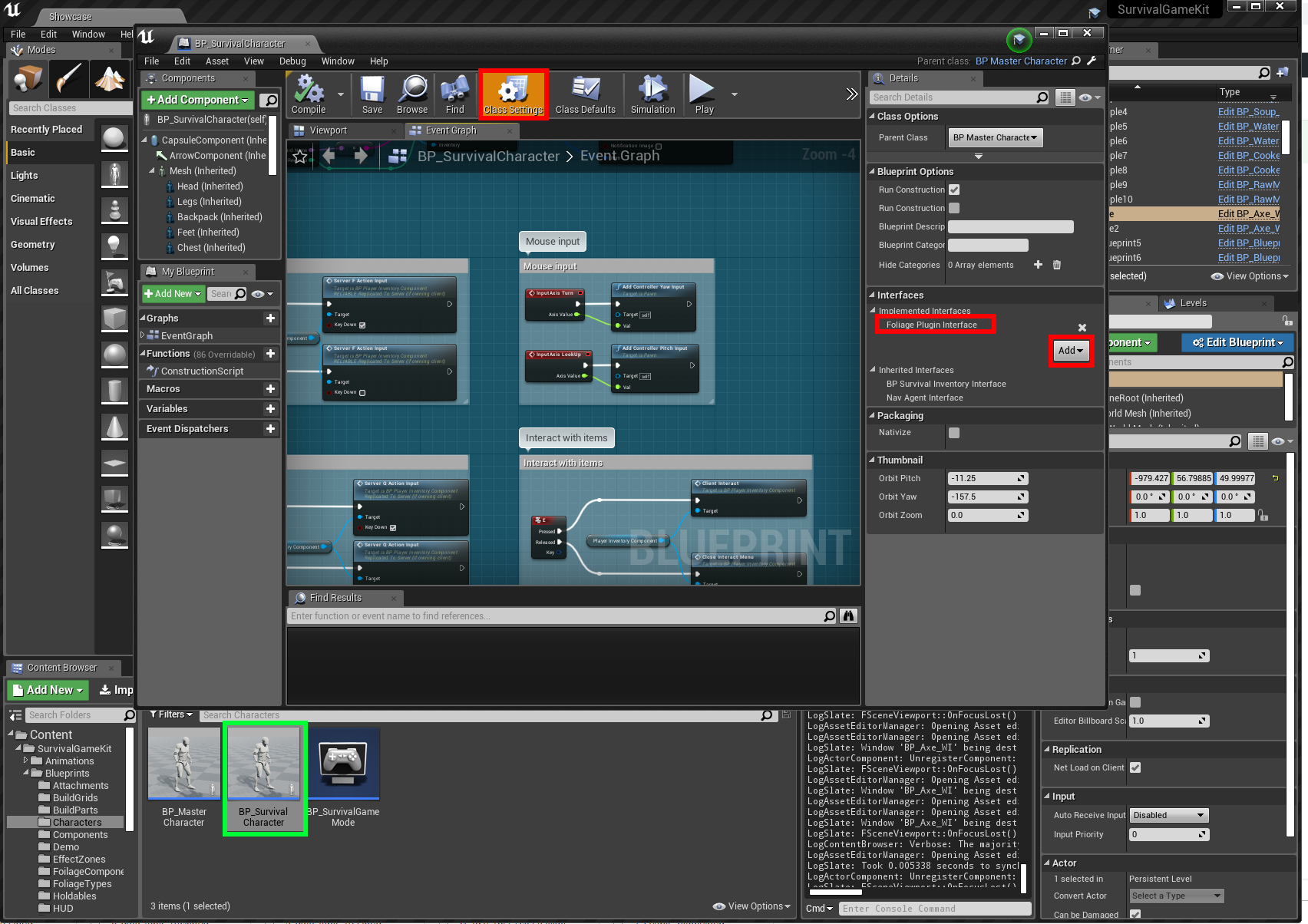
In the BP_SurvivalCharacter Blueprint, add the Foliage Plugin Interface

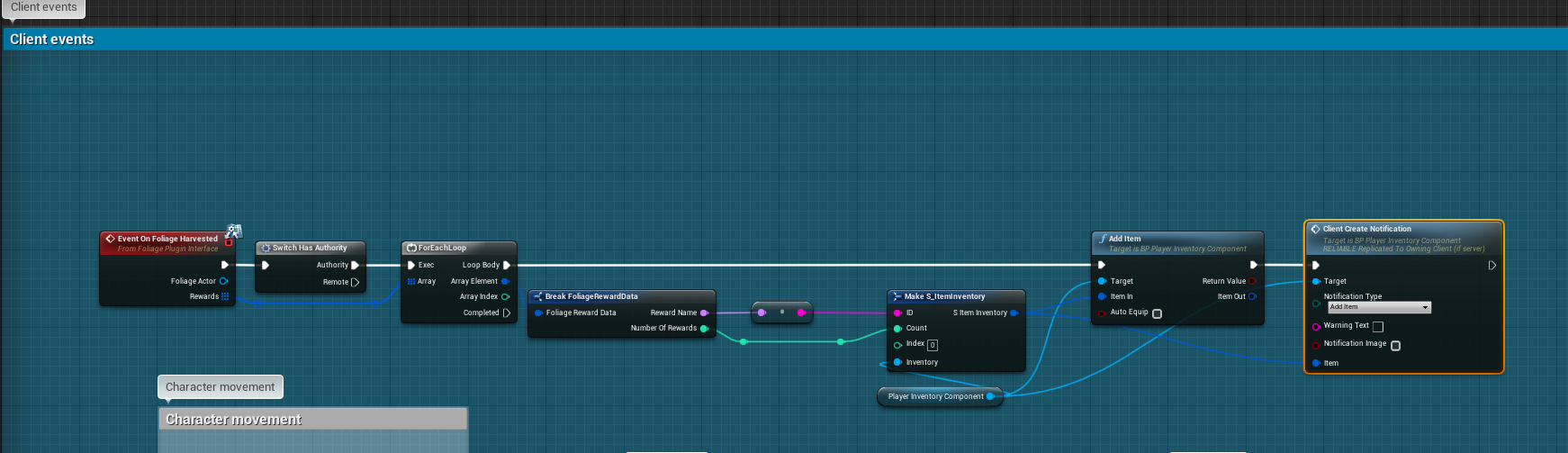
Example of adding the harvested resources to our inventory

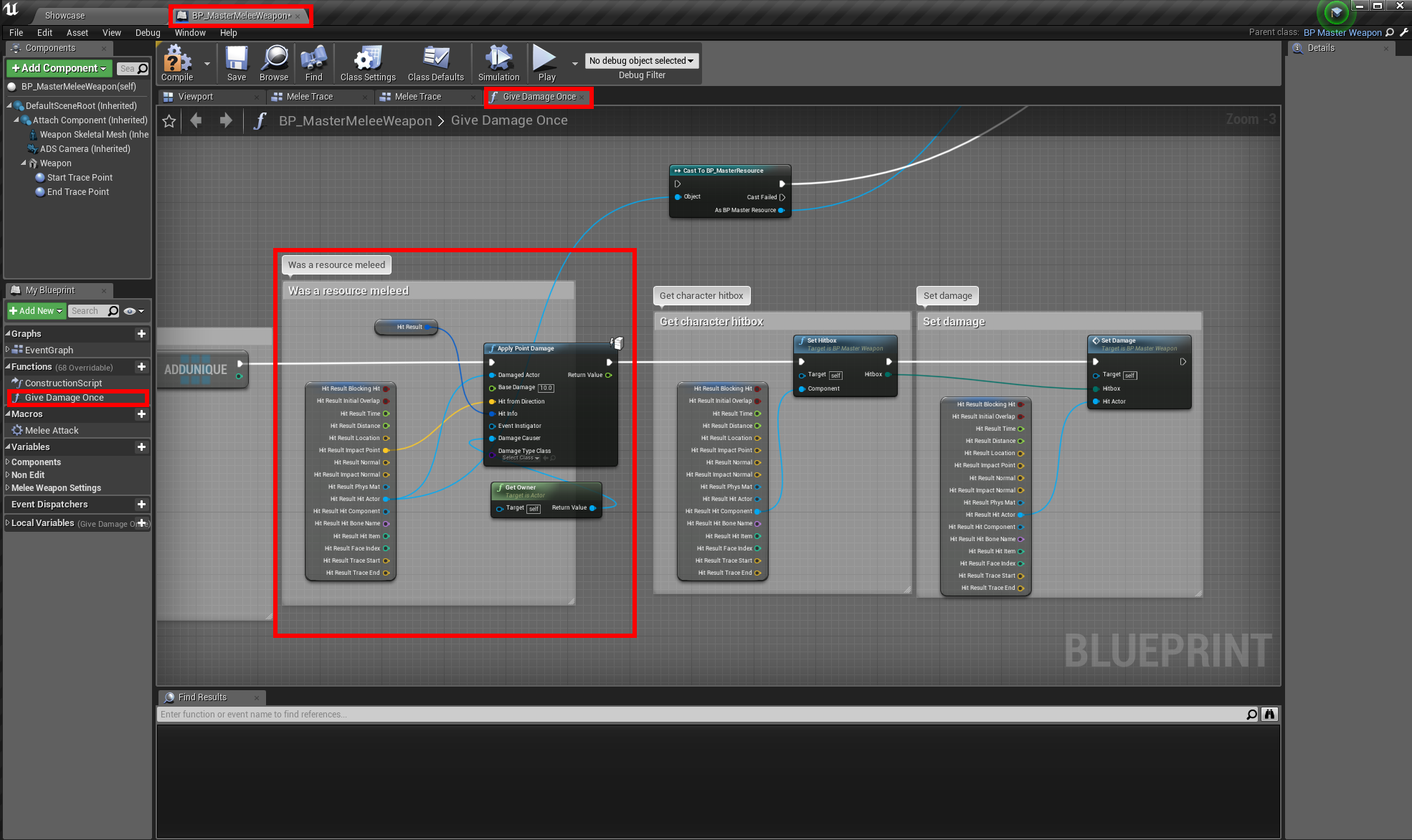
Example of how to enable Melee Weapons to harvest Trees and Rocks

OPEN THE "BP_MASTERMELEEWEAPON" BLUEPRINT (/BLUEPRINTS/HOLDABLES/BP_MASTERMELEEWEAPON) AND MODIFY THE "GIVE DAMAGE ONCE" FUNCTION TO THE EXAMPLE BELOW
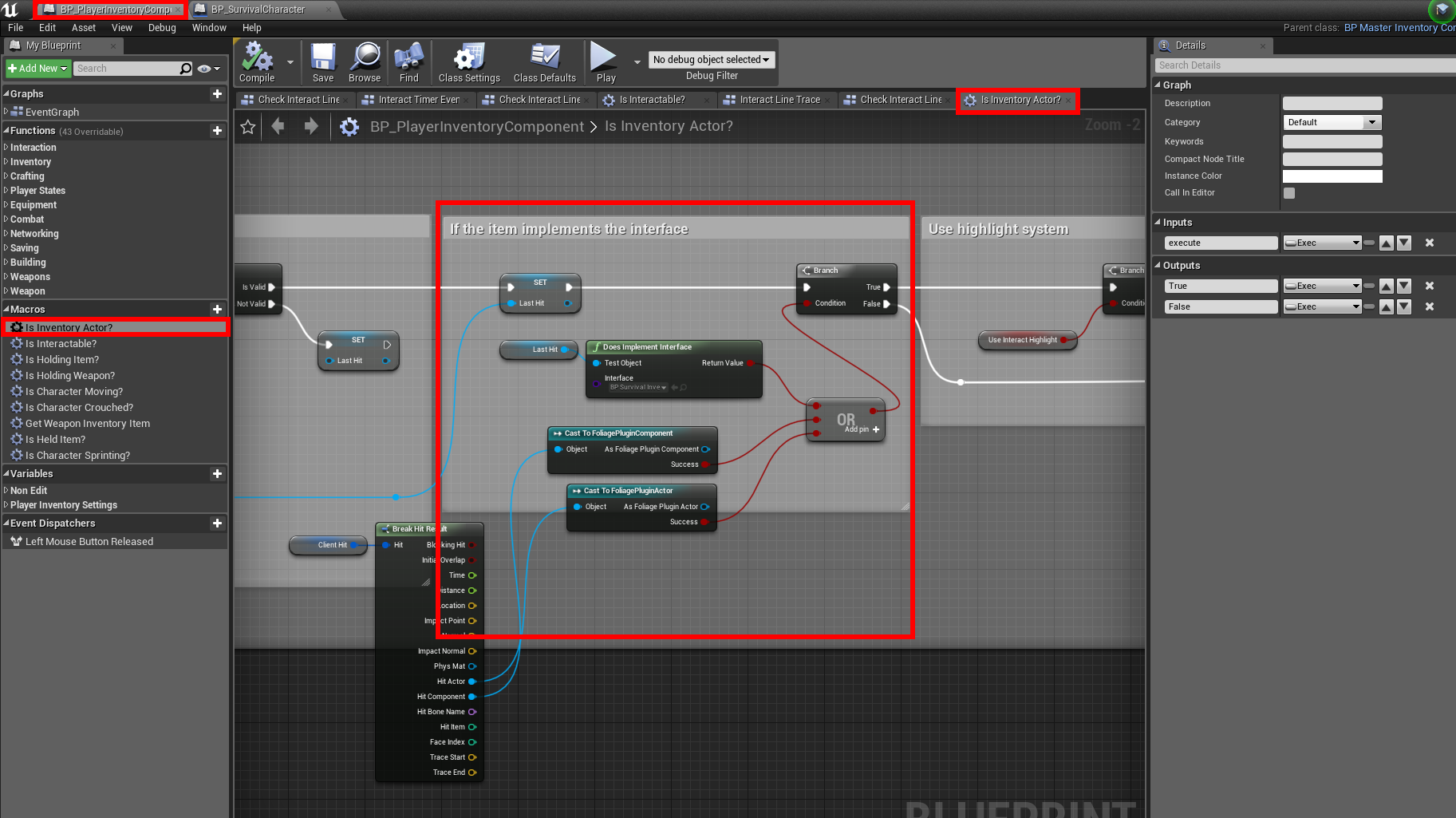
Example of how to enable harvesting with "E" Interact Key

Open the "BP_PlayerInventoryComponent" (/Blueprints/Components) and modify the "Is inventory actor?" macro
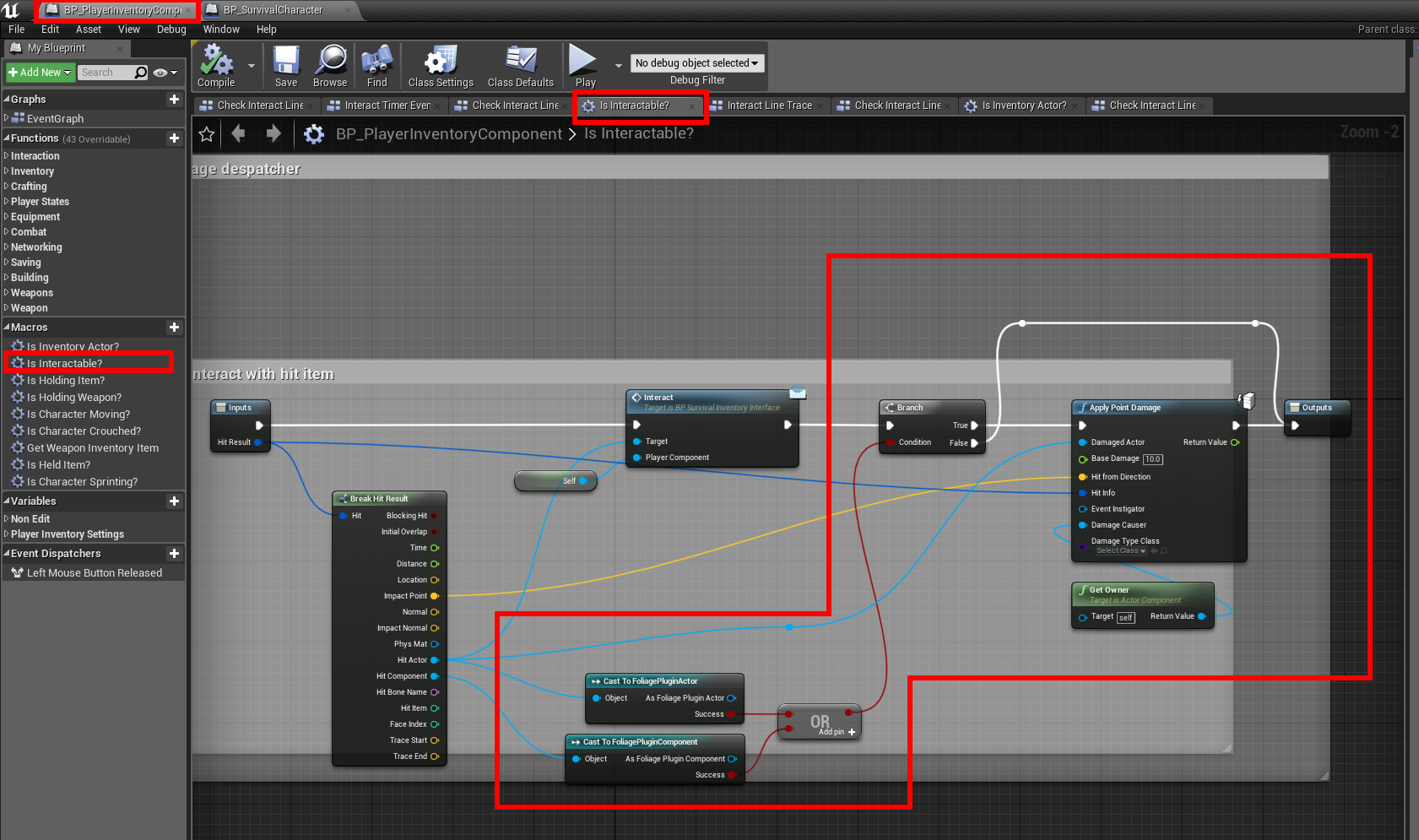
Open the "Is interactable?" Macro and modify as such

Foliage Plugin Damage Types

· One min read
Developer

Setting up Damage Types for the Foliage Plugin

If you haven't setup the Foliage Plugin yet, follow this tutorial first.
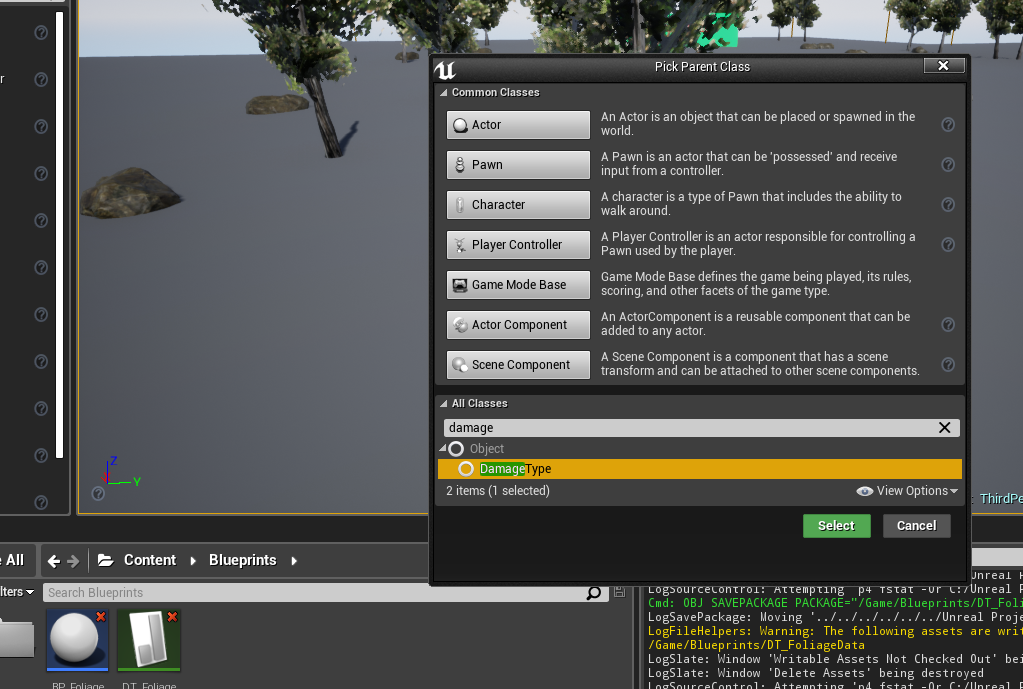
Create a new Blueprint Class based on the DamageType

Set the new Damage Type required in your Foliage DataTable

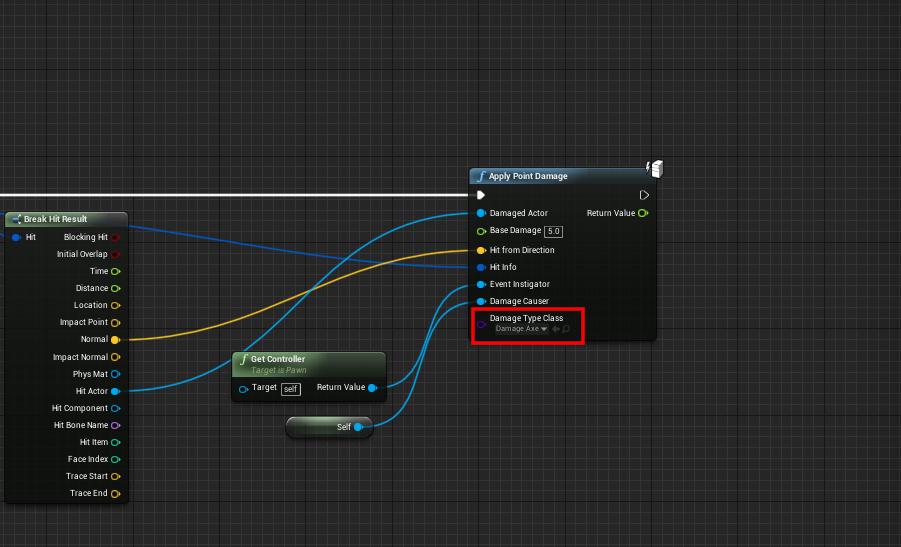
When Applying damage to your Foliage, specify the new Damage Type

All done, if the incorrect damage type is applied, you will not be able to interact with the Foliage