GameLiftServer 1.0.4
· One min read
- Updated the plugin to allow it to load on Android devices even though functionality is disabled.
unreal engine
View All TagsDefaultEngine.ini
[Core.Log] LogFoliagePlugin=Verbose
DefaultEngine.ini
[Core.Log] LogAwsCognito=Verbose
Go to https://console.aws.amazon.com/iam/ and login to your Amazon Account and access the IAM Console
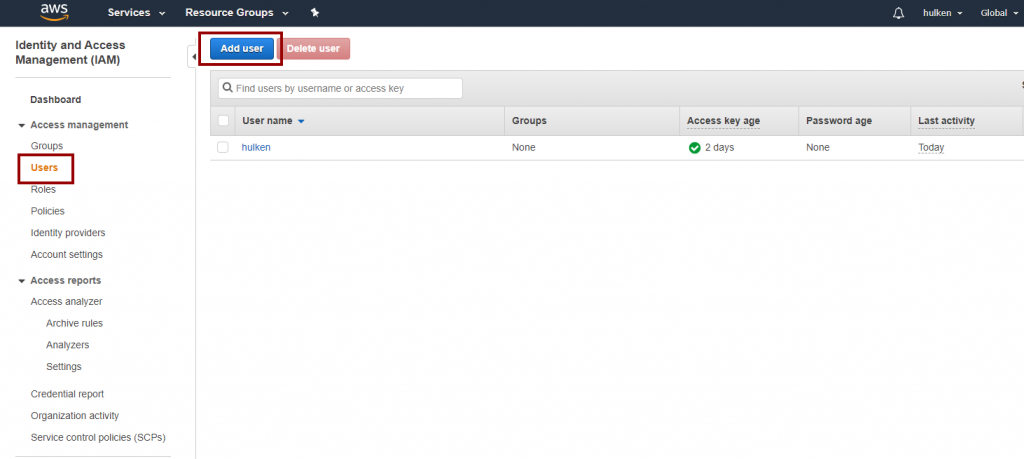
Click on “Users†and then “Add User“
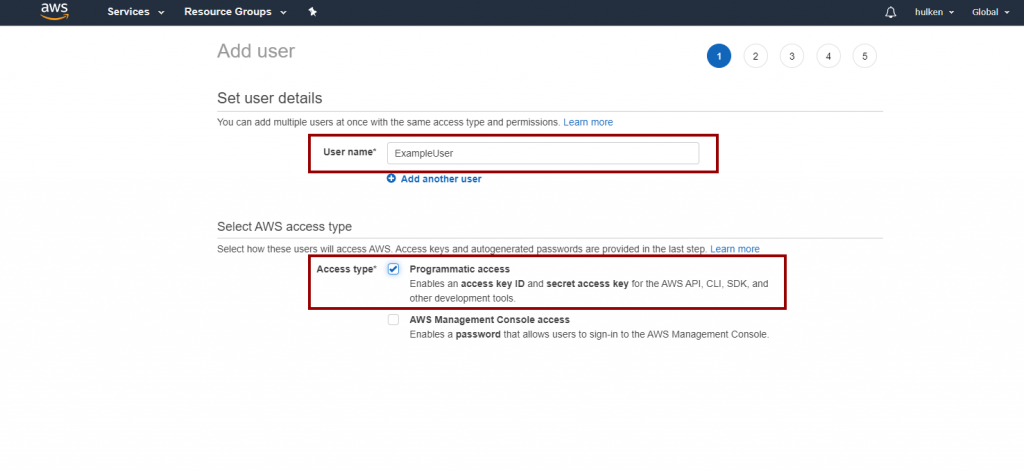
Name your user user and check “Programmatic Access“
On the next screen click on “Attach existing policies directly†and search for "CloudTrail" and select “CloudTrailFullAccess“.

You can skip the “Tags†page
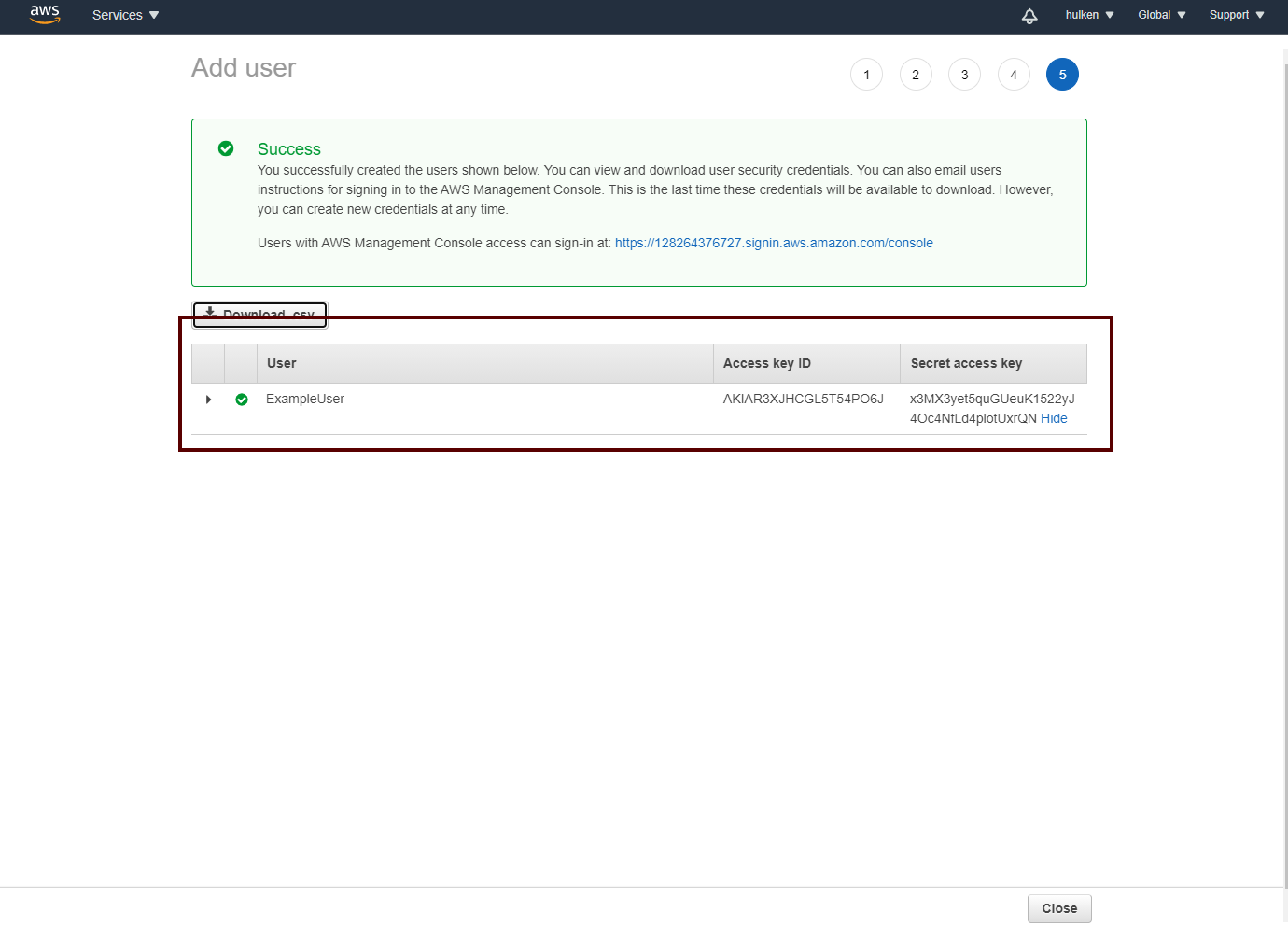
Verify your settings and click on “Create User“

These are the security keys that you will have to enter in Unreal Engine to access CloudTrail functionality!

DefaultEngine.ini
[Core.Log] LogAwsDynamoDB=Verbose
DefaultEngine.ini
[Core.Log] LogAwsLambda=Verbose
DefaultEngine.ini
[Core.Log] LogAwsS3=Verbose
Go to https://console.aws.amazon.com/iam/ and login to your Amazon Account and access the IAM Console
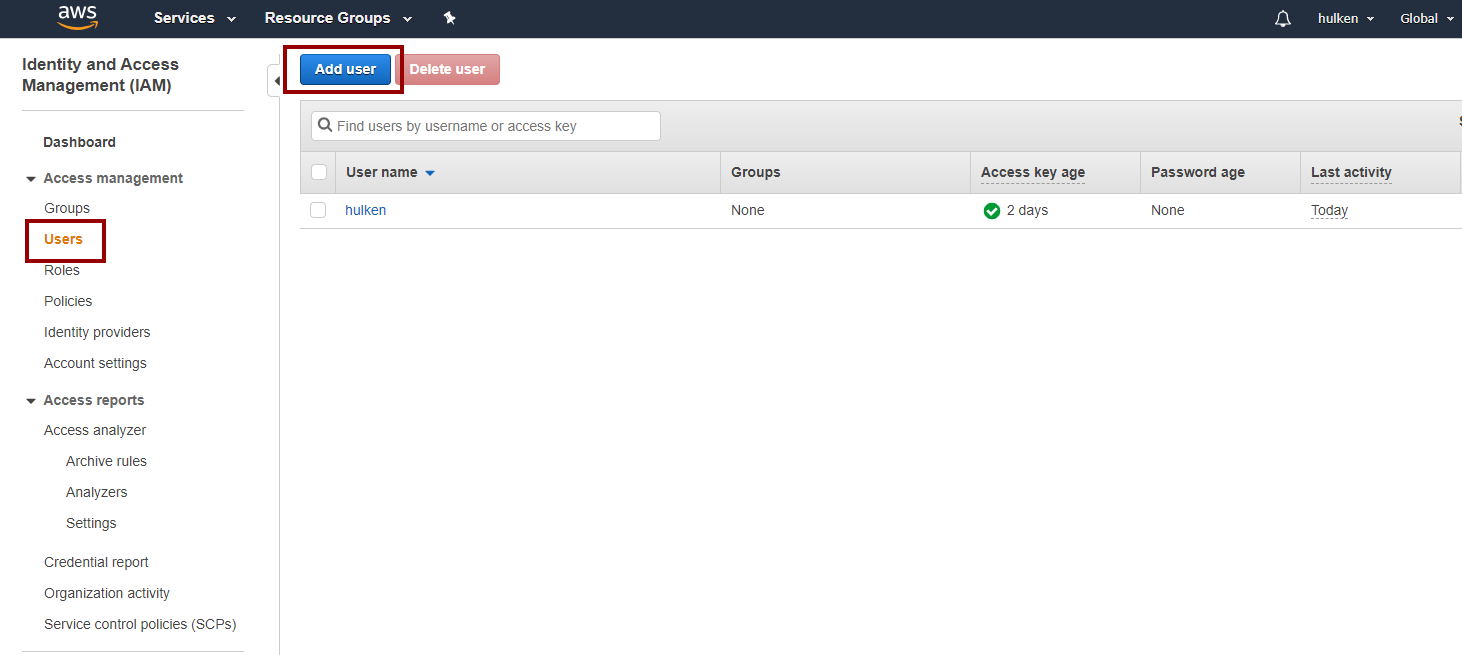
Click on “Users†and then “Add User“
Name your user user and check “Programmatic Access“
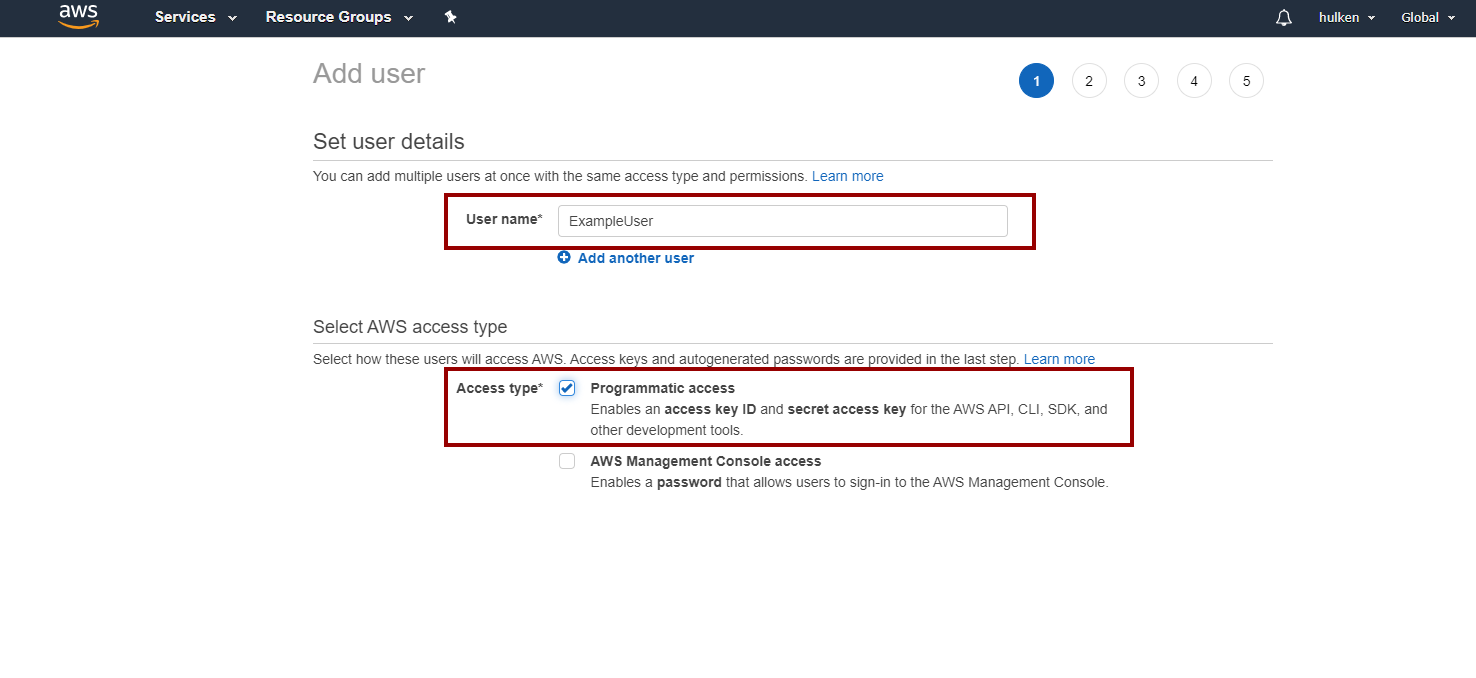
On the next screen click on “Attach existing policies directly†and search for "Polly" and select “PollyFullAccess“.

You can skip the “Tags†page
Verify your settings and click on “Create User“
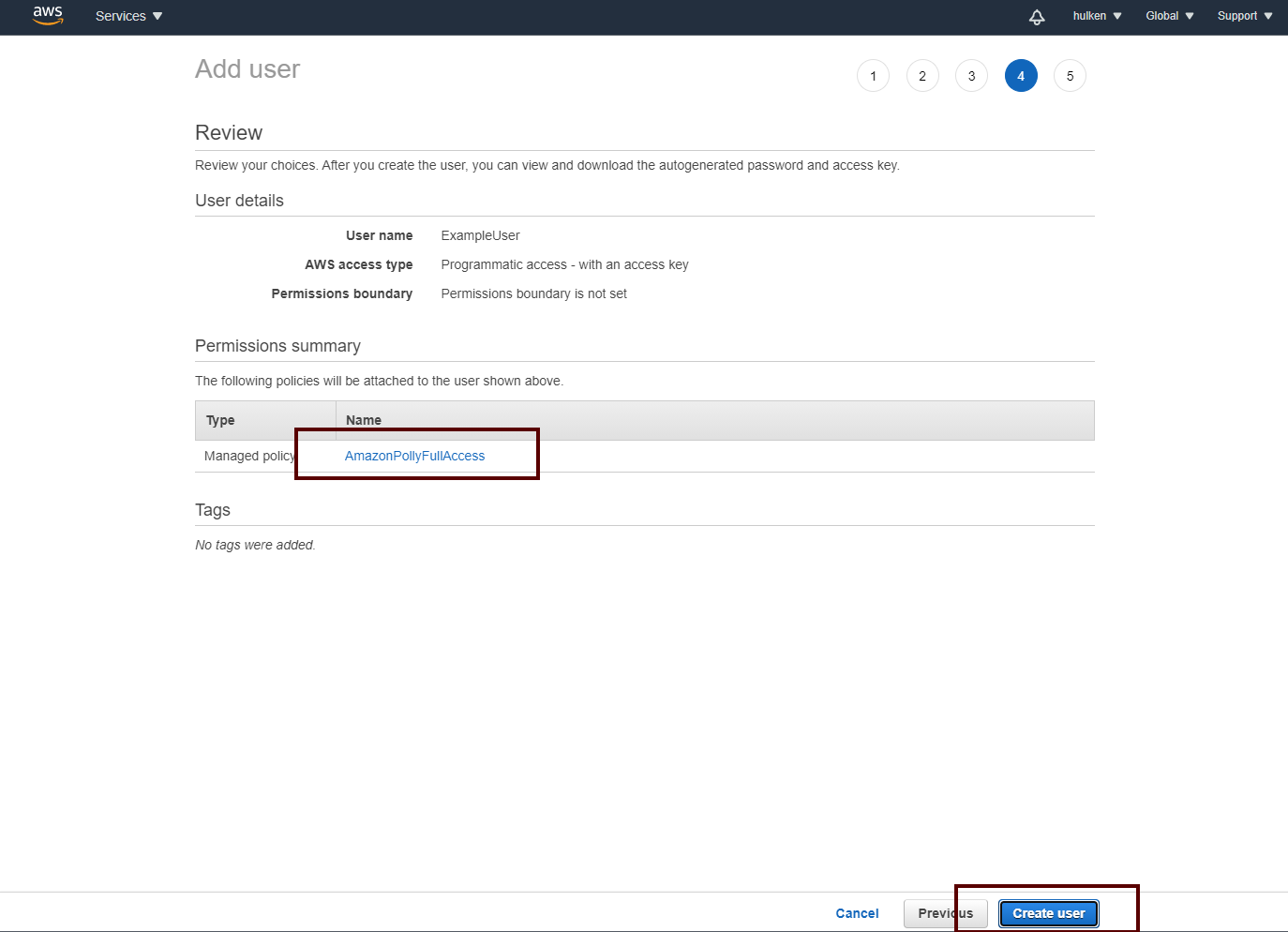
These are the security keys that you will have to enter in Unreal Engine to access Translate functionality!