Integrating Simple Build System with Multiplayer Survival Game Template #2
· 2 min read
You can find the post here:
http://eeldev.com/index.php/edit-blueprint-ustructs-unreal-engine/
Have you read the post? Good, then you can proceed!
-
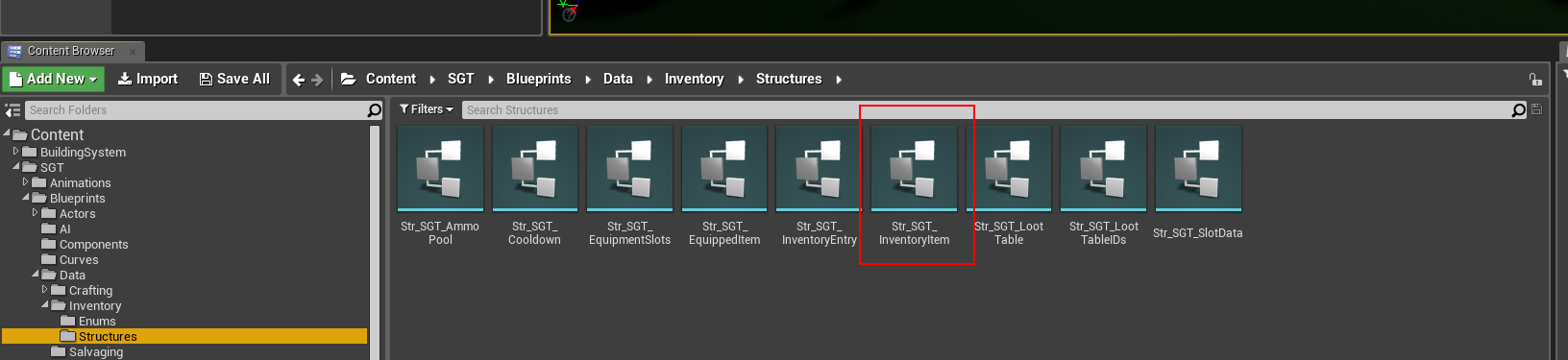
Open the Str_SGT_InventoryItem Struct
Wait.. did you really read my post? Ok, just making sure!
http://eeldev.com/index.php/edit-blueprint-ustructs-unreal-engine/
-
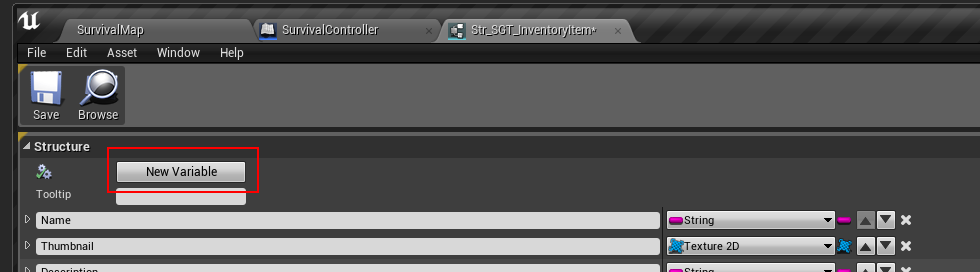
Add a new Variable
-
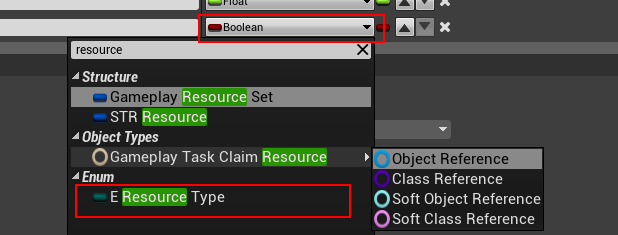
Make the new variable a E_ResourceType Enum
-
It should look like this when done:

-
Save the struct & Restart the editor (DO NOT SAVE ANYTHING ELSE BESIDES THE STRUCT!!!!!!!!!!!!!!!!
-
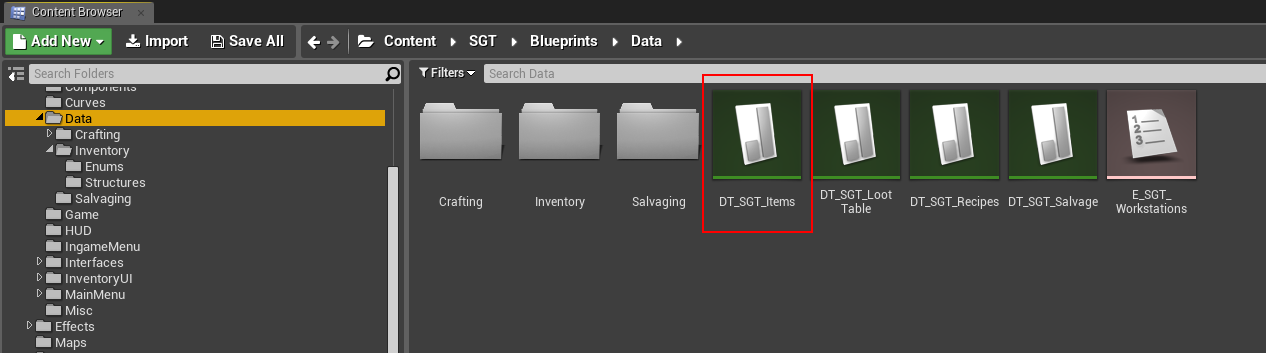
After restarting, open the DT_SGT_Items Data Table
-
In this example, we're going to use the included Wood Plank item as our Wood resource item


-
Next, open the C-Building Component
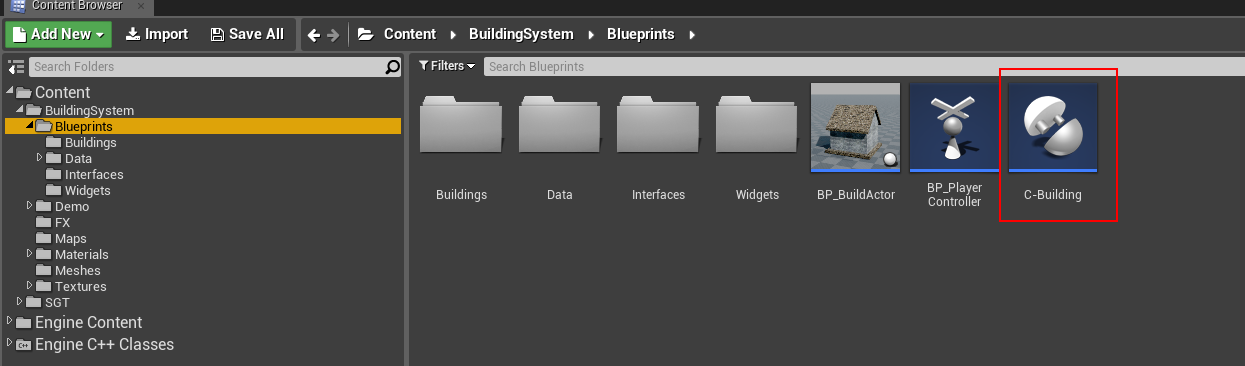
-
Navigate to this event graph, modify the default graph to look like this:
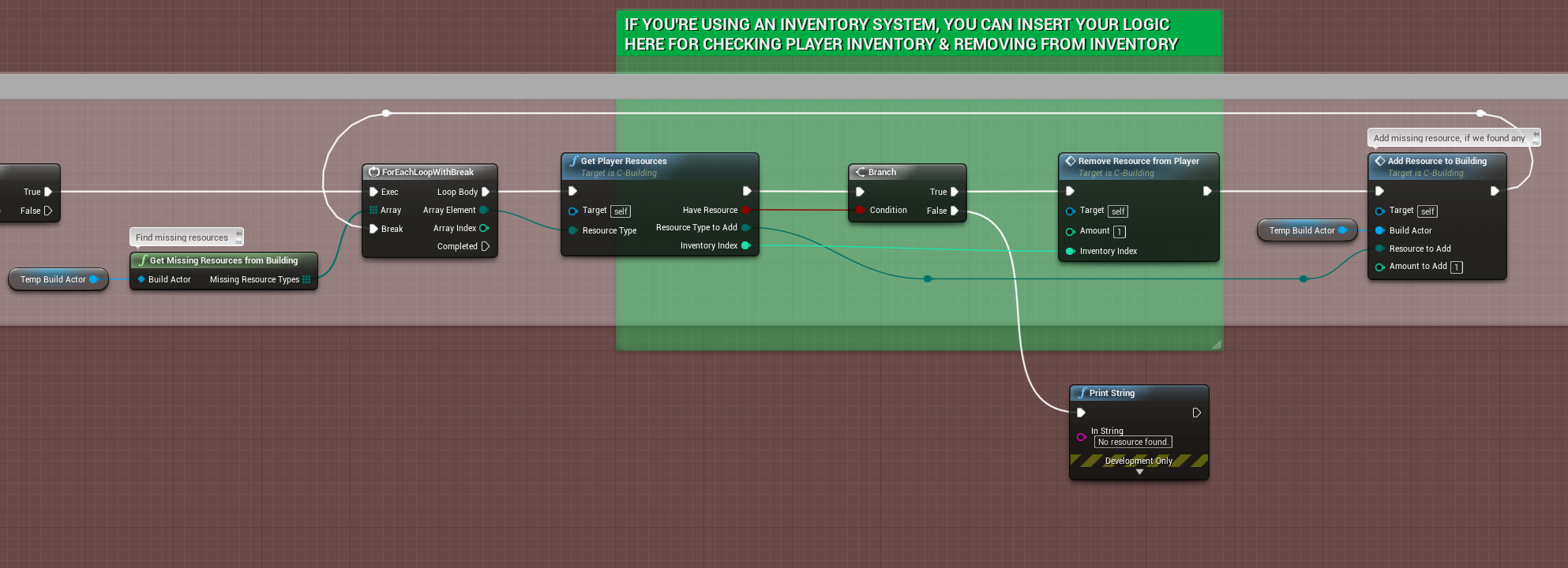
-
Modify the FindResourcesInPlayerInventory()
Add a new output parameter (InventoryIndex) (integer type) set default value to -1
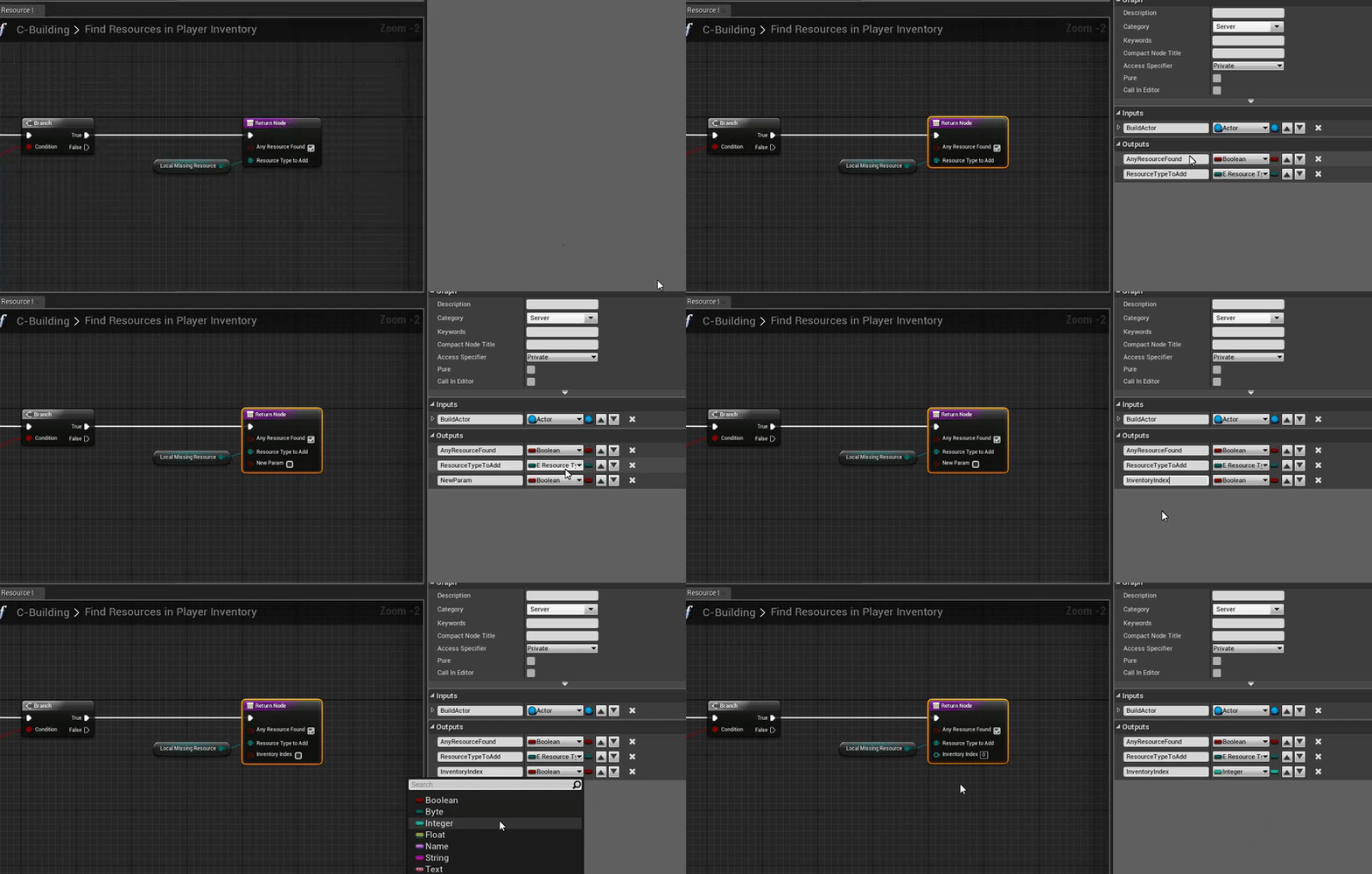
FindResourcesInPlayerInventory()

FindResourcesInPlayerInventory()
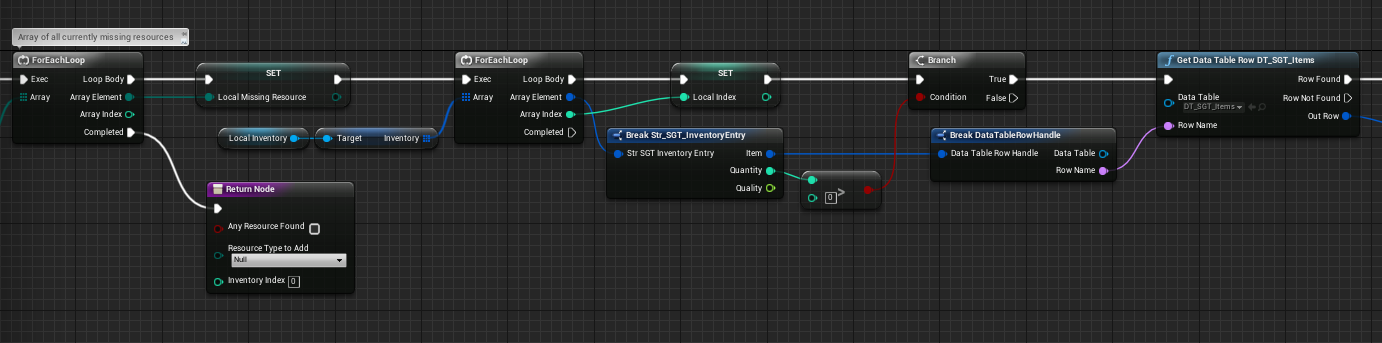
FindResourcesInPlayerInventory()
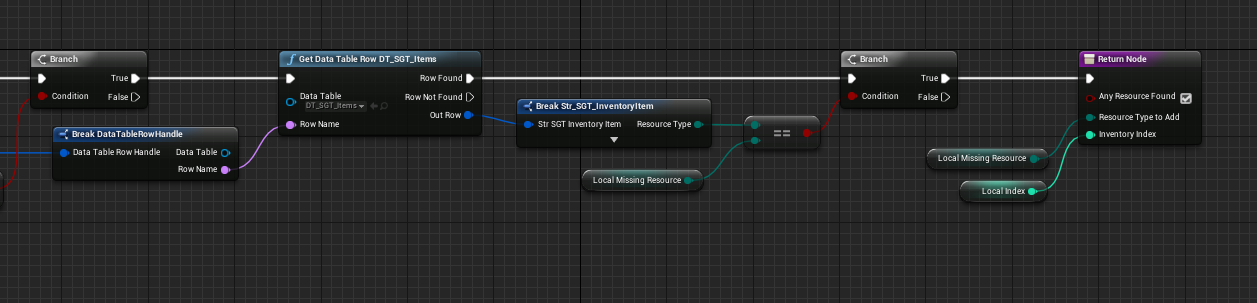
FindResourcesInPlayerInventory()
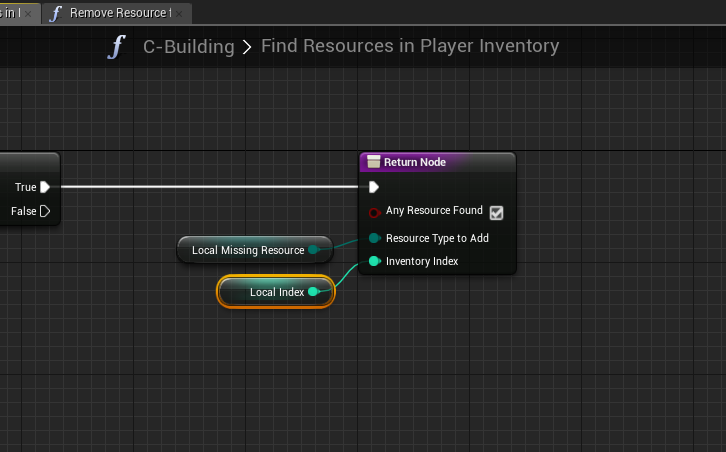
-
 Modify the RemoveResourceFromPlayer() function
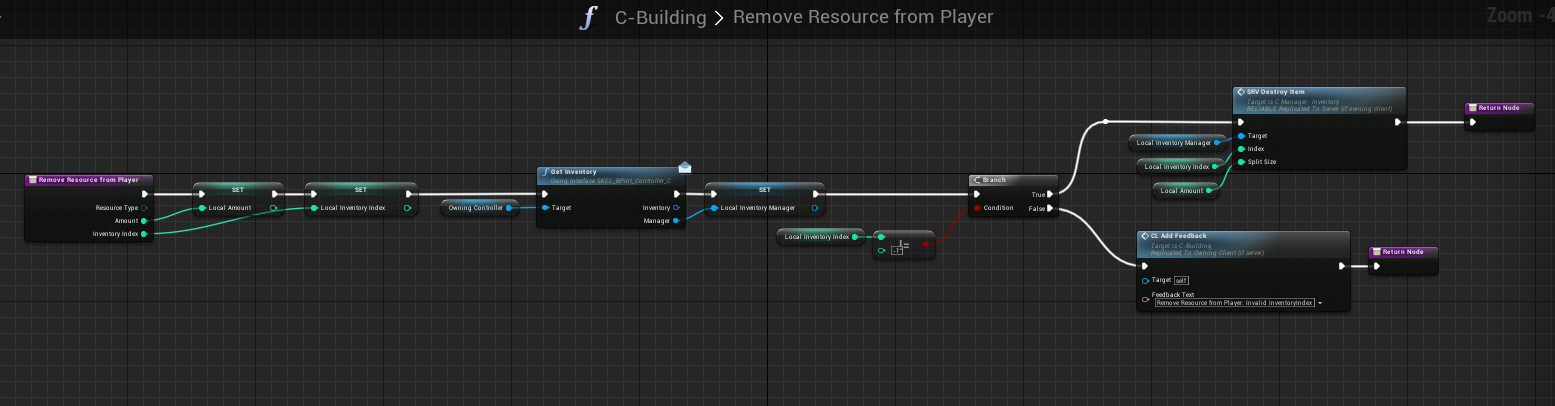
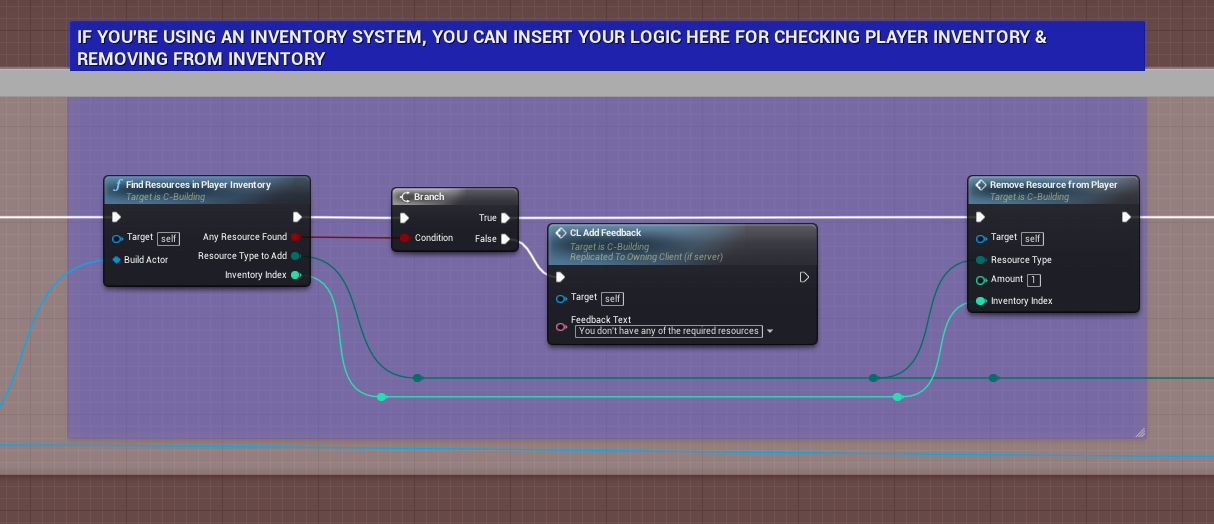
-
That's all you have to do, in order to use Stone, just do the same procedure with adding new items to the Data Table (DT_SGT_Items)