7 posts tagged with "simple-building"

simple-building

View All Tags

Configuring Sockets

· 2 min read
Developer

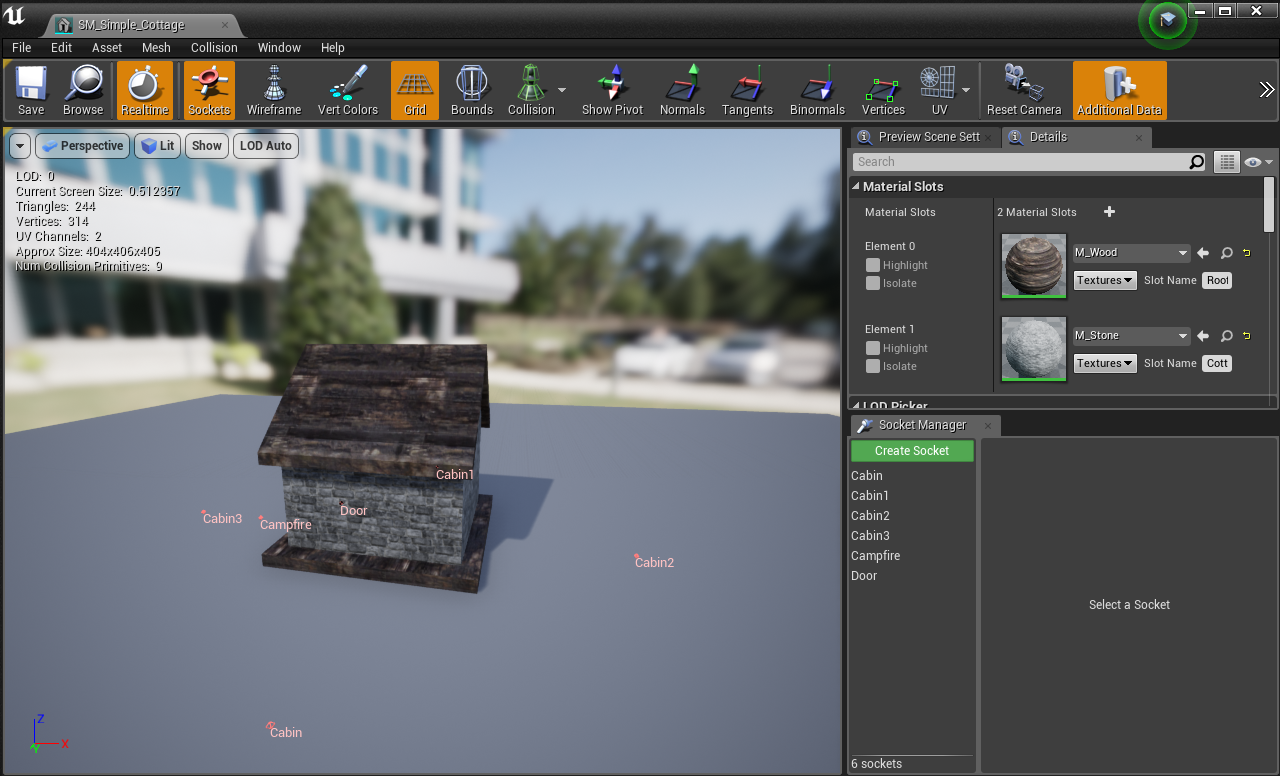
Begin by adding your building to the DT_Buildings DataTable Add a new socket to the CompatibleSocketNames array, here you determine what sockets that this building component can be placed on, in this example, Door is our compatible socket name, every building that has the socket "Door" we will be able to snap our new building to. Inside /BuildingSystem/Meshes, open up any mesh that require a "Door" (can be anything), in this example, we'll use "SM_Simple_Cottage" Once the Static Mesh Editor is open, in the lower right corner you'll find the Sockets editor Create a new socket and name it "Door"   In the "Preview Static Mesh" selector, pick the "SM_Simple_Door" mesh as a preview mesh so that we can position it correctly   Use the preview window to move the door into the correct position [video width="528" height="464" mp4="http://eeldev.com/wp-content/uploads/2018/05/df64ca4e45601658524785899bc8eaa7.mp4"\]\[/video\] You can do this for anything you want to "snap" onto a building
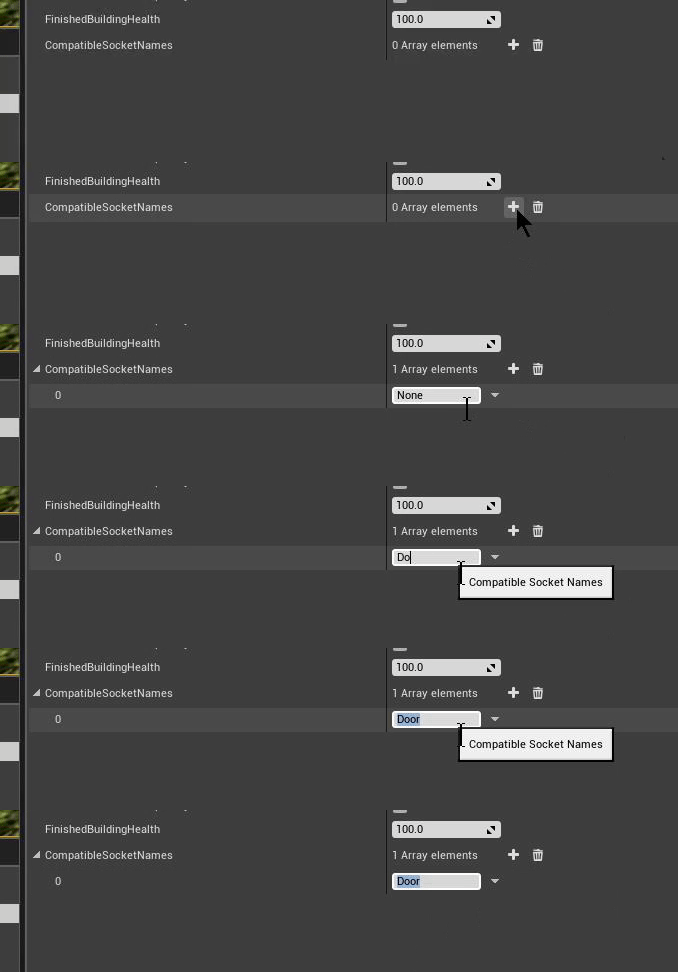
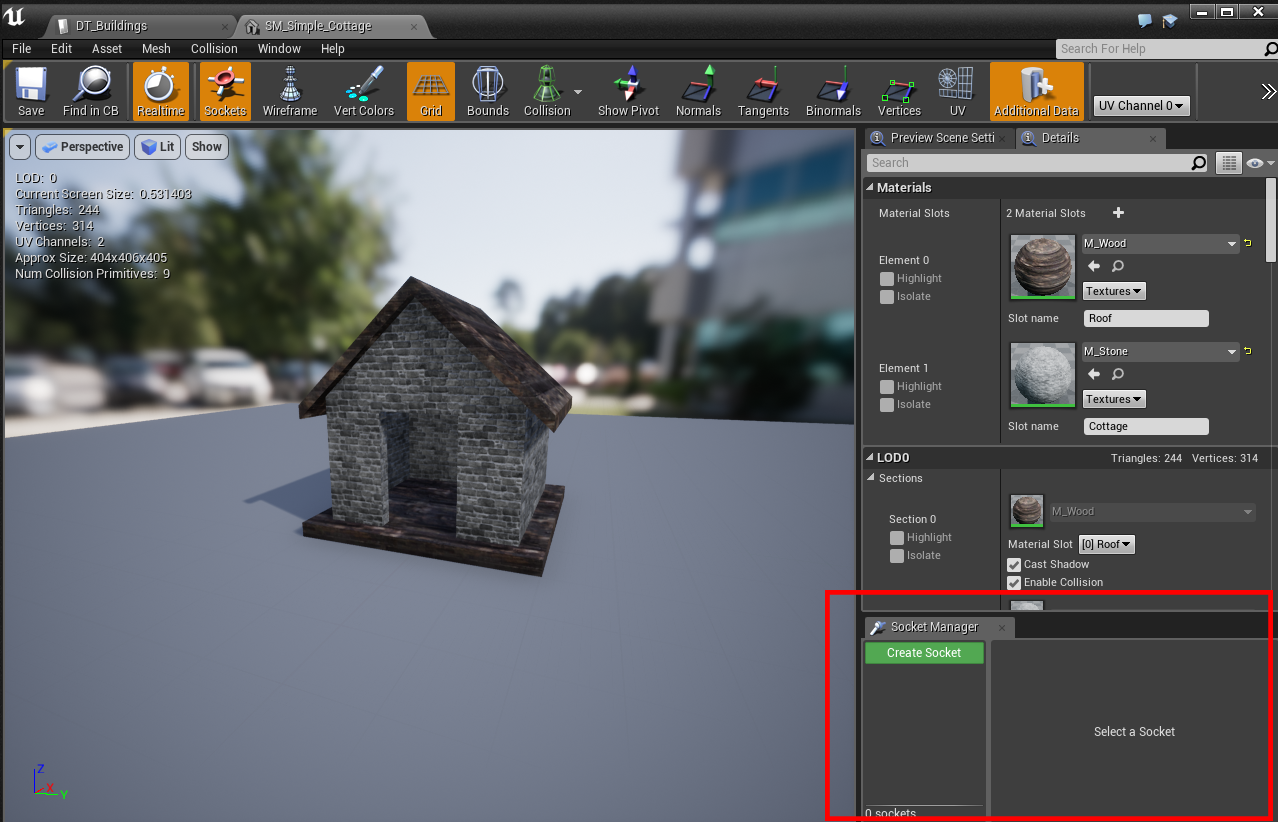
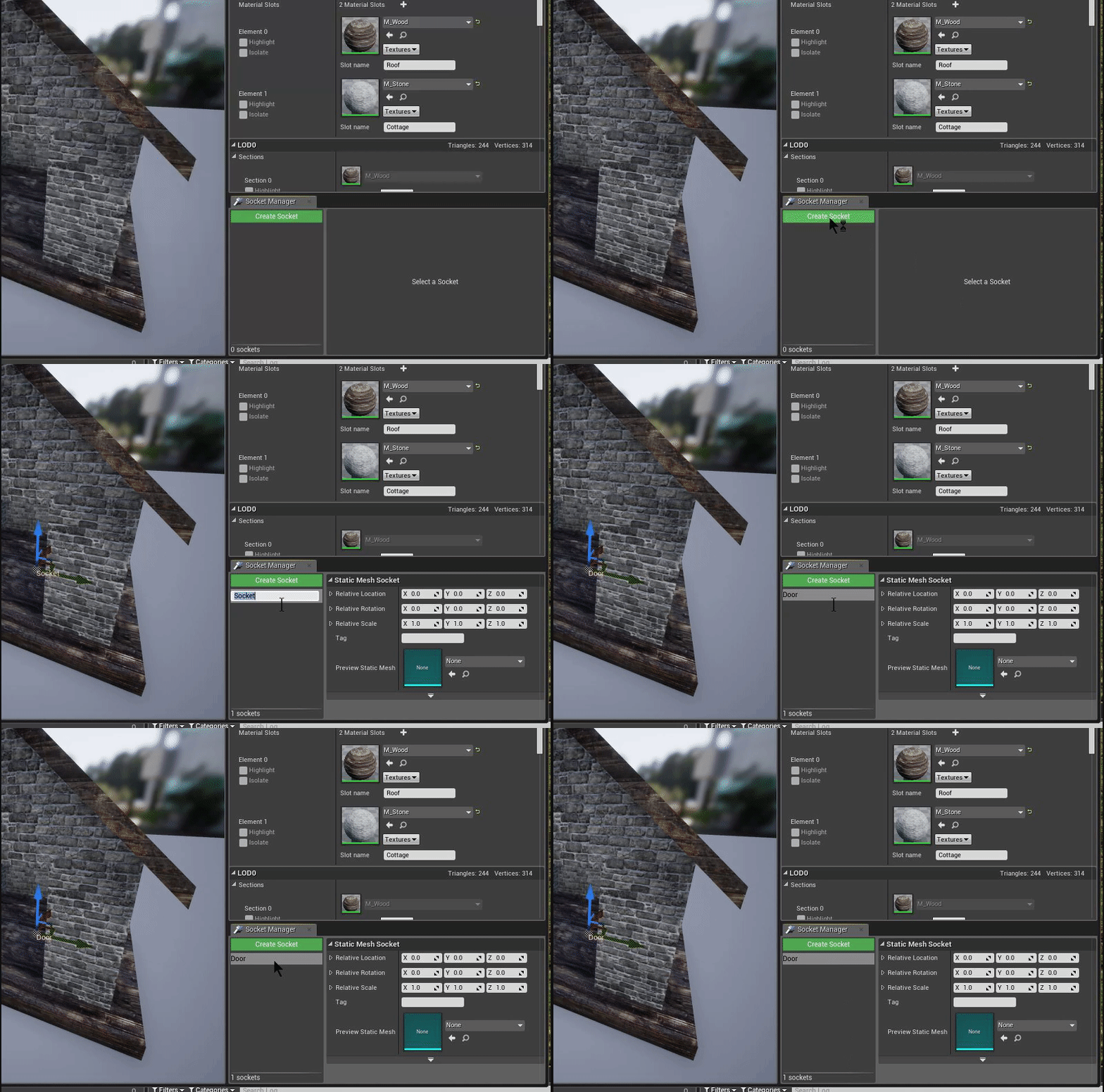
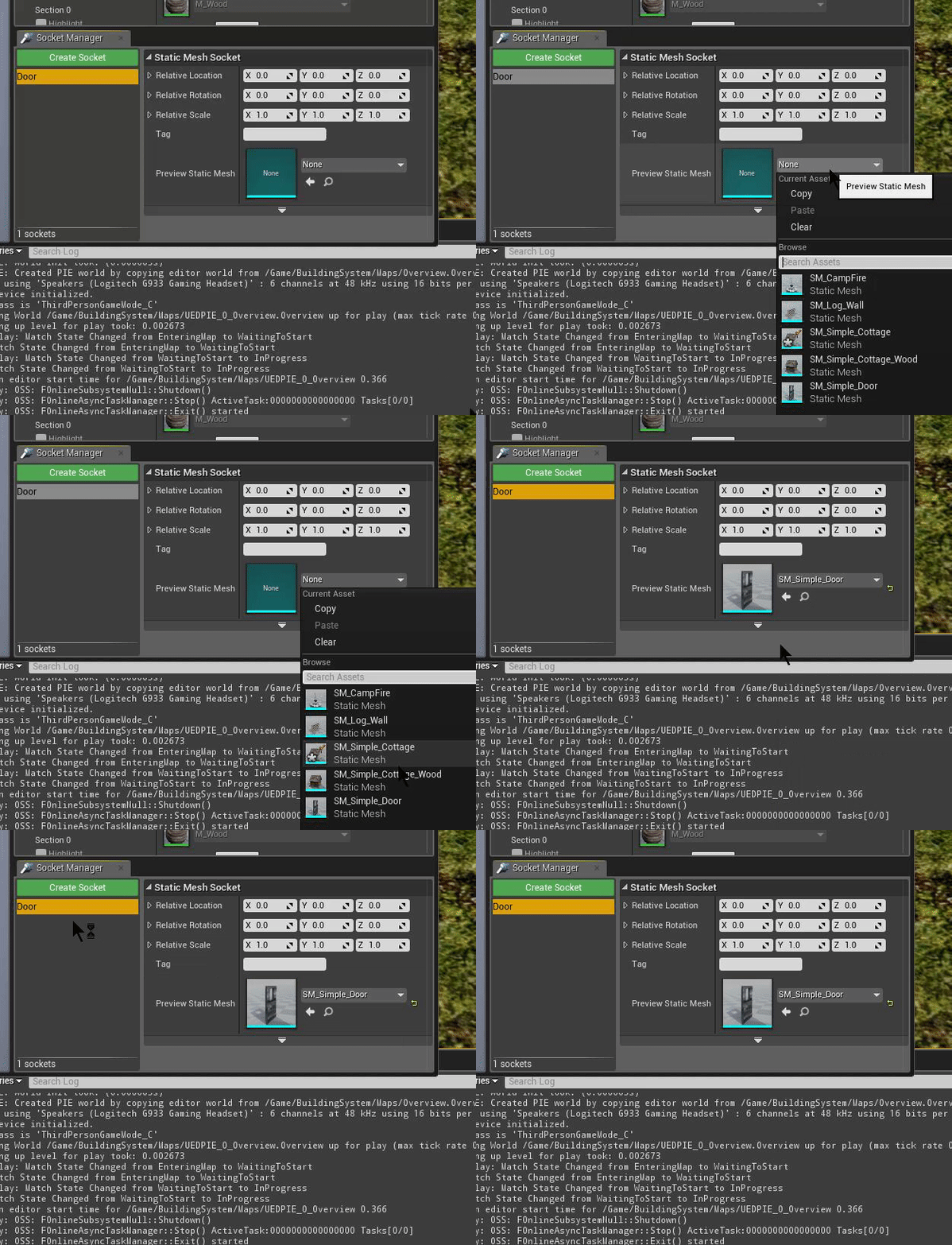
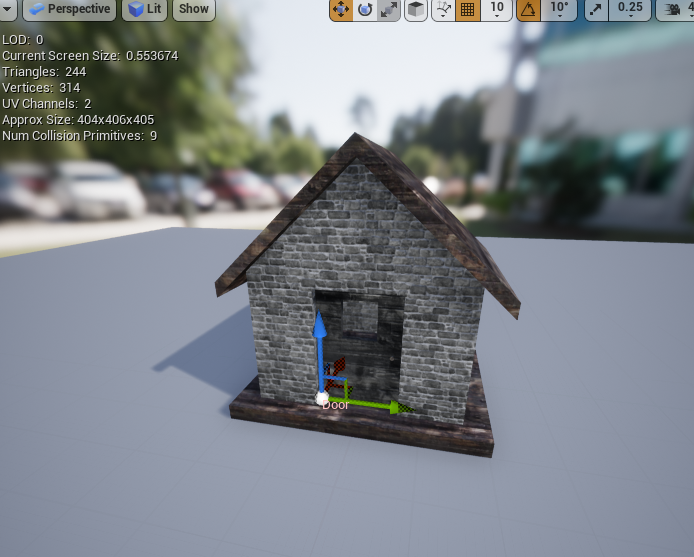
Done!

[video width="800" height="514" mp4="http://eeldev.com/wp-content/uploads/2018/05/137532e4b50a44e91af15ef1519b273b.mp4"\]\[/video\]

Simple Building System 1.2 Update

· One min read
Developer

Version 1.2 is now available on the UE4 Marketplace!

  • Added a Health system to finished buildings, use Q to apply damage to a finished building
  • Added a damage system
  • Added destruction system to buildings
  • Added socket placement for buildings
  • Added visual sockets for placement locations
  • Major changes in the C-Foliage component, a lot of improvements

http://eeldev.com/index.php/configuring-sockets/ You can get the building system here: https://www.unrealengine.com/marketplace/simple-building-system

Simple Building System Sockets

· One min read
Developer

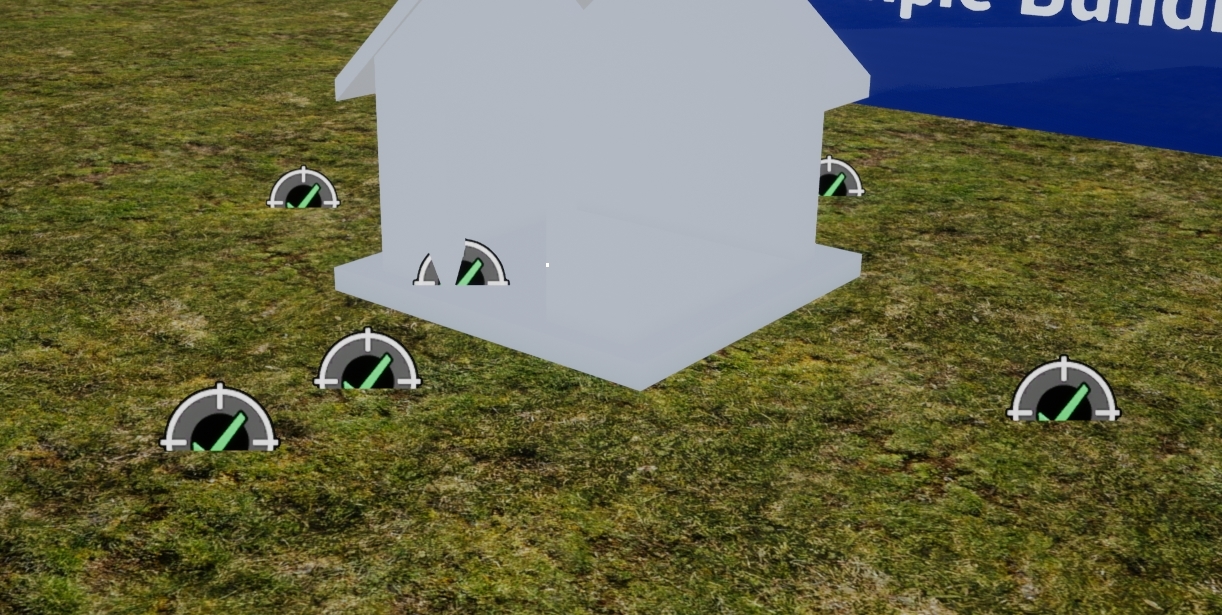
The socket system is an easy way to determine the location of a new building that you want to place in the world. There is a new array in the DT_Buildings DataTable that allows you to specify what sockets that this building is compatible with, for example: The door building is compatible with a Door socket

Visual Sockets

You have the option to toggle the creation of visible placement sockets in the world (DT_Buildings)

Integrating Simple Build System with Multiplayer Survival Game Template #2

· 2 min read
Developer

You can find the post here:

http://eeldev.com/index.php/edit-blueprint-ustructs-unreal-engine/

Have you read the post? Good, then you can proceed!

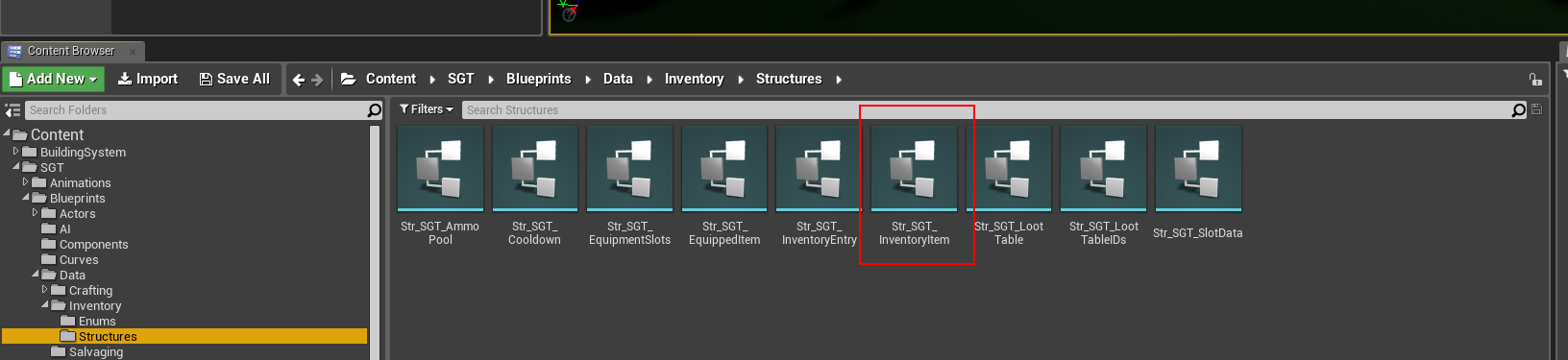
  • Open the Str_SGT_InventoryItem Struct

Wait.. did you really read my post? Ok, just making sure!

http://eeldev.com/index.php/edit-blueprint-ustructs-unreal-engine/

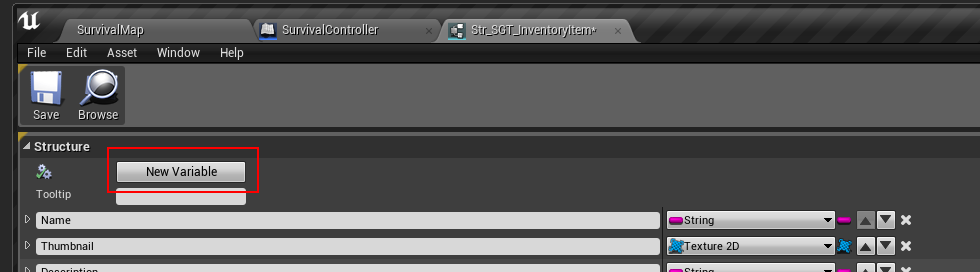
  • Add a new Variable

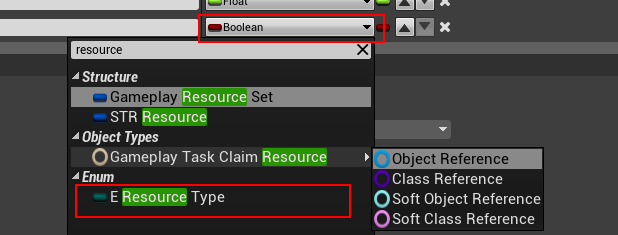
  • Make the new variable a E_ResourceType Enum

  • It should look like this when done:

  • Save the struct & Restart the editor (DO NOT SAVE ANYTHING ELSE BESIDES THE STRUCT!!!!!!!!!!!!!!!!

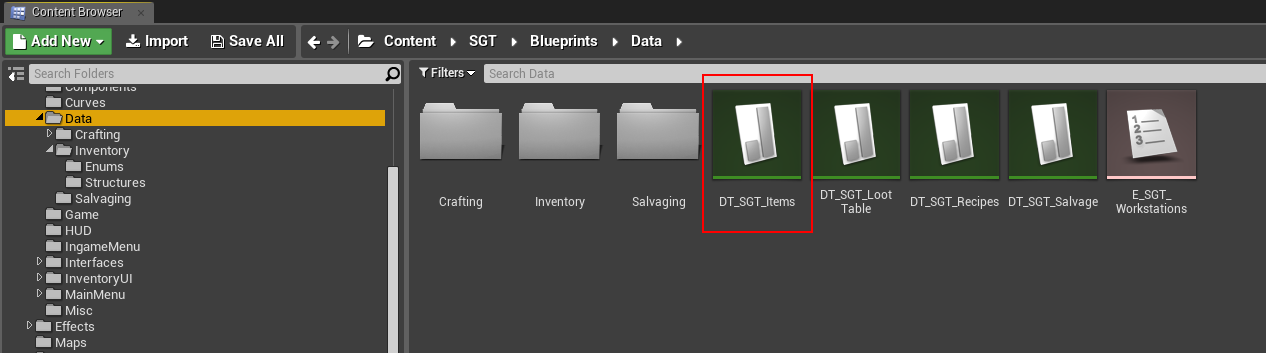
  • After restarting, open the DT_SGT_Items Data Table

  • In this example, we're going to use the included Wood Plank item as our Wood resource item

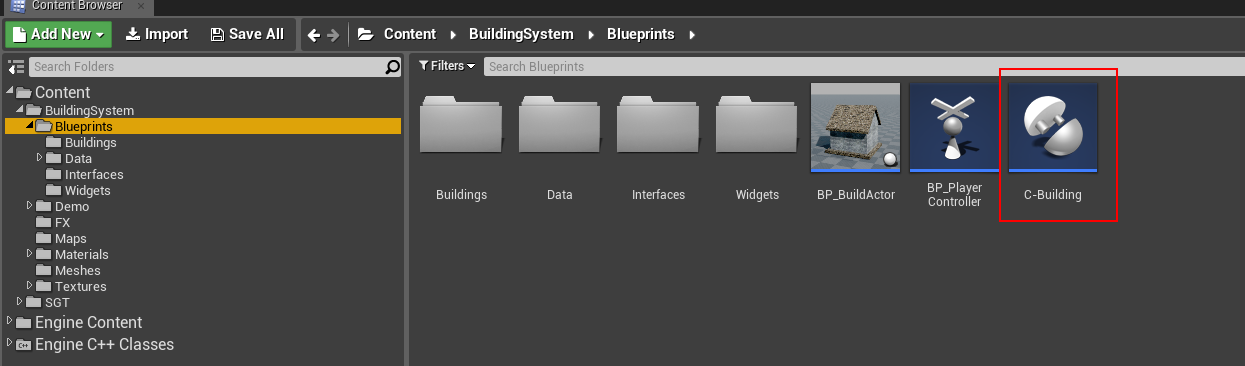
  • Next, open the C-Building Component

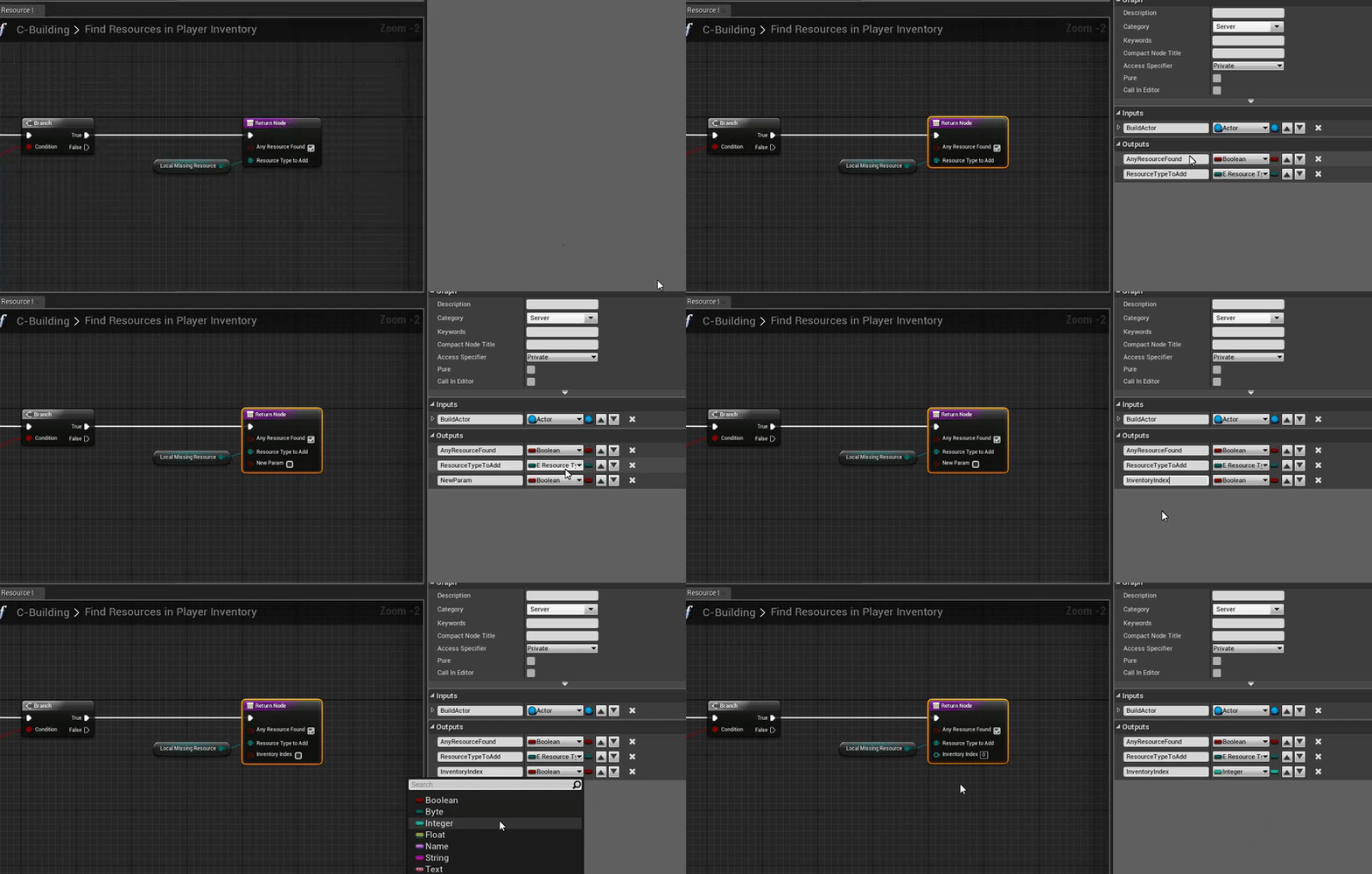
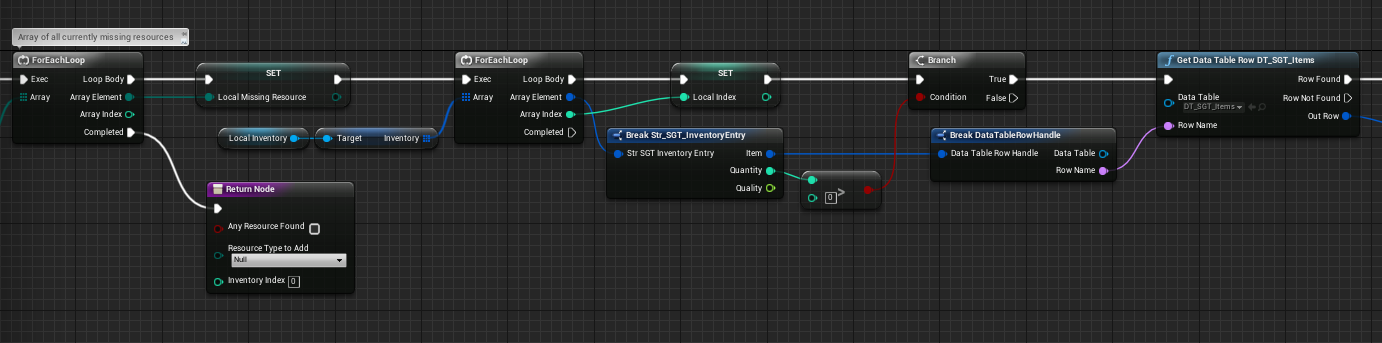
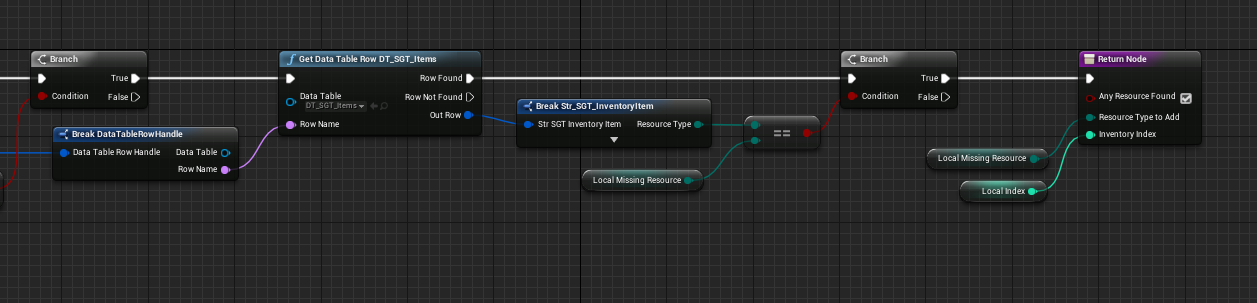
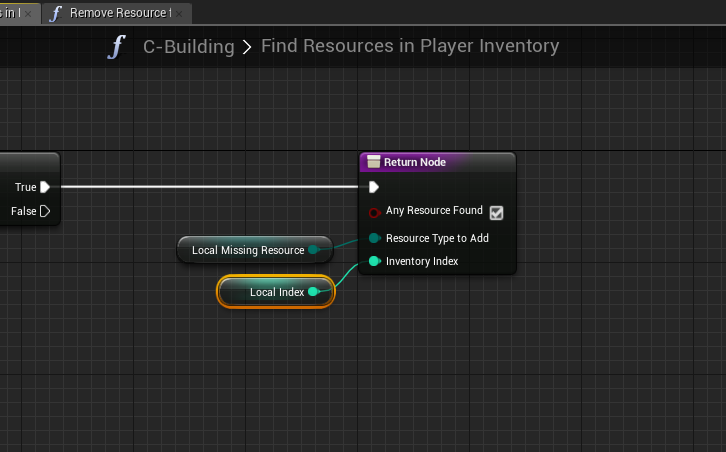
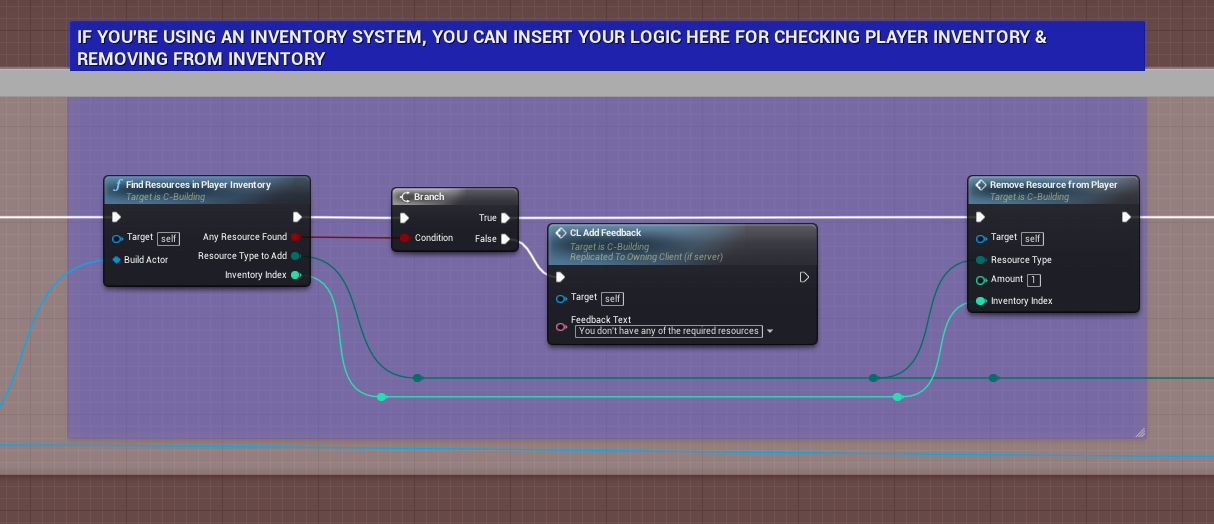
  • Modify the FindResourcesInPlayerInventory()

Add a new output parameter (InventoryIndex) (integer type) set default value to -1

FindResourcesInPlayerInventory()

FindResourcesInPlayerInventory()

FindResourcesInPlayerInventory()

FindResourcesInPlayerInventory()

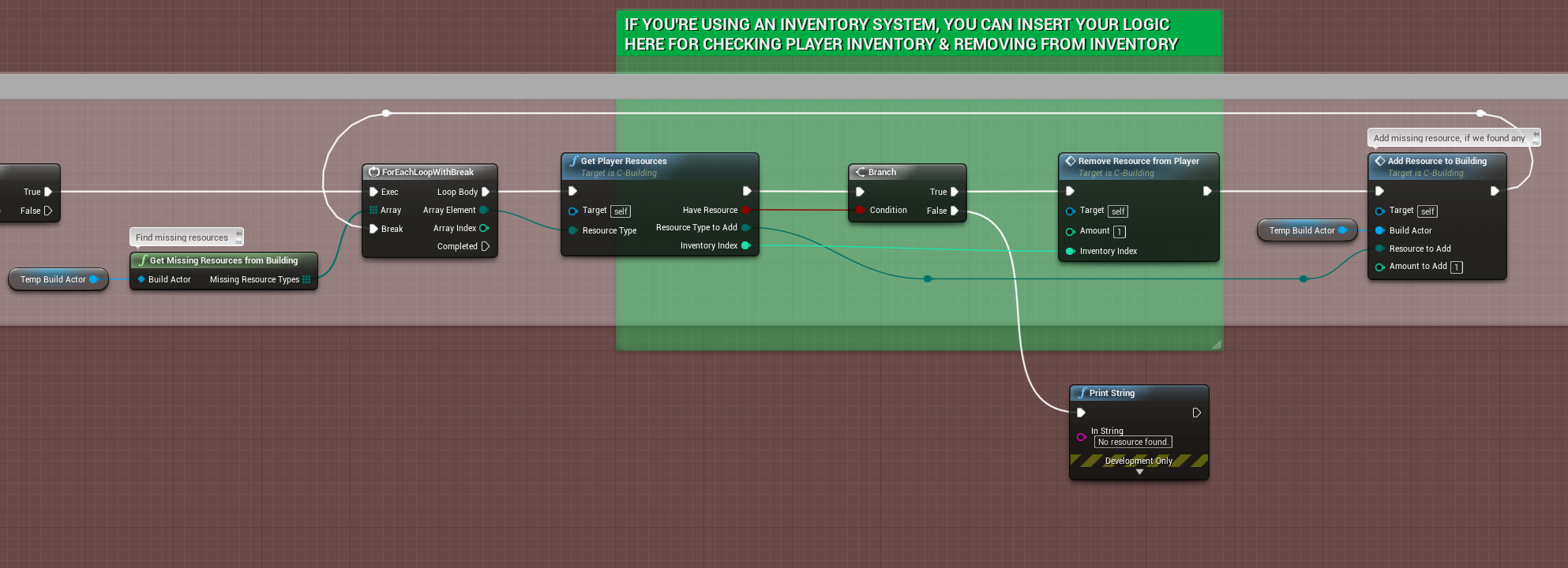
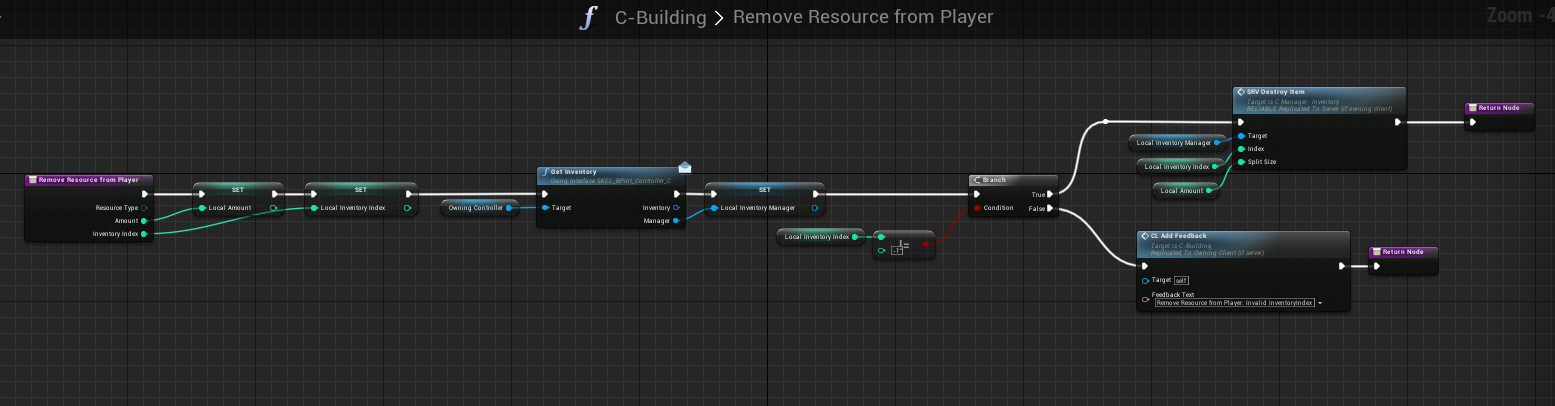
  •  Modify the RemoveResourceFromPlayer() function

  • That's all you have to do, in order to use Stone, just do the same procedure with adding new items to the Data Table (DT_SGT_Items)

Integrating Simple Build System with Multiplayer Survival Game Template

· 3 min read
Developer

Assets required for integration

Before you begin, please read the following!

  • START BY BACKING UP YOUR PROJECT BEFORE MIGRATING, I take NO responsibility if You or Unreal Engine mess up the Migration/Integration process.
  • The Multiplayer Survival Template doesn't have a default definition of Resources such as Wood or Stone, therefor, if you want to enable the feature of removing resources from the Player's inventory, you'll need to edit the Str_SGT_InventoryItem struct, I will cover this process in a separate tutorial, reason being, it can mess up A LOT of references to the struct & the DT_SGT_Items DataTable, making your entire project a nightmare to fix. DO NOT ATTEMPT THIS UNLESS YOU KNOW WHAT YOU'RE DOING
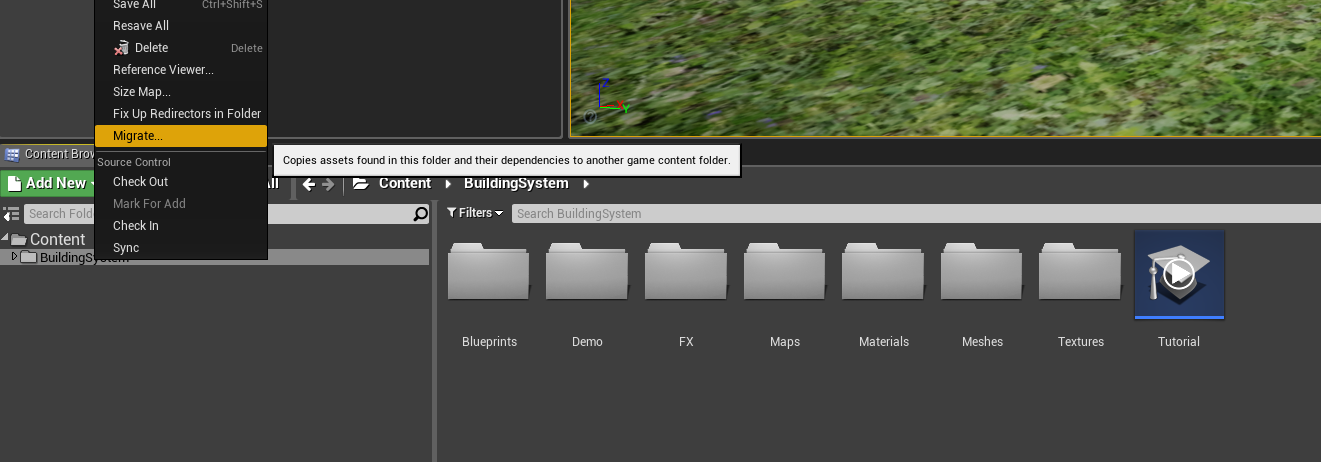
  • Begin by Migrating the Simple Building System to your MSGT Installation

  • Open up the SurvivalController Blueprint (/SGT/Blueprints/Game/SurvivalController)

  • Add the C-Building Component to the SurvivalController Blueprint

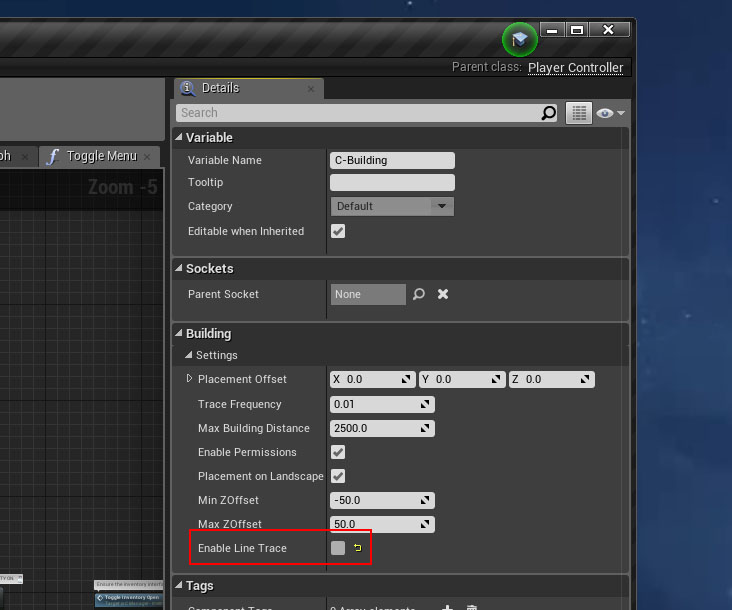
  • Select the C-Building component in the SurvivalController Blueprint (where you just added the Component), on the right hand side, in the Details panel, UNCHECK/Disable the "Enable Line Trace"

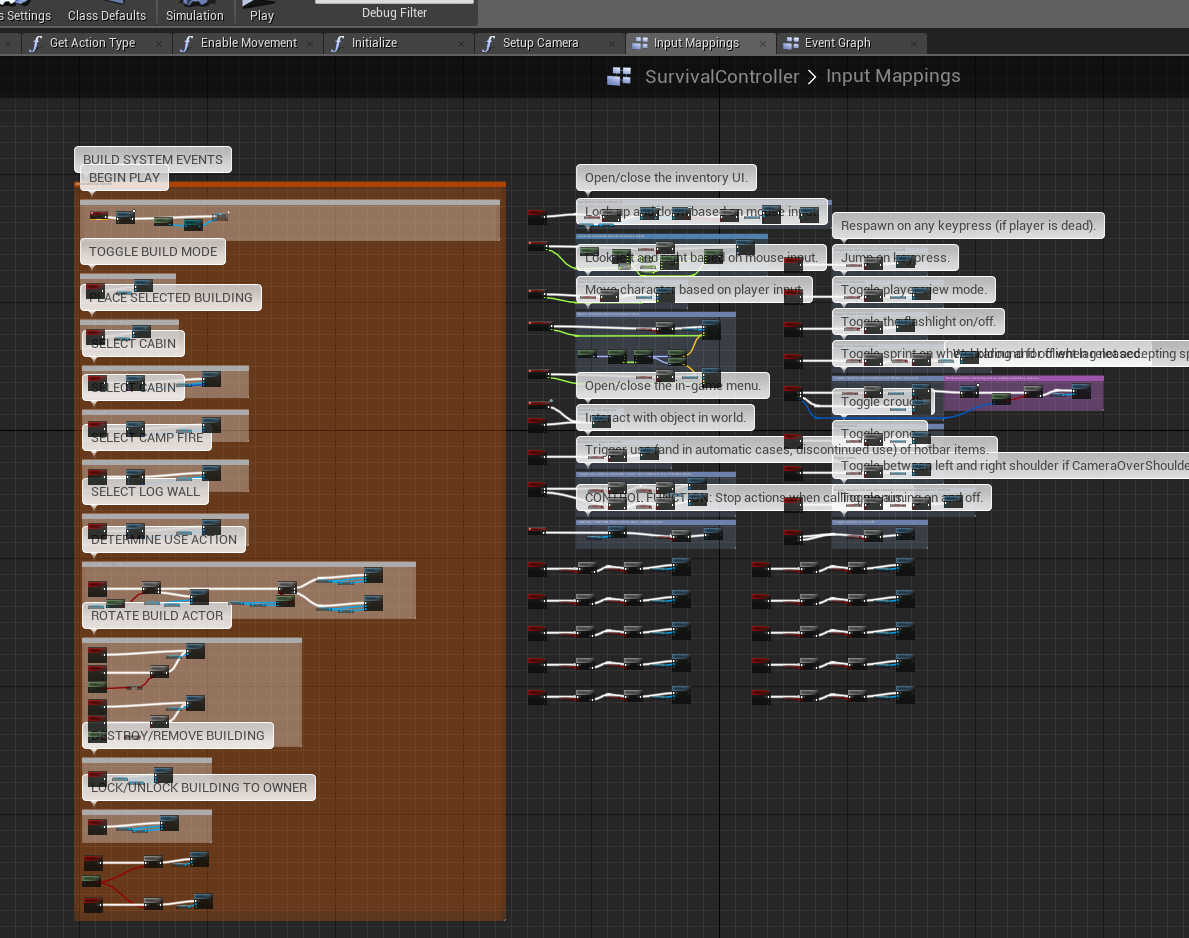
  • Copy the Events from (/BuildingSystem/Blueprints/BP_PlayerController) to your SurvivalController

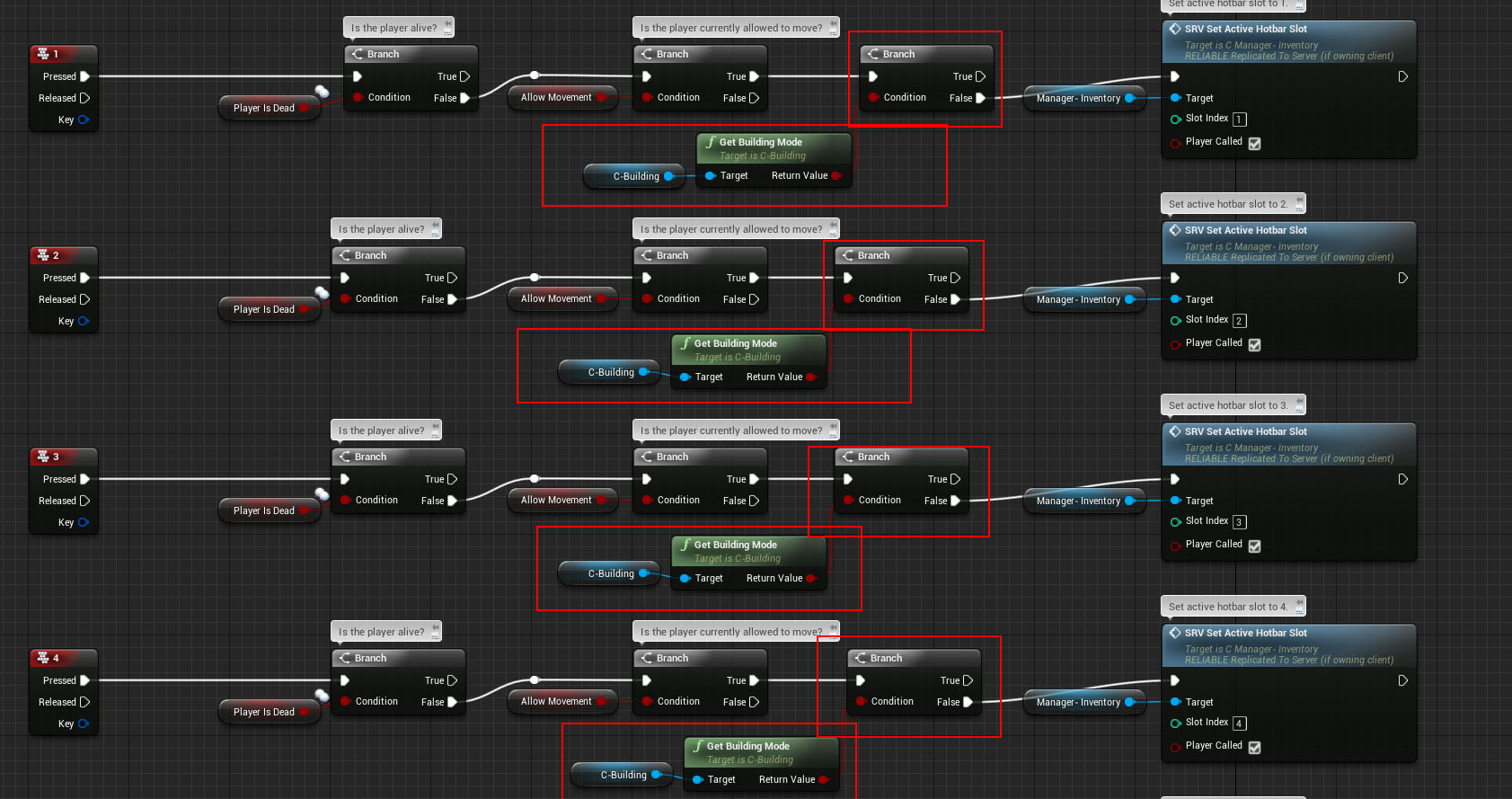
  • In the SurvivalController Blueprint, add the Branch checks shown below, to make sure we're not in Building mode when using the number keys.

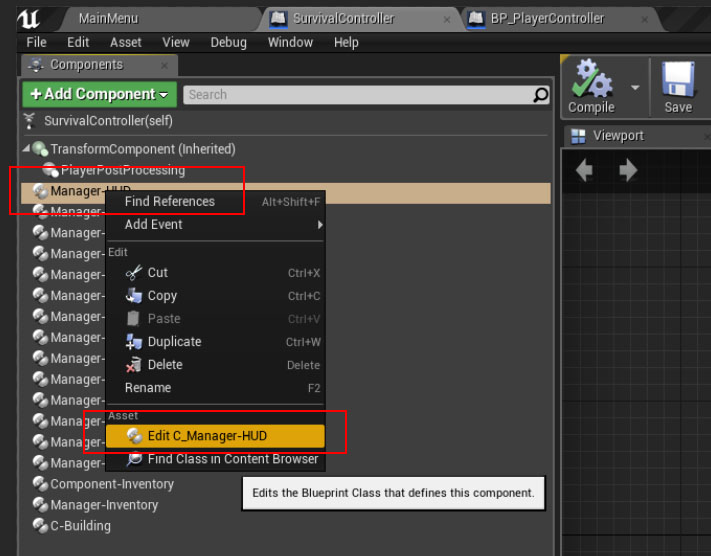
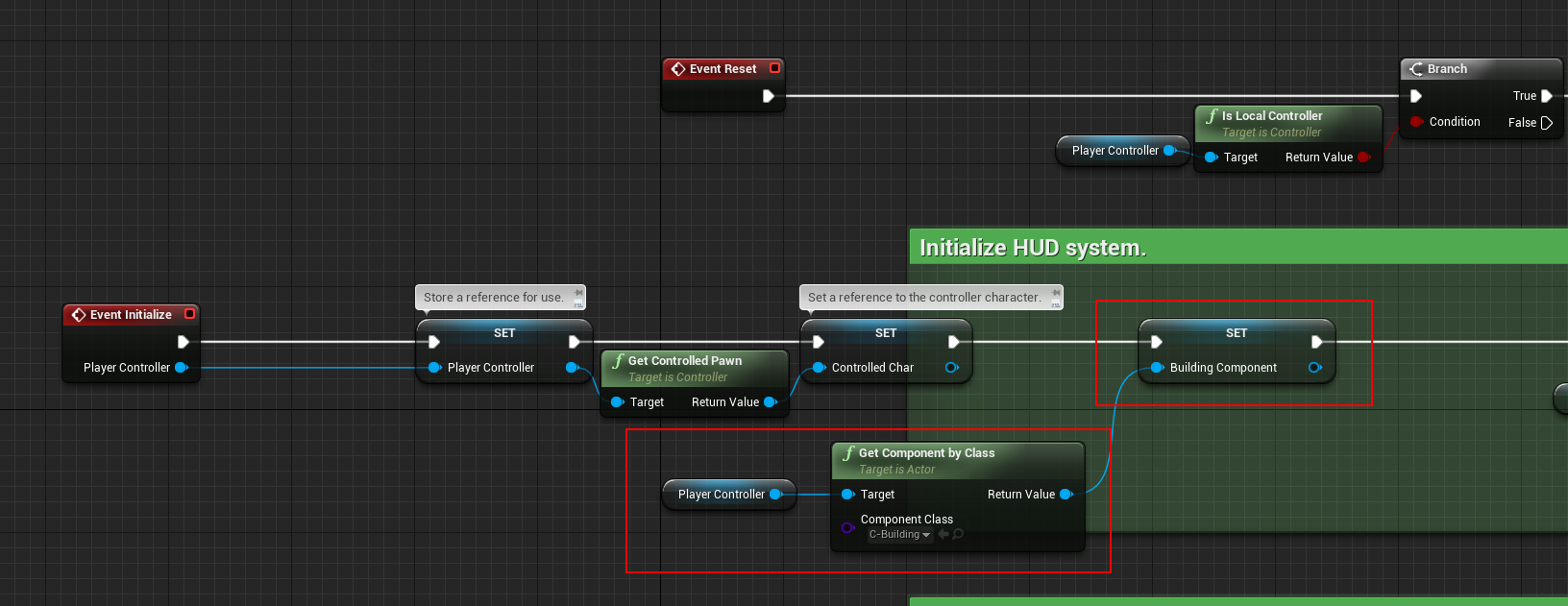
  • Open the Manager-HUD component Blueprint, add a reference to the Building Component as Shown below

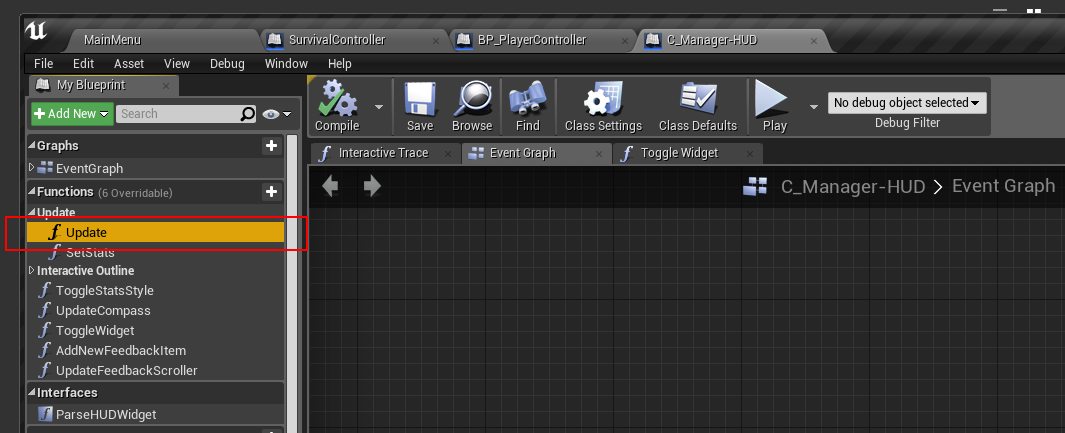
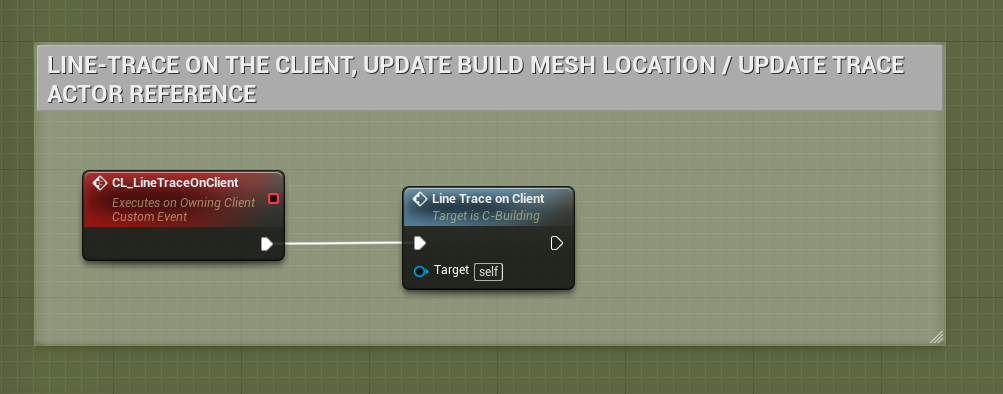
  • In the Manager-HUD Component, open the function "Update" and use the Reference you just created "Building Component" to call the function "CL Line Trace on Client".

That's it!

Step 2 of the Integration process can be found here:

http://eeldev.com/index.php/simple-build-system-integrating-multiplayer-survival-game-template-2/

Simple Build System Adding a new Building

· One min read
Developer

What you need before continuing:

  • You must have imported your building Mesh that you want to use

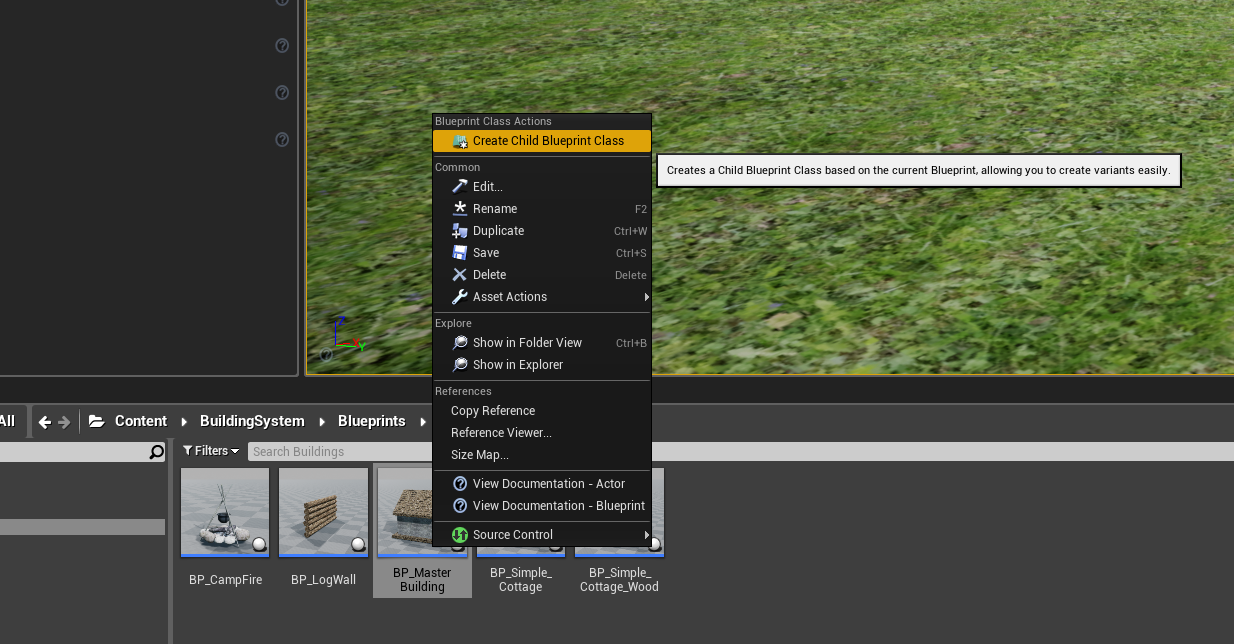
Make a Child Blueprint Class of "BP_Master_Building" and name it whatever you want.

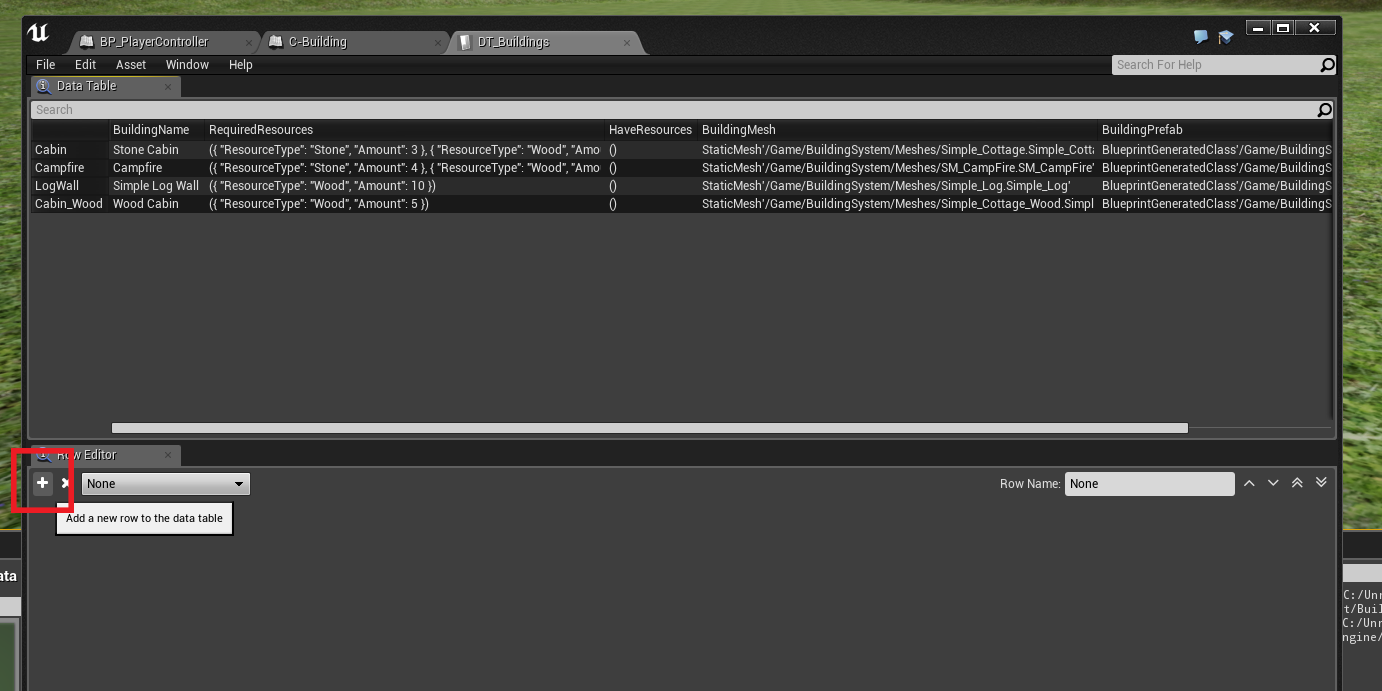
Add a new Row to the DataTable "DT_Buildings"

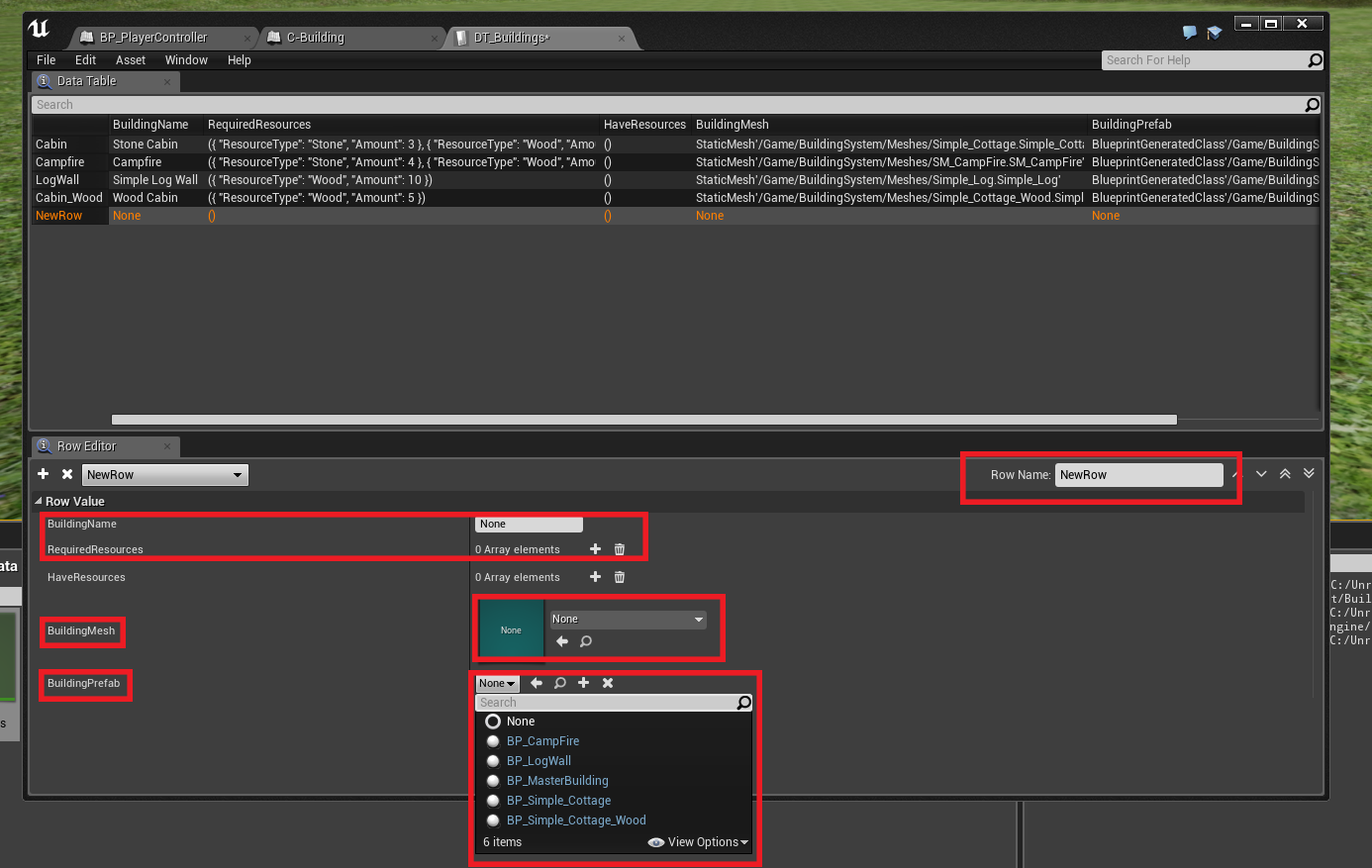
Fill in the information

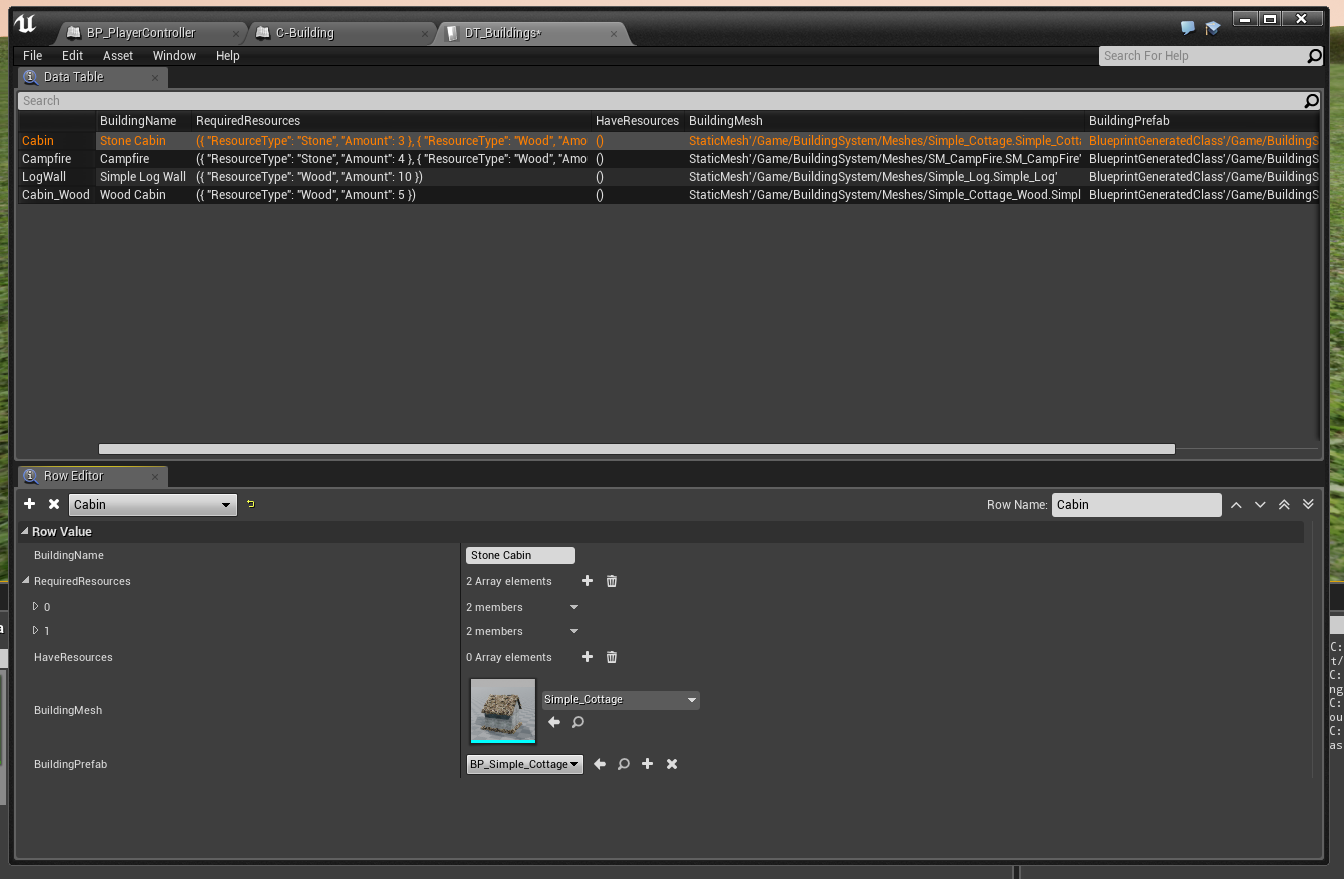
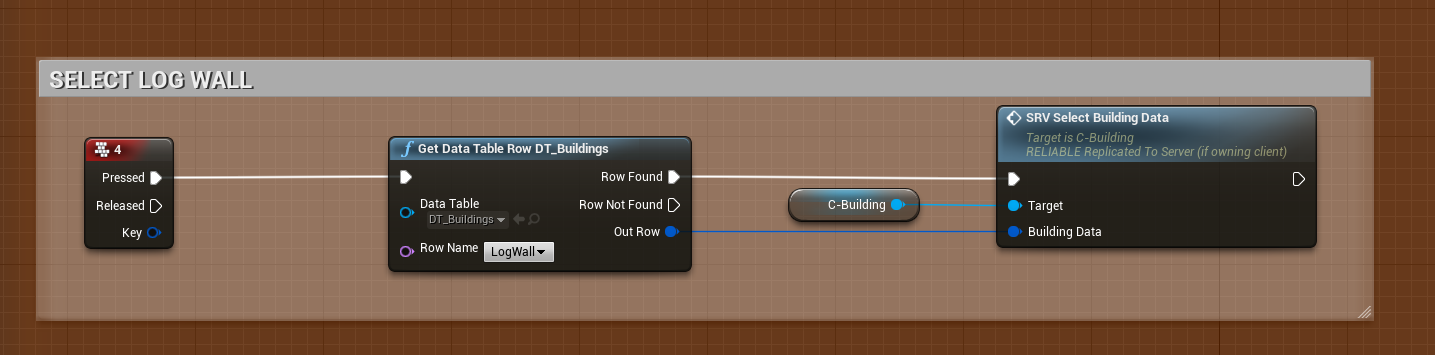
It should look something like this when done:

In the player controller, select the DataTable "Row Name".

That's it!

Simple Build System Settings

· 2 min read
Developer

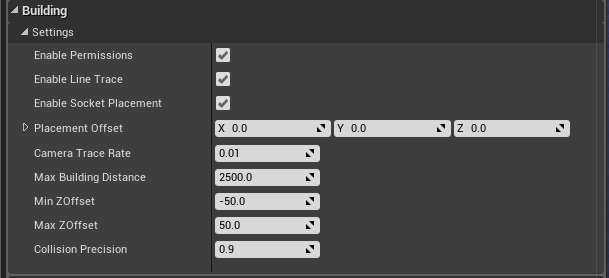
Simple Build system Settings Explained.

  • Enable Permissions If you want to enable the Permissions system, otherwise the system will not check Ownership of buildings
  • Placement Offset This is an offset used for building placement, when you spawn the build actor into the world it will inherit this offset, there are also in game functions to adjust the Z value of this offset (up and down)
  • Enable Socket Placement If you want to enable the sockets placement system
  • Trace Frequency This is how often the LineTrace will run, increase this value if, for whatever reason, you run into performance issues
  • Max Building Distance How far the player can build away from the Player's character (or view)
  • Min ZOffset Minimum Z offset you can lower the "Placement Offset" to.
  • Min ZOffset Maximum Z offset you can increase the "Placement Offset" to.
  • Enable Line Trace You can disable the built in LineTrace timer if you are using a different/your own line trace.
  • Collision Precision How precise do you want the collision check to be when placing down buildings (if colliding with another building) 1.0 = 1:1 scale of the building mesh (lower number is less precise)

If you disable "Enable Line Trace", be sure to call this event in your own Tick/Looping event/function. "CL_LineTraceOnClient"