Farming System - HOW TO USE
· One min read
HOW TO ADD THE FARMING SYSTEM TO YOUR OWN PROJECT
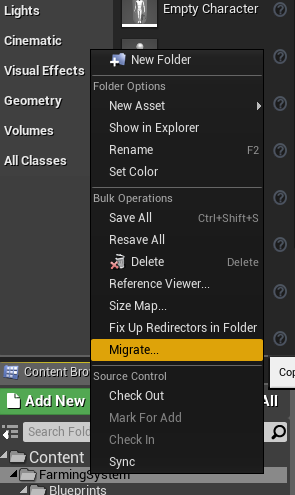
Begin by Migrating the FarmingSystem to your own project
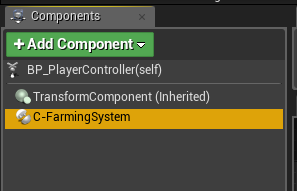
Add the Component to your PlayerController
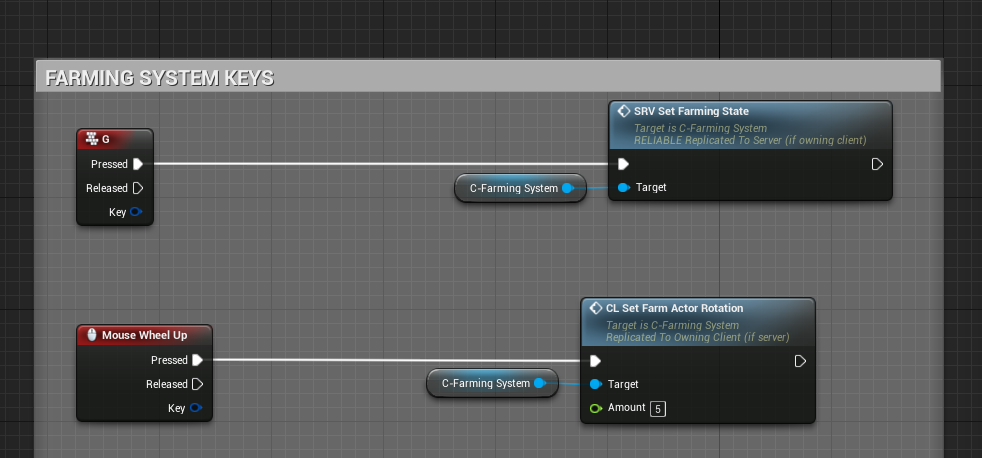
Check the example BP_PlayerController on what functions/events to execute from your own PlayerController.
Settings
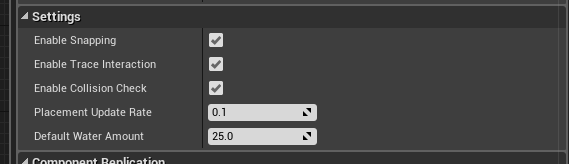
- Enable Snapping Enable/Disable placement snapping when placing new farm actors
- Enable Trace Interaction Enable/Disable the Farming System's built in Actor tracing (when aiming at a Farming Actor, it will display a "Interact" text on screen
- Enable Collision Check Enable/Disable collision check when placing down farm actors, it only checks if it's colliding with any other farm actors
- Placement Update Rate Determines how often we want to update the placement location, this can be decreased at the cost of performance and make the movement smoother
- Default Water Amount This default water value will be added to the new farm actor when placed