5 posts tagged with "farming system"

farming system

View All Tags

Farming System 1.1 Update

· One min read
Developer

The Farming System 1.1 Update contains a lot of fixes and improvements

Max Harvesting Distance Making the player unable to harvest and water plants when exceeding the set range.

Removed several blueprint interface functions Replaced with a single Struct instead (PlantState)

Cleaned up a lot of the variables and functions in the BP_FarmActor Replaced with PlantState Struct instead

Close Plant Selection Widget This option will close The Plant Selection Widget when you've planted a new seed.

Farm Actor To Spawn You can now choose which farm actor to spawn (2 versions are available, the one placed on the ground, and one with legs)

Alot of other fixes and improvements as well.

Farming System + MSGT (Multiplayer Survival Game Template)

· One min read
Developer

HOW TO INTEGRATE THE FARMING SYSTEM WITH THE MULTIPLAYER SURVIVAL GAME TEMPALTE (MSGT)

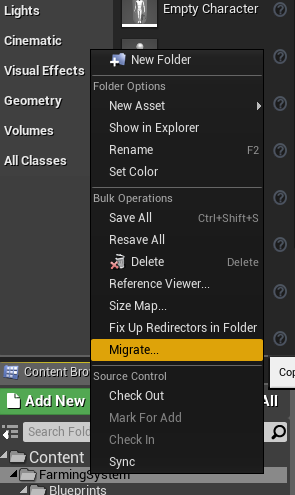
  • Begin by Migrating the Farming System to your MSGT installation

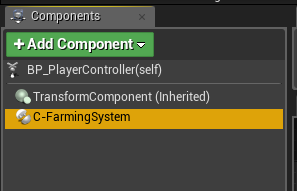
  • Add the FarmingSystem component to the MSGT's SurvivalController

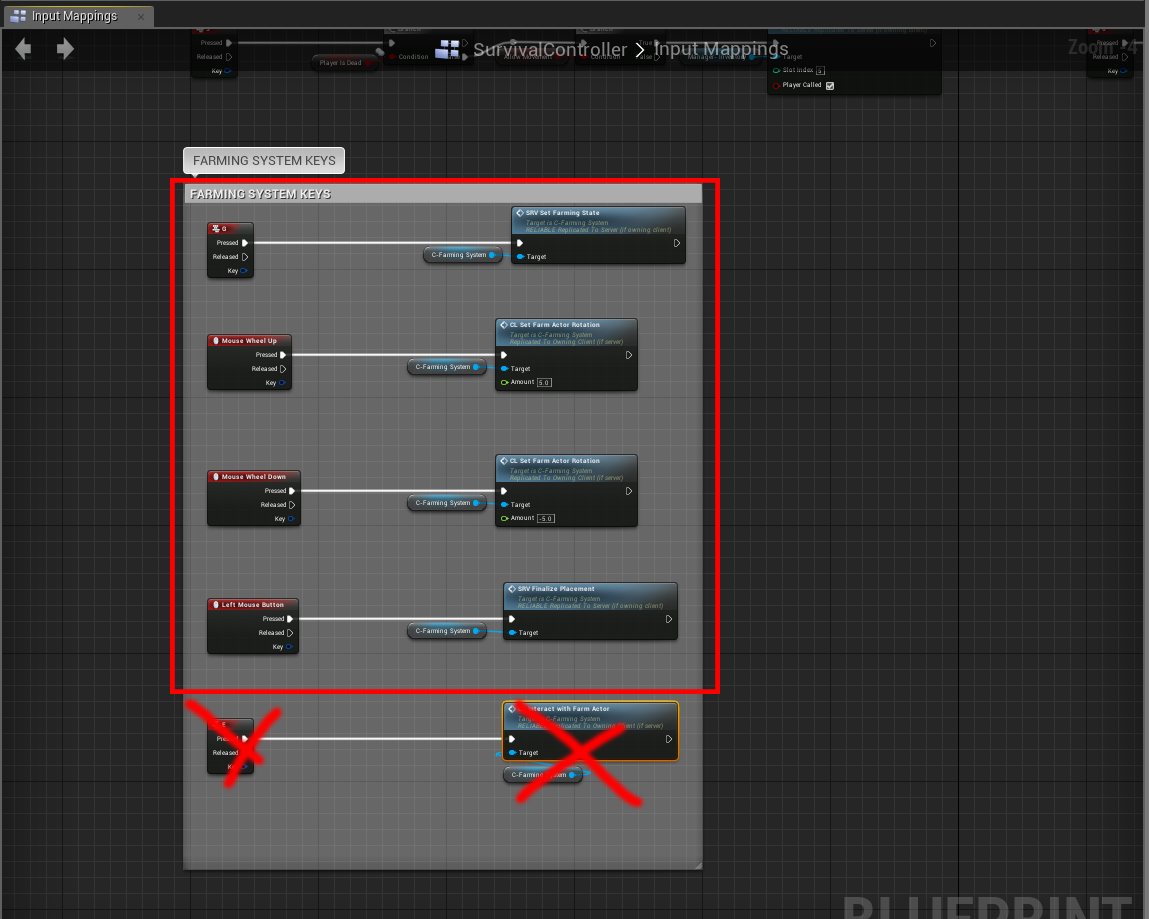
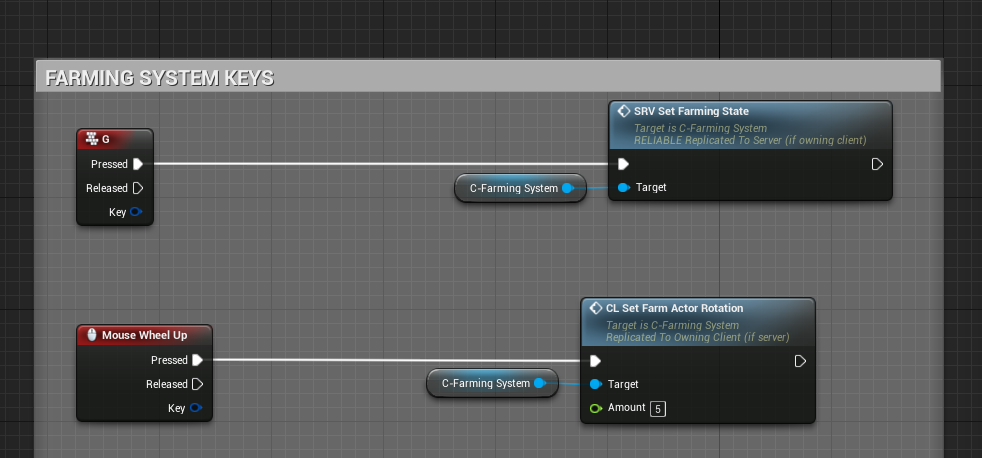
  • Copy the Events from the BP_PlayerController (inside the FarmingSystem folder) to your SurvivalController, EXCEPT the last event (Input: E), we'll add this to the MSGT's own interaction system.

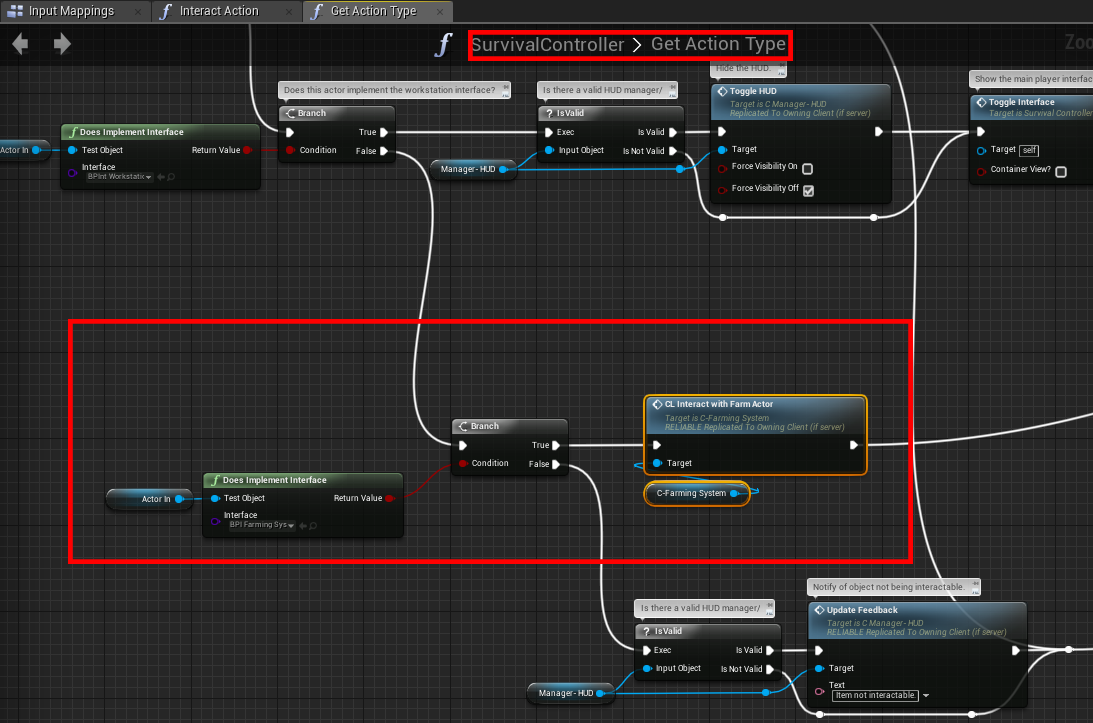
  • Inside the SurvivalController, open the "GetActionType" function, modify it as such:

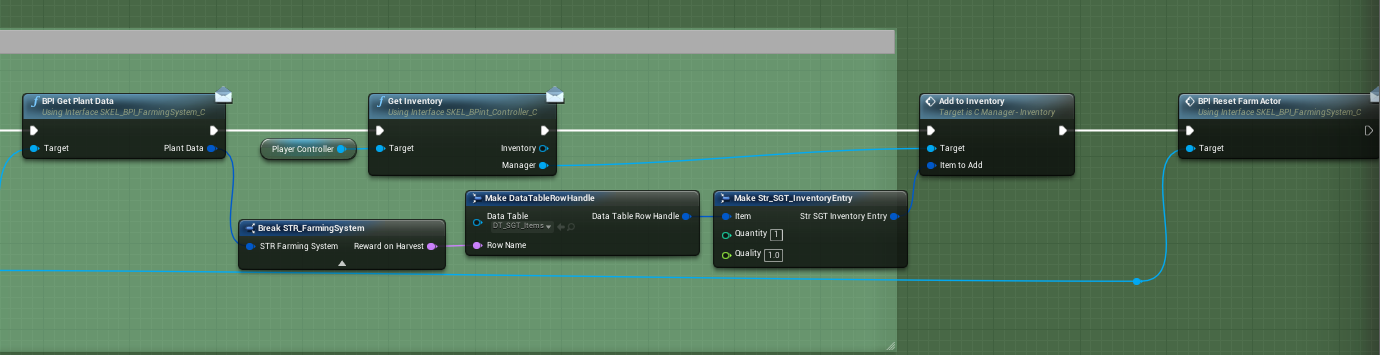
  • Open the C-FarmingSystem component (Inside /FarmingSystem), below is an example to get the reward when harvesting a plant

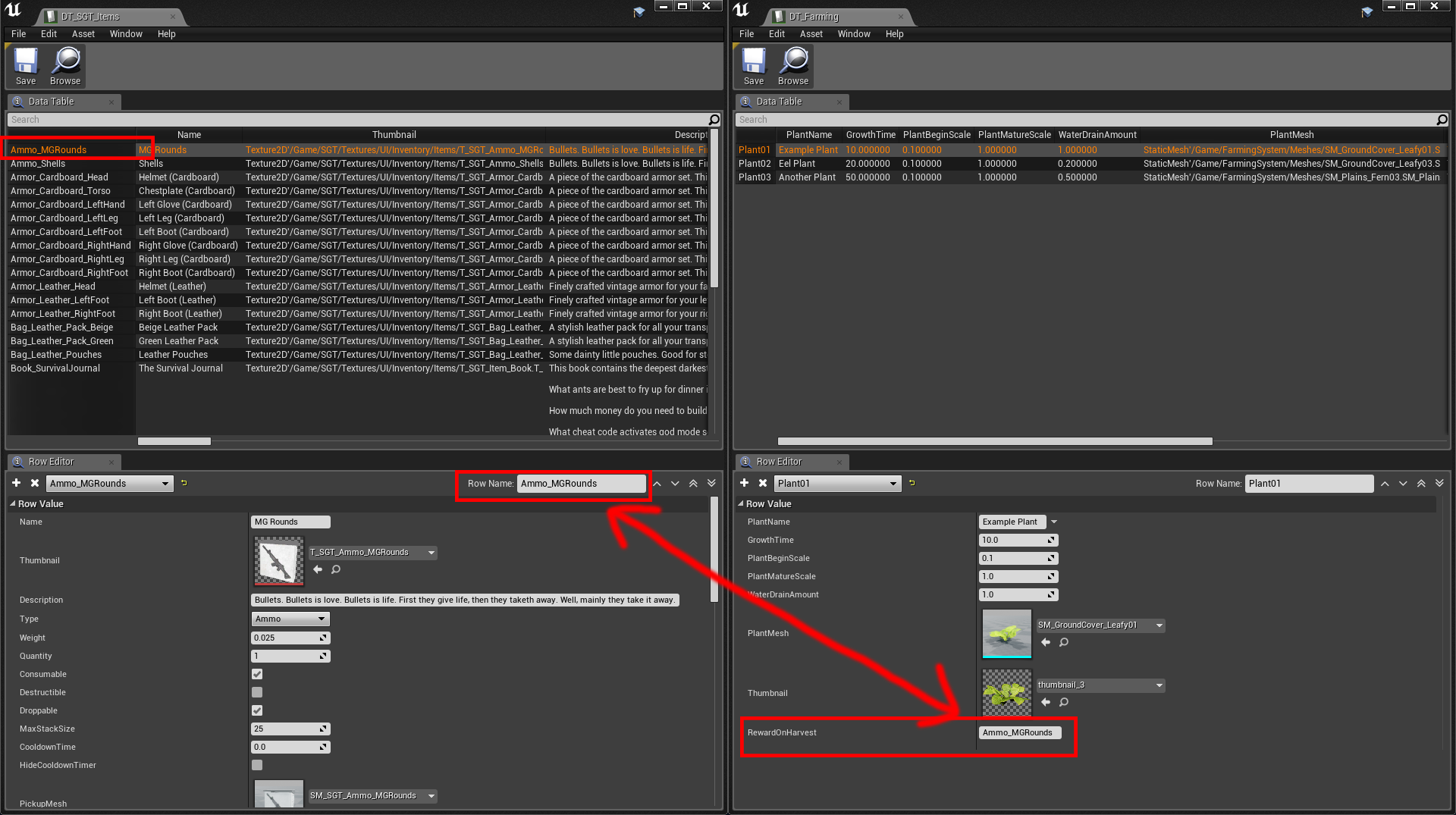
  • The reward when harvesting a plant is simply a "Row Name" that you define in your own DT_SGT_ITEMS DataTable, whatever you type into Rewards (on the right screen) is what you will get when harvesting a plant.

That's it!

Farming System - HOW TO USE

· One min read
Developer

HOW TO ADD THE FARMING SYSTEM TO YOUR OWN PROJECT

Begin by Migrating the FarmingSystem to your own project

Add the Component to your PlayerController

Check the example BP_PlayerController on what functions/events to execute from your own PlayerController.

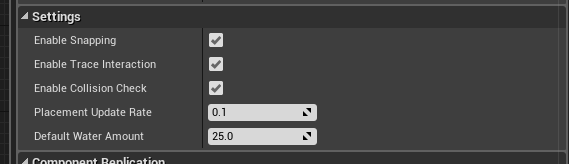
Settings

  • Enable Snapping Enable/Disable placement snapping when placing new farm actors
  • Enable Trace Interaction Enable/Disable the Farming System's built in Actor tracing (when aiming at a Farming Actor, it will display a "Interact" text on screen
  • Enable Collision Check Enable/Disable collision check when placing down farm actors, it only checks if it's colliding with any other farm actors
  • Placement Update Rate Determines how often we want to update the placement location, this can be decreased at the cost of performance and make the movement smoother
  • Default Water Amount This default water value will be added to the new farm actor when placed