Simple Build System Settings

· 2 min read
Developer

Simple Build system Settings Explained.
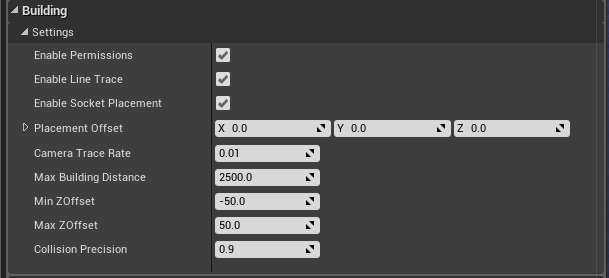
  • Enable Permissions If you want to enable the Permissions system, otherwise the system will not check Ownership of buildings
  • Placement Offset This is an offset used for building placement, when you spawn the build actor into the world it will inherit this offset, there are also in game functions to adjust the Z value of this offset (up and down)
  • Enable Socket Placement If you want to enable the sockets placement system
  • Trace Frequency This is how often the LineTrace will run, increase this value if, for whatever reason, you run into performance issues
  • Max Building Distance How far the player can build away from the Player's character (or view)
  • Min ZOffset Minimum Z offset you can lower the "Placement Offset" to.
  • Min ZOffset Maximum Z offset you can increase the "Placement Offset" to.
  • Enable Line Trace You can disable the built in LineTrace timer if you are using a different/your own line trace.
  • Collision Precision How precise do you want the collision check to be when placing down buildings (if colliding with another building) 1.0 = 1:1 scale of the building mesh (lower number is less precise)

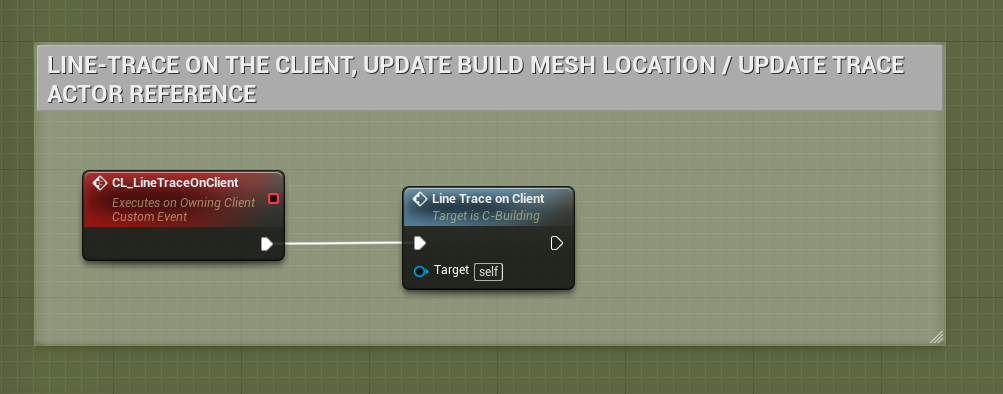
If you disable "Enable Line Trace", be sure to call this event in your own Tick/Looping event/function. "CL_LineTraceOnClient"
Adding new resources to the Foliage System 1.2

· One min read
Developer

In the latest version of the Foliage System, I've made it super simple to add new Resources!

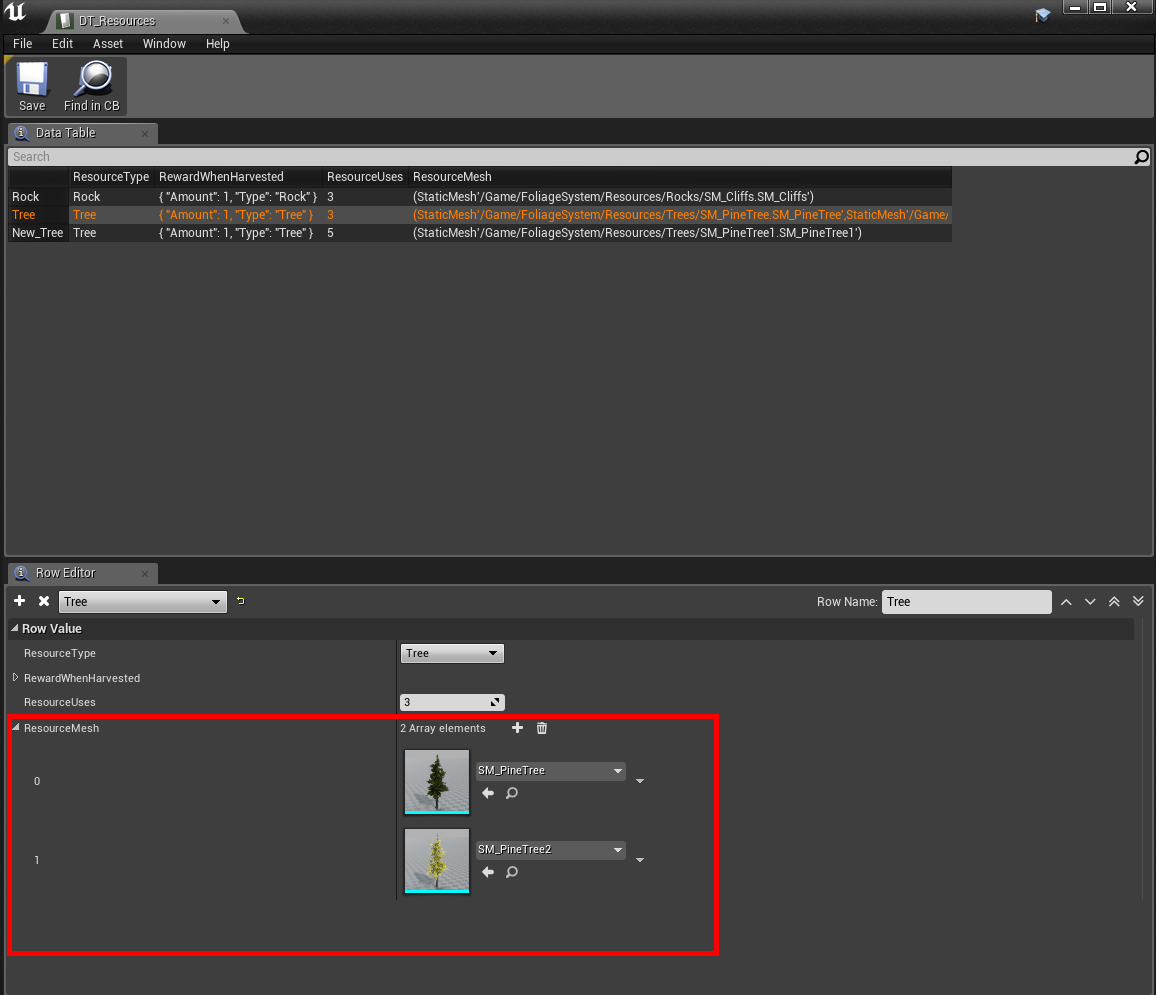
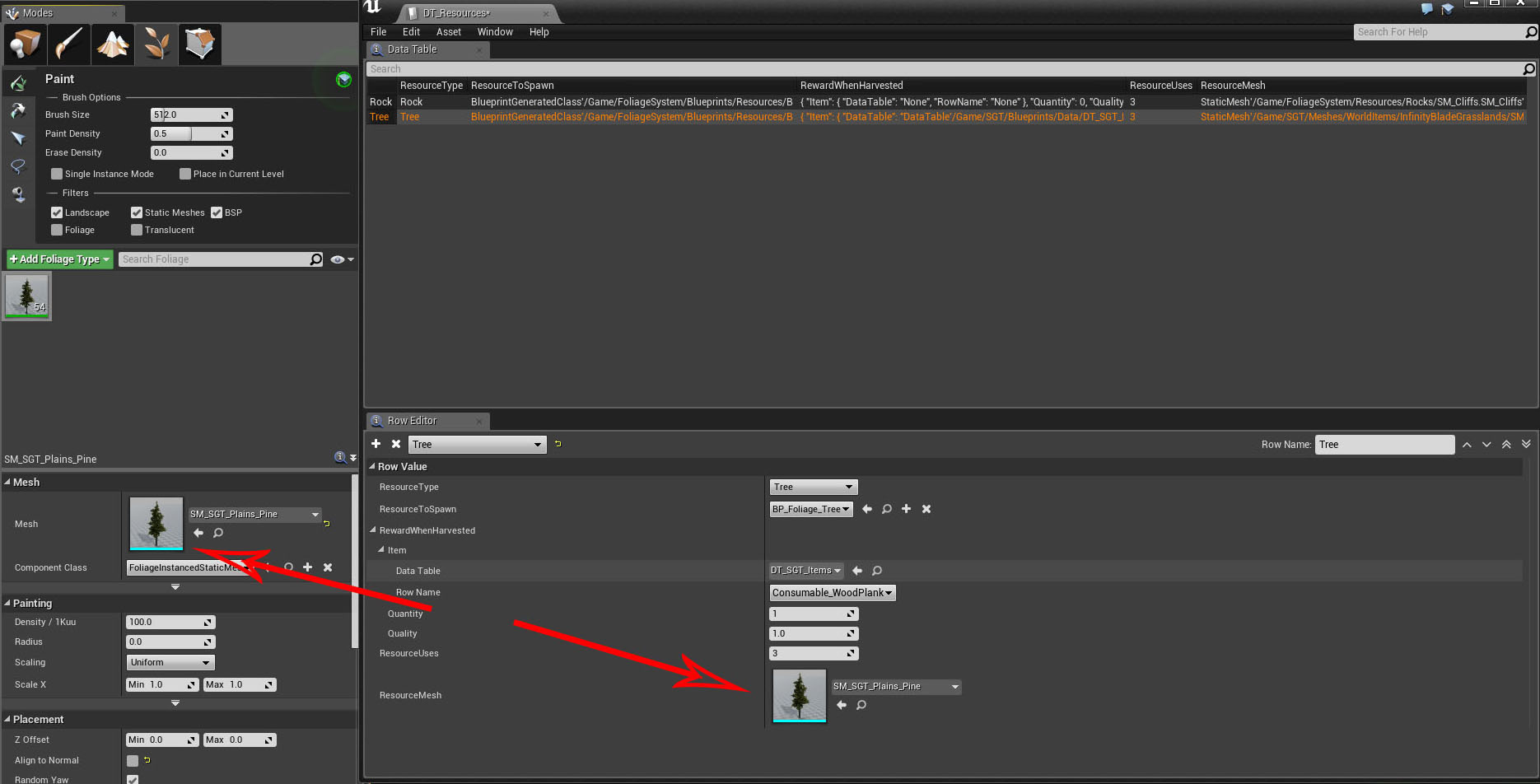
All you have to do now is open up DT_Resources data table and sets the mesh(es) for your resource, and you're done!

    You can now have an array of meshes for the same resource, if they have the same rewards & uses, you no longer have to have multiple entries and blueprints for each actor/resource!
Adding new resources to the Foliage System

· One min read
Developer

http://eeldev.com/index.php/adding-new-resources-to-the-foliage-system-1-2/          

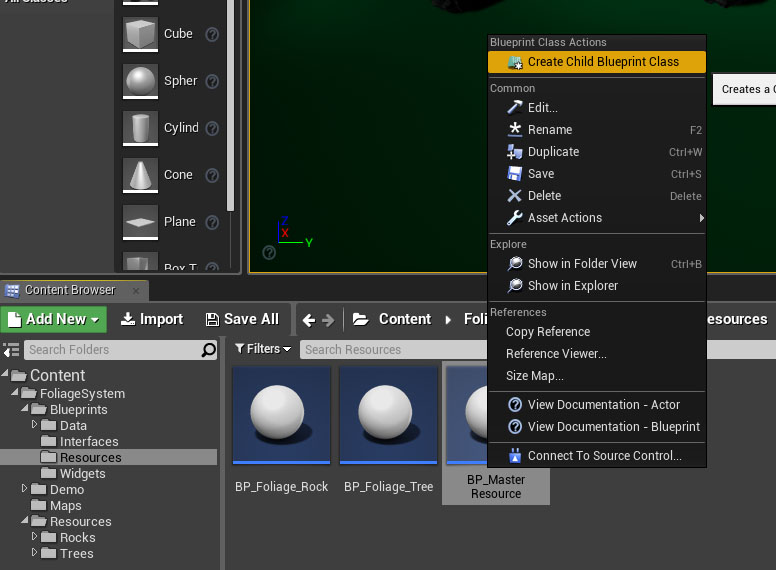
Create a Child Blueprint Class of the BP_MasterResource

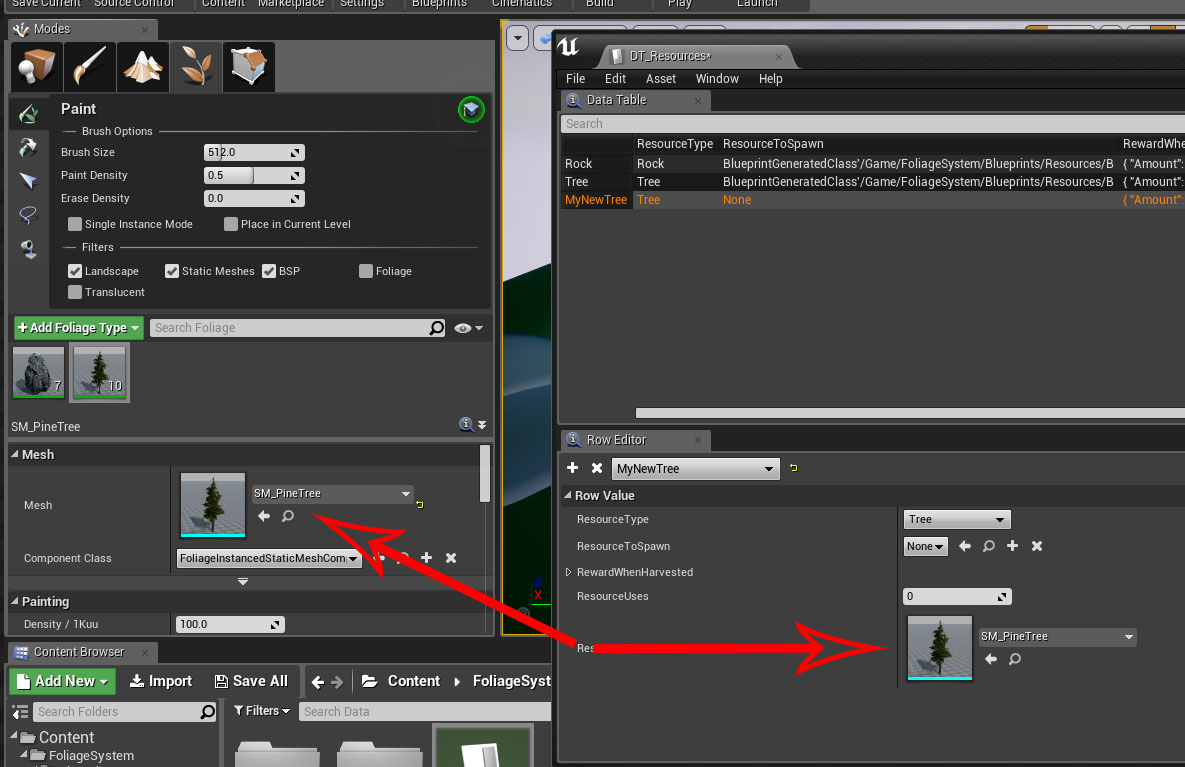
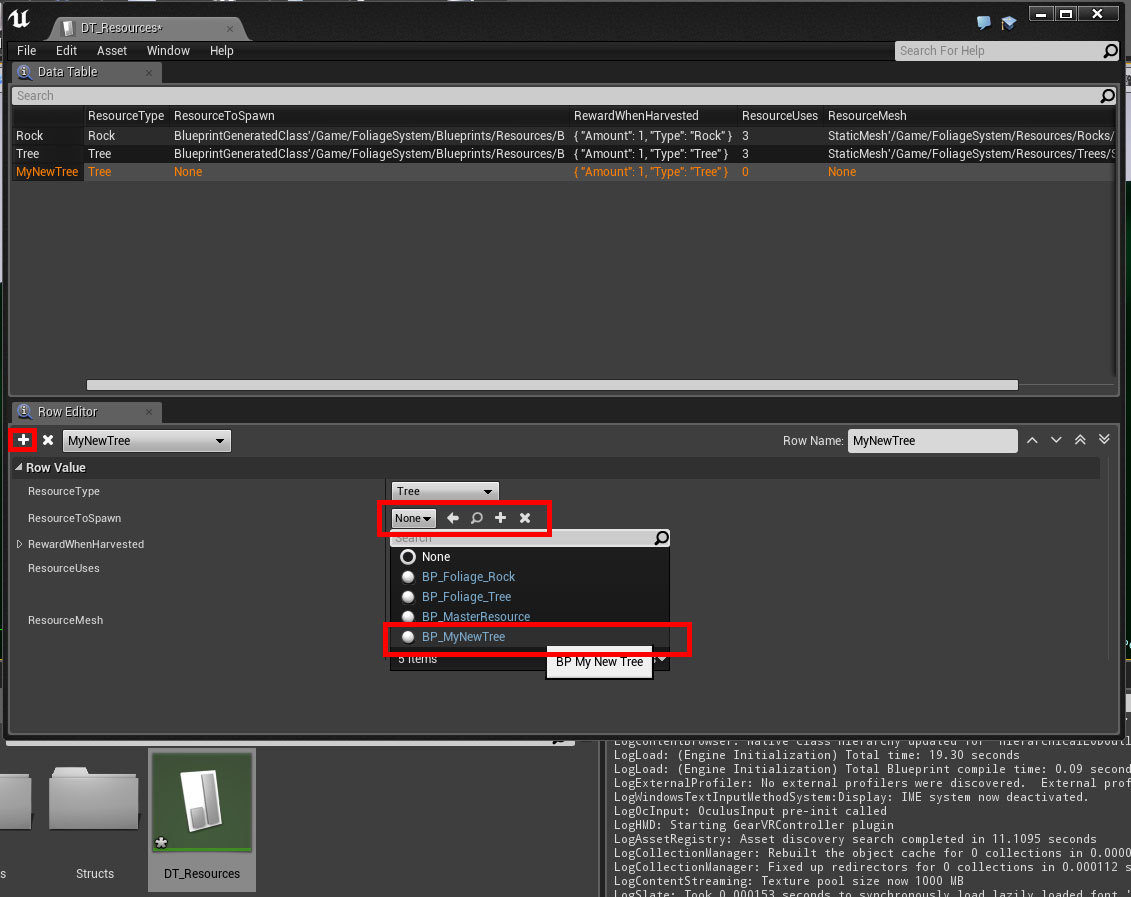
Open DT_Resources Data Table and add a New Row, set "ResourceToSpawn" to your new Child Blueprint Class that you just created.

Inside DT_Resources, make sure you set ResourceMesh to EXACTLY the same as your foliage mesh.

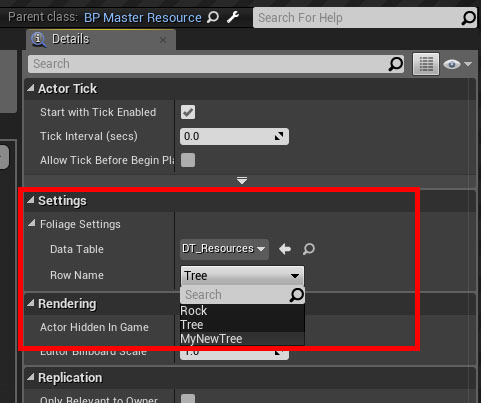
Open up your Child Blueprint Class, change it's FoliageSettings to "MyNewTree".

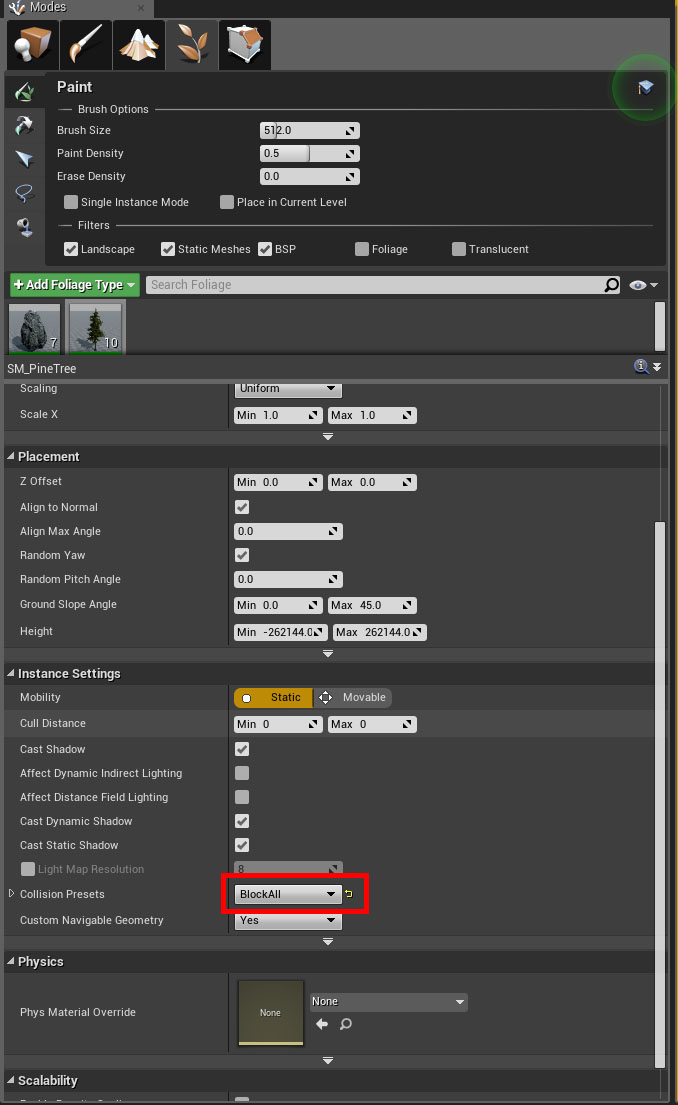
IMPORTANT! When painting your terrain with foliage, MAKE SURE that you set the foliage to Block All.

And that's it!

Integrating the Foliage System with the Survival Template (MSGT)

· 2 min read
Developer

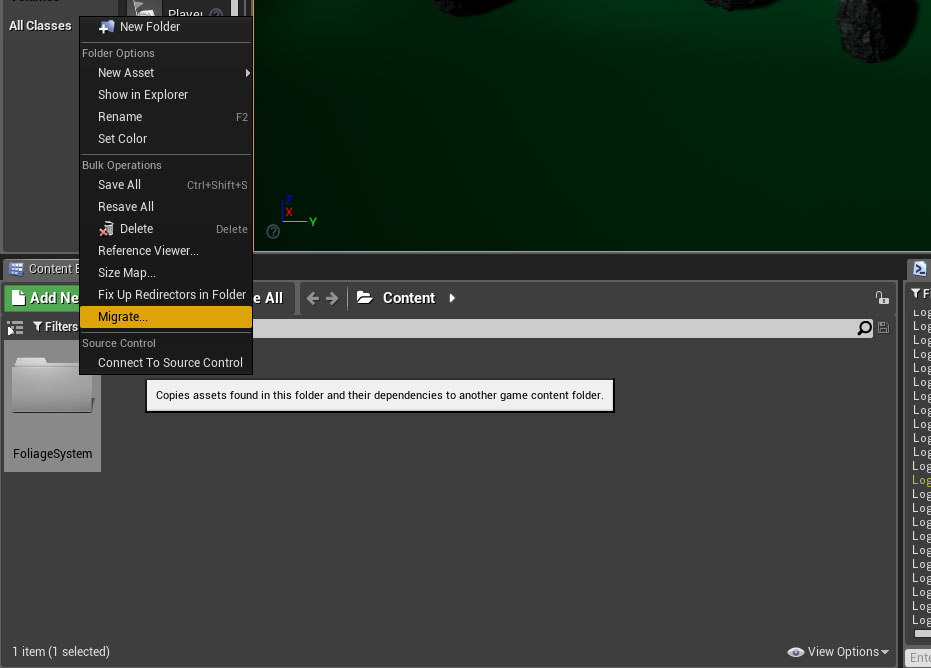
Begin by migrating the FoliageSystem to your MSGT Content folder


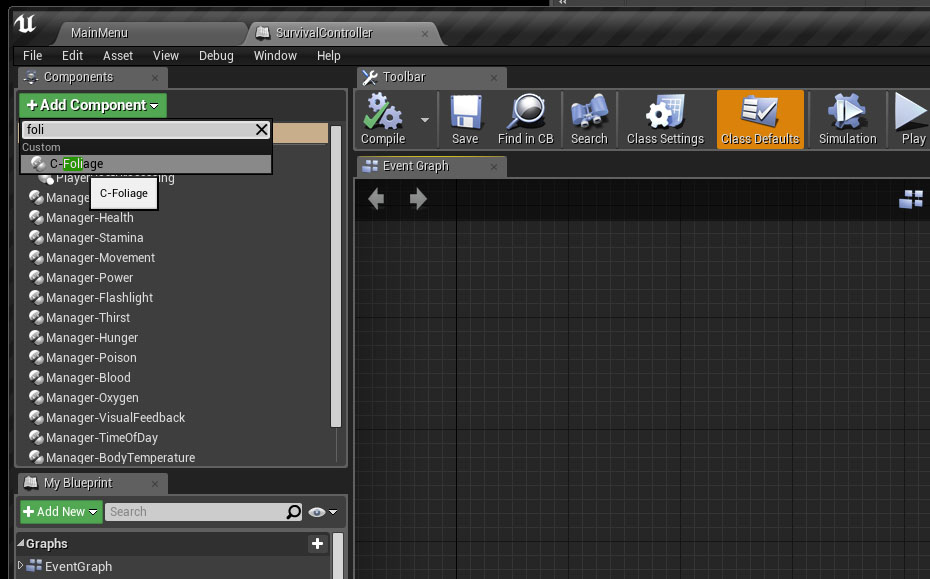
Add the C-Foliage component to your SurvivalController


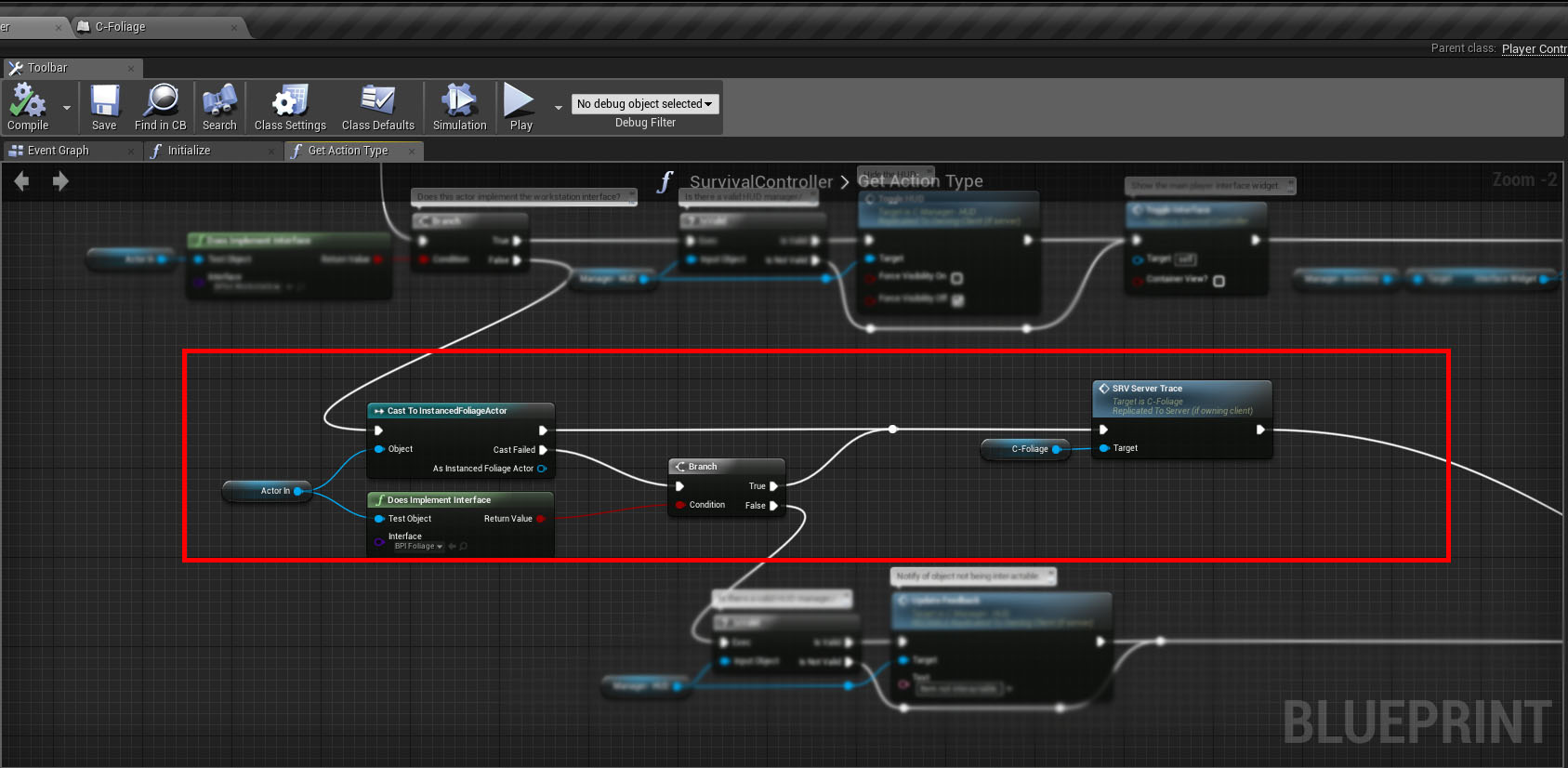
SurvivalController > GetActionType() function


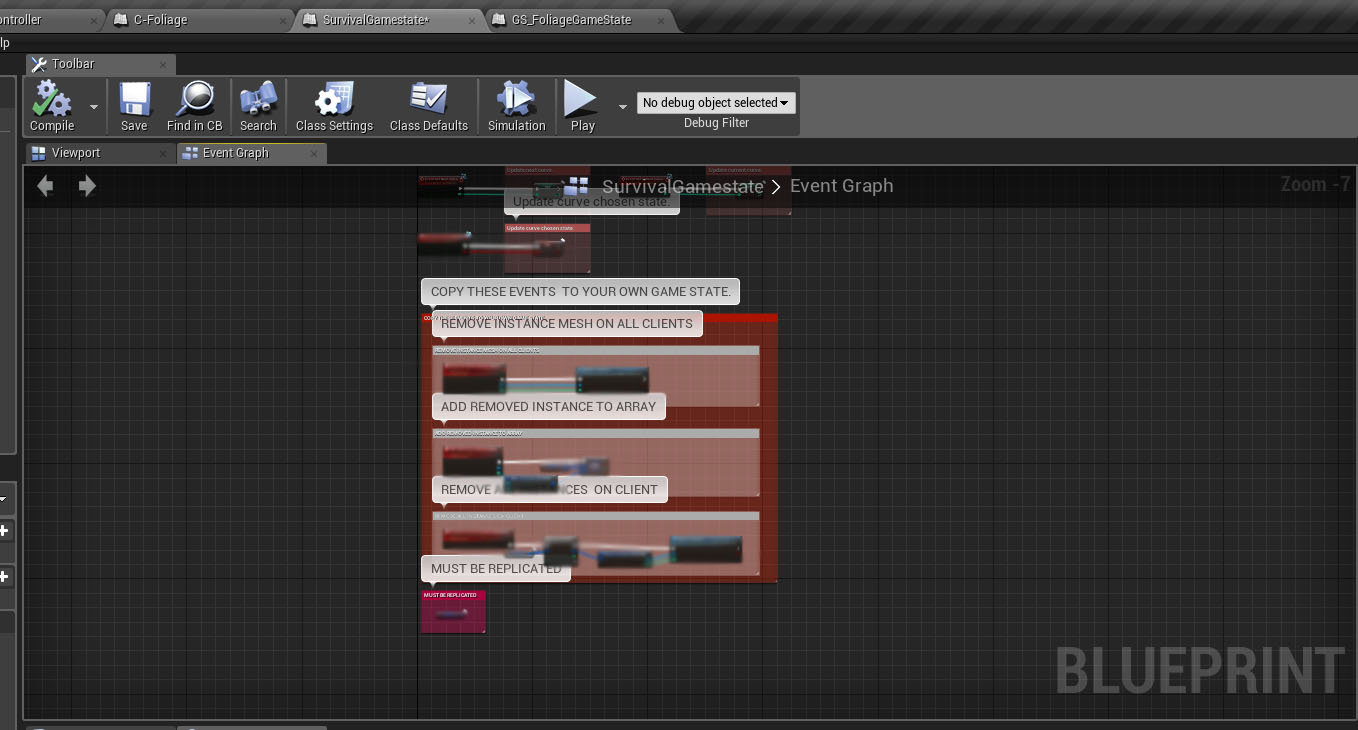
Copy all the Events and variables from GS_FoliageGameState Blueprint Paste them into the SurvivalGameState Blueprint.


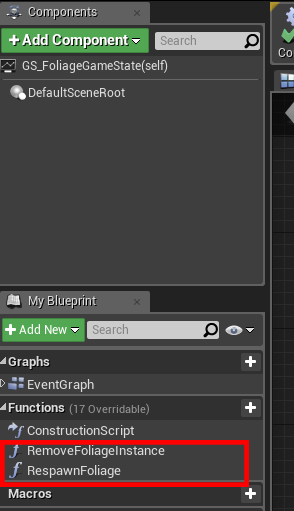
You'll also have to re-create the 2 missing functions inside the SurvivalGameState


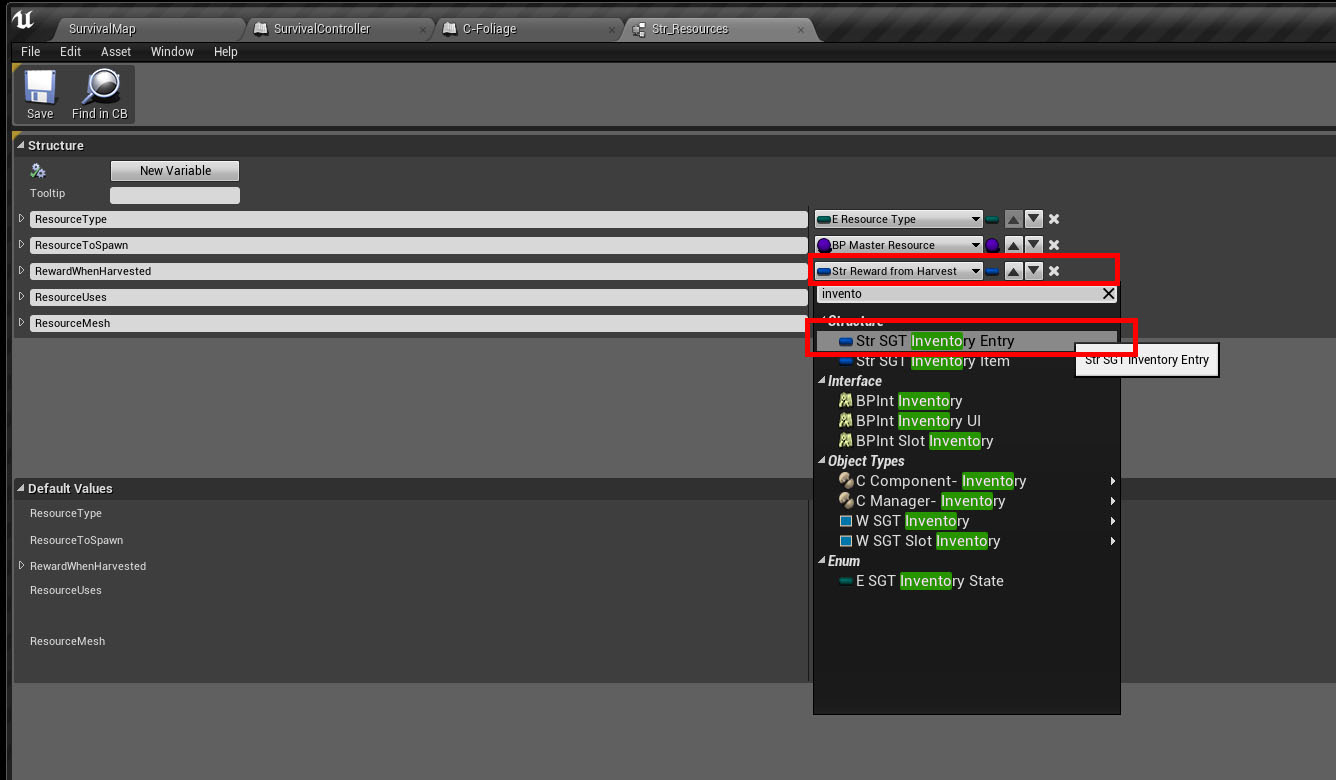
Open the Str_Resources struct file inside /FoliageSystem change the RewardWhenHarvested struct type to "Str_SGT_Inventory_Entry"


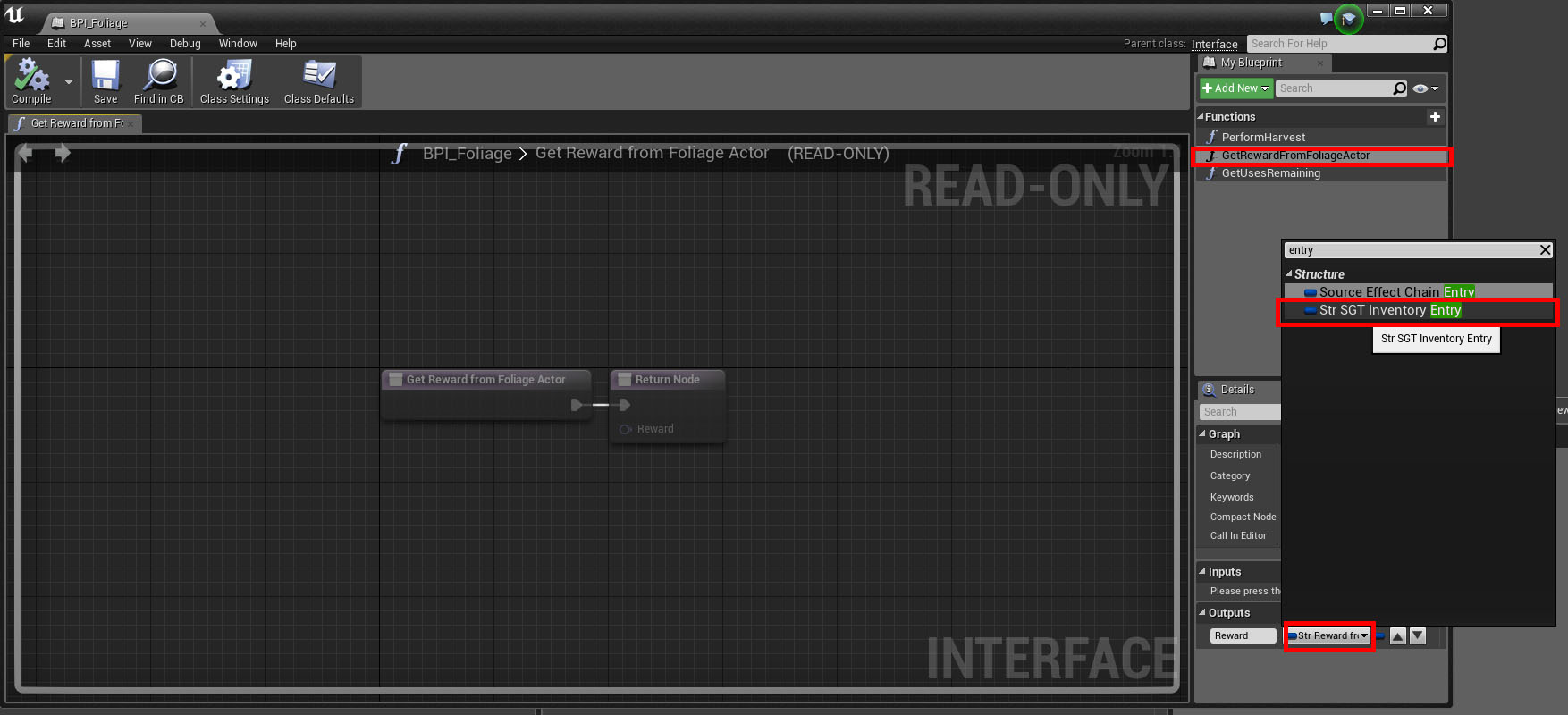
Change the Struct type inside BPI_Foliage, see image below.


Open the BP_MasterResource Blueprint, re-connect the missing link inside GetRewardFromFoliageActor() function.


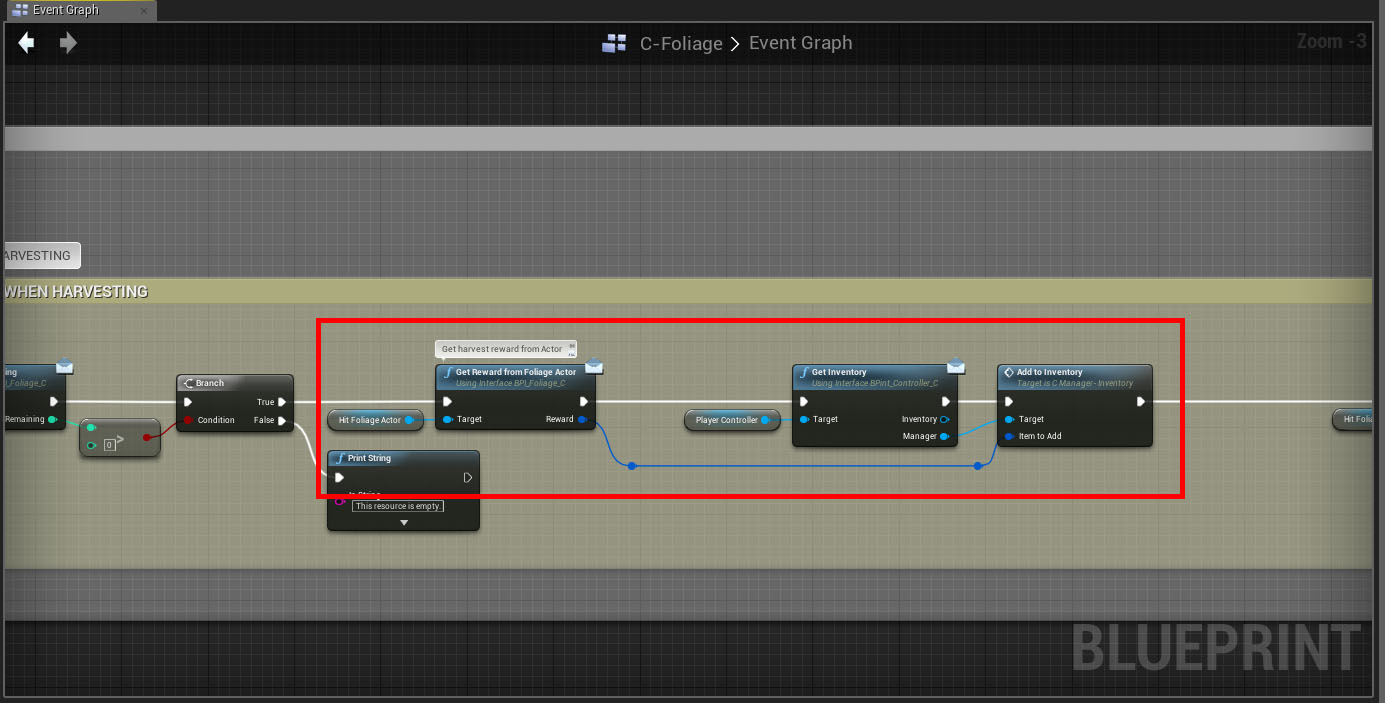
Replace the old Blueprint nodes with the ones you see below inside C-Foliage Component


Open the function ReplaceInstanceWithActor inside C-Foliage Component replace GS_FoliageGameState with SurvivalGameState.


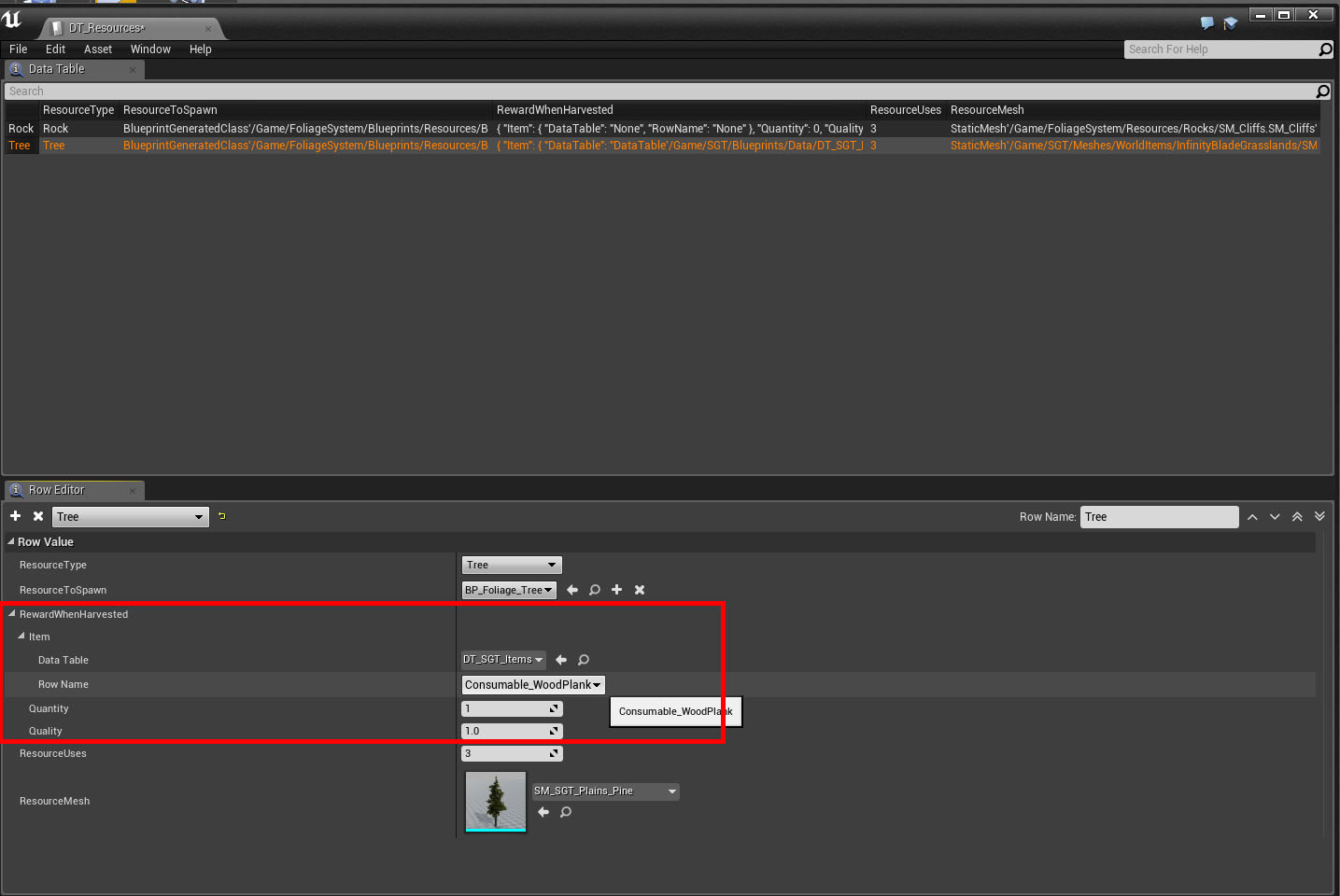
Edit DT_Resources, change the Reward settings to whatever you want this Tree to reward the player with.


Make sure the ResourceMesh is EXACTLY the same as the Mesh you are "planting" with your Foliage Placement tool.


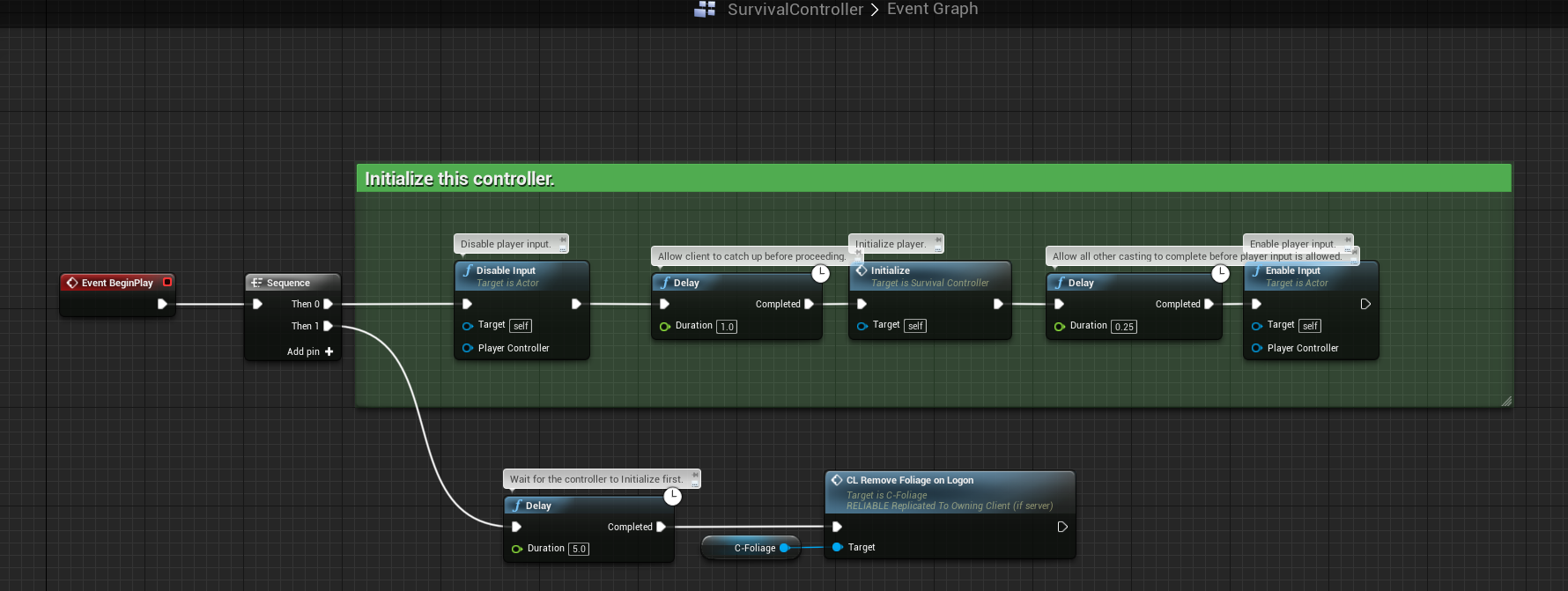
SurvivalController > BeginPlay, it should look like this: