689 posts tagged with "unreal engine"

unreal engine

View All Tags

EOSCore:: 1.7.2

· One min read
Developer

Android

  • Added Android support, however upon testing the android SDK it's not recommended for Live use

General

  • Added more debugging output
  • Removed JoinSessionFromInvite function
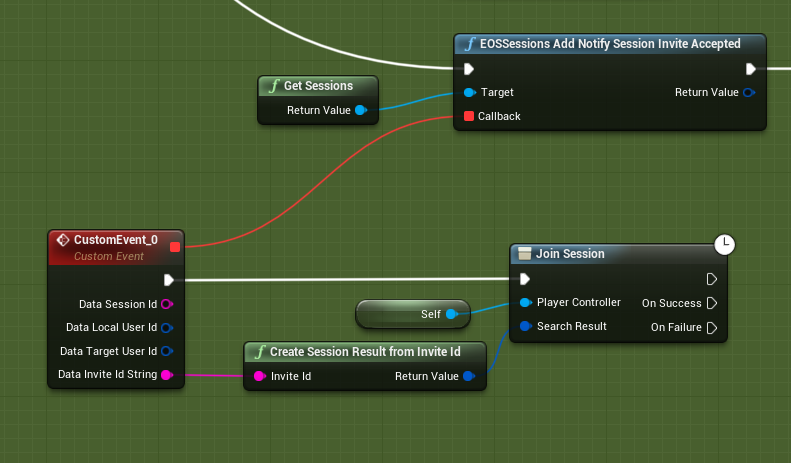
  • Added "CreateSessionResultFromInviteId" function
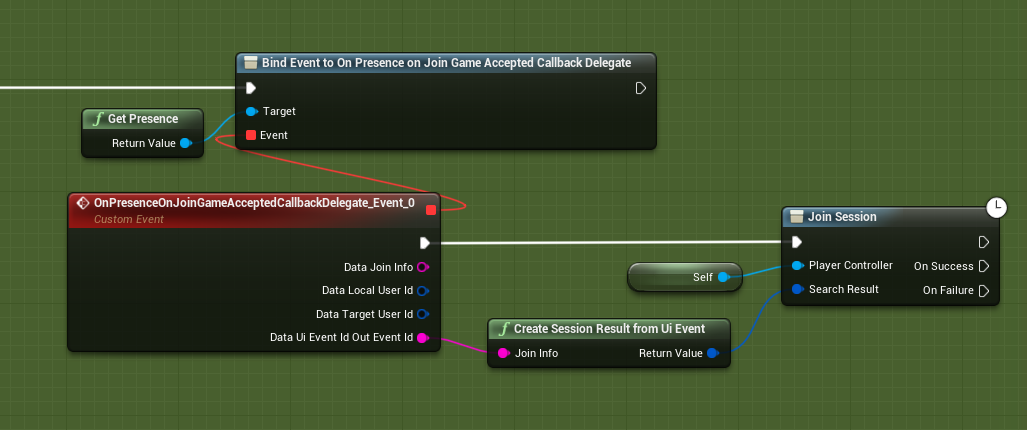
  • Added "CreateSessionResultFromUiEvent" function
  • You can now Join your friends from the Social Overlay by pressing the "Join" button
  • New Logging Category
    LogEOSCorePlatform=Verbose
  • New DefaultEngine.ini config value:
    bDisableServerAutoLogin=true
    This will disable auto-login when running multiple instances in the editor

CreateSessionResultFromInviteId

CreateSessionResultFromUiEvent
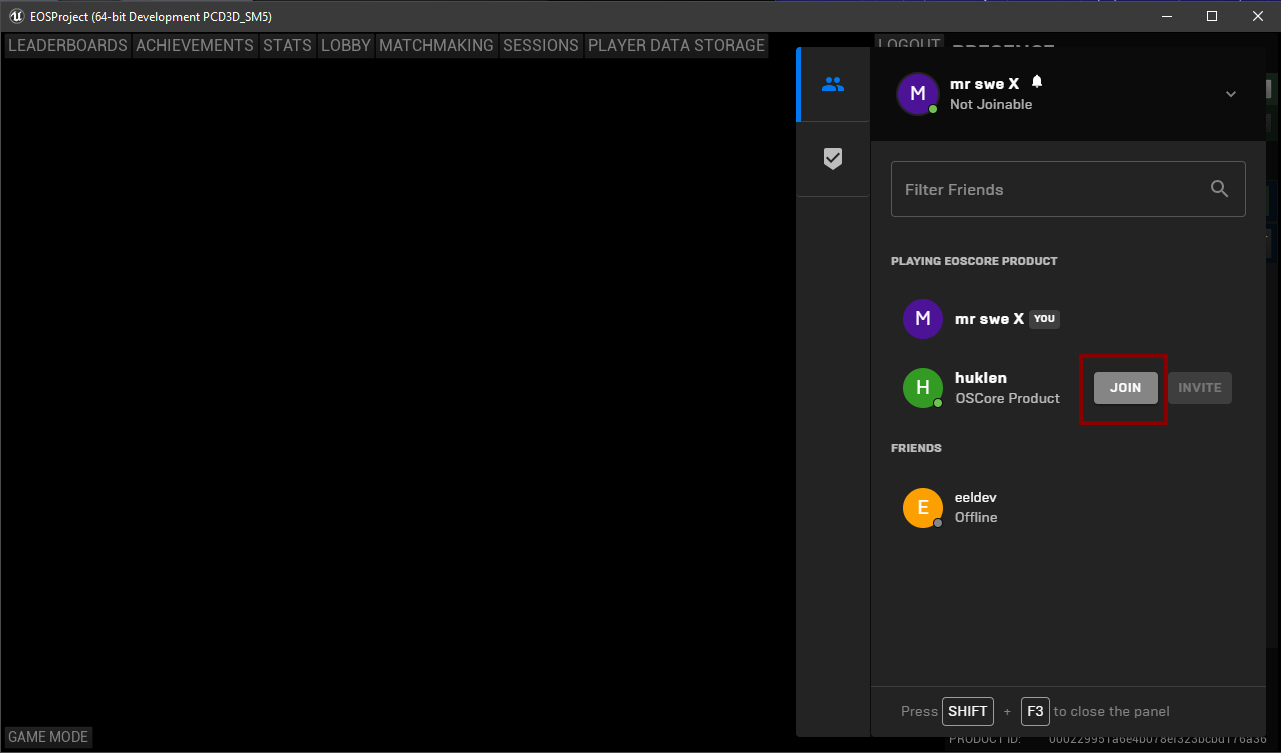
Join your Friends

Joining a Friend

· One min read
Developer

How to Join a Friend

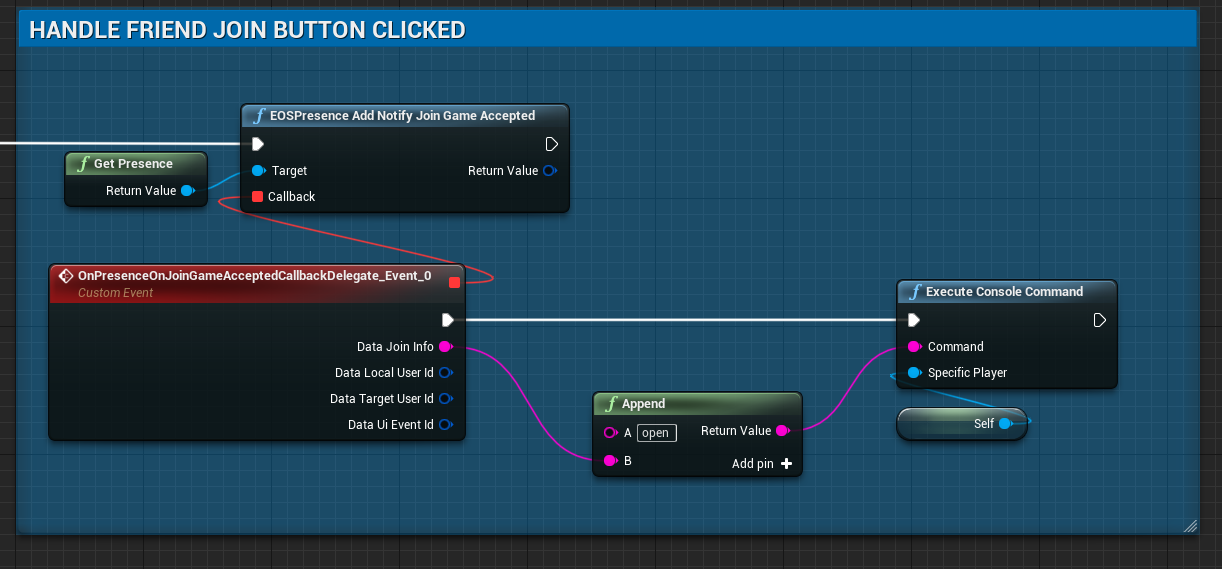
You can now join your friends from the Social Overlay!

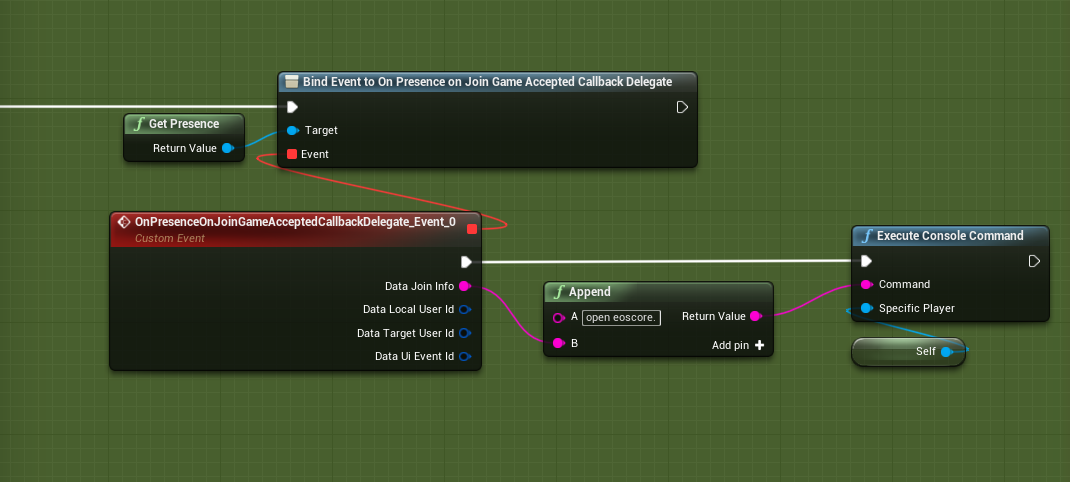
To enable this functionality, all you need to do is to bind a delegate and join the session.

Version 1.8.0 and onwards (UE 4.25+)

Binding the delegate (Legacy, pre 1.8.0)

EOSCore:: 1.7.0

· One min read
Developer

General

  • Fixed cachedir not being set properly in rare cases

Authentication

  • Fixed delete persistent auth function, refresh token was not being handled properly

EOSCore:: 1.6.7

· One min read
Developer

General

  • New Commandline Argument: **-AUTH_LOGIN=**xxx
  • New Commandline Argument: **-AUTH_TOKEN=**xxx
  • New Commandline Argument: -AUTH_TYPE=xxx
  • You can now Auto-Login to the DevTool using the above Commandline arguments.
  • Read more about Commandline Arguments

OnlineSubsystemEOSCore

  • Fixed bAllowInvites attribute not being set properly
    Thanks to Ding for finding this
  • Made Experimental changes to the OnlineSubsystem, it might cause unexpected behavior and if so, the EOSCore:: plugin might have to be run in Standalone or Packaged build in the future.
  • Added a CreateEOSCoreSession node, more settings will be added later

EOSCore:: 1.6.6

· One min read
Developer

OnlineSubsystem

  • Fixed NetUniqueId issues that were not being set correctly when logging in, making it impossible to Create Sessions

Auto-Login

The plugin can now Auto-Login when you start up your Game / Project. To use this feature add "bAutoLogin=true" to DefaultEngine.ini

[EOSCore] bEnabled=true bDebugging=true bAutoLogin=true ProductId= SandboxId= DeploymentId= ClientId= ClientSecret= ProductName=EOSCore Product ProductVersion=1.0

You can also launch your Project / Game with the -AUTO_LOGIN command line argument

"C:\Program Files\Epic Games\UE_4.23\Engine\Binaries\Win64\UE4Editor.exe" "C:\Unreal Projects\EOSProject\EOSProject.uproject" -game -log -AUTO_LOGIN

If you have a valid PersistentAuth saved on your computer, the plugin will now auto-login and authenticate you