689 posts tagged with "unreal engine"

unreal engine

View All Tags

Foliage Plugin + Survival Game Kit (SGT)

· 2 min read
Developer

https://youtu.be/jcDR2N0pMD4

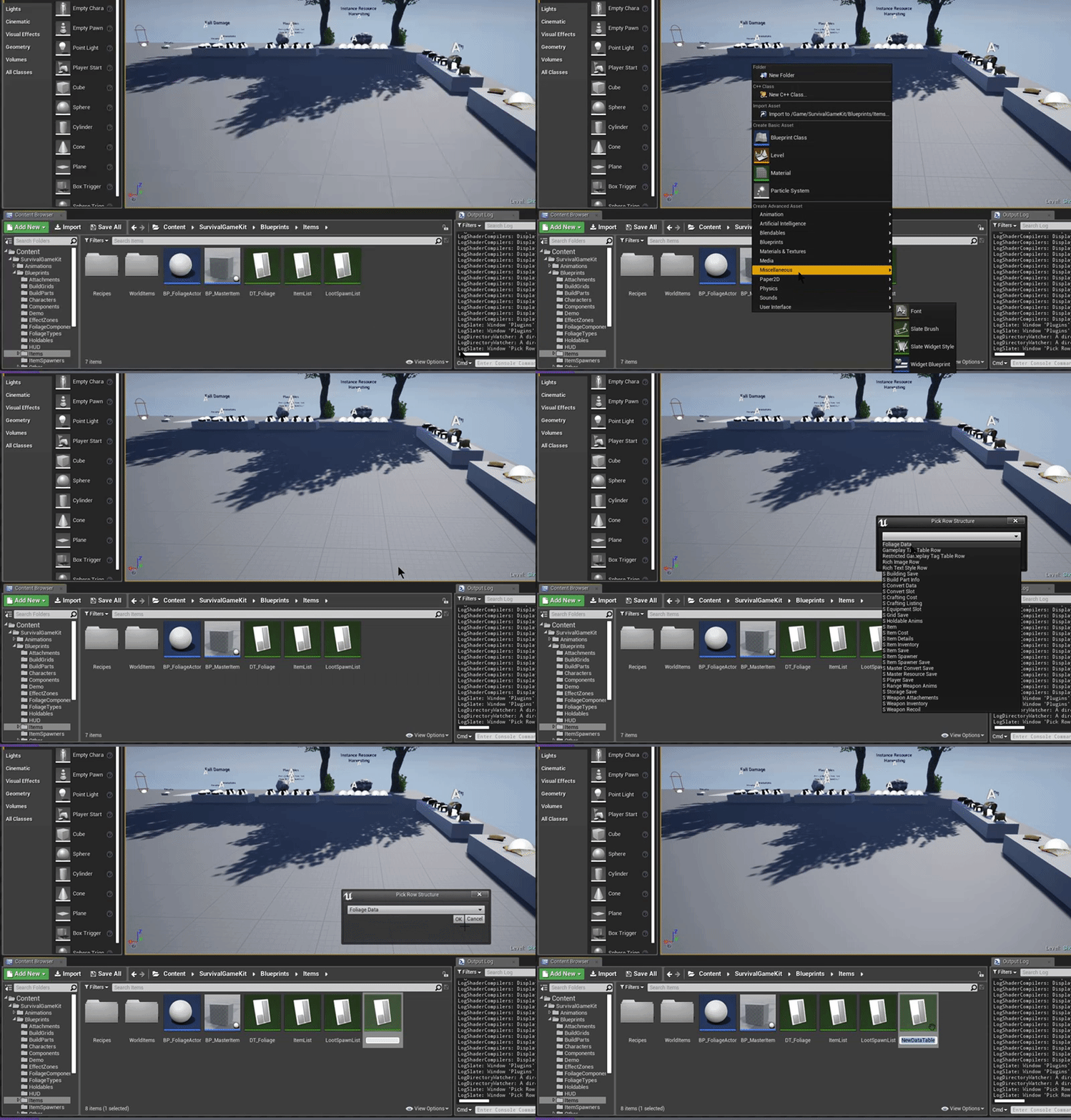
Create the Data Table (Foliage Data)

Create a Blueprint Class of type FoliagePluginActor

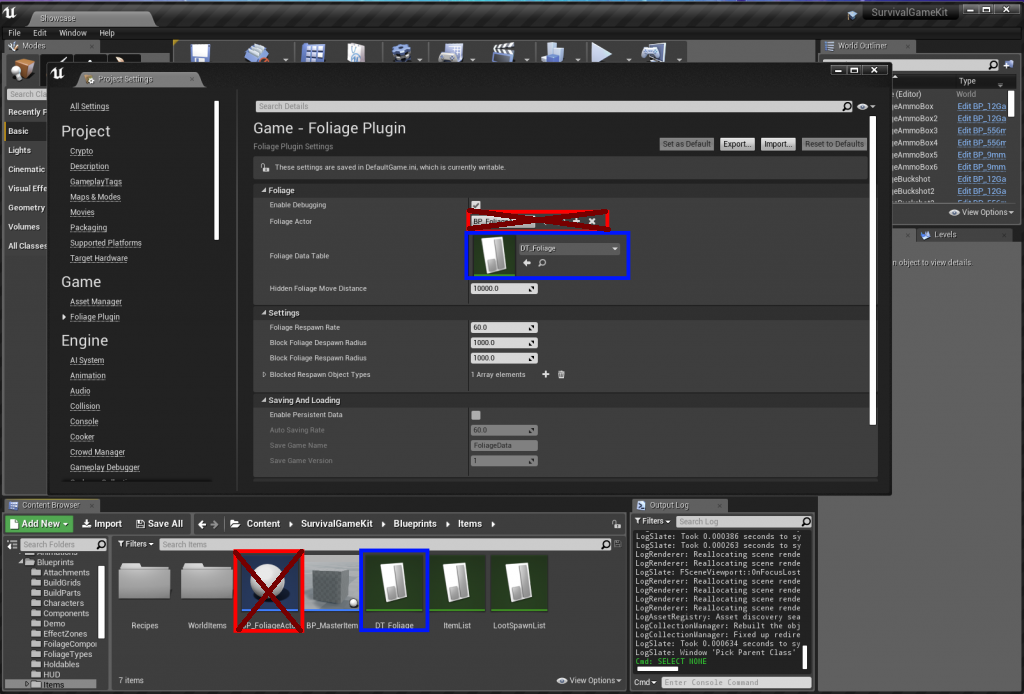
Assign the Data Table and the Foliage Actor in the Project Settings

(FOLIAGE ACTOR HAS BEEN MOVED TO THE DATATABLE)
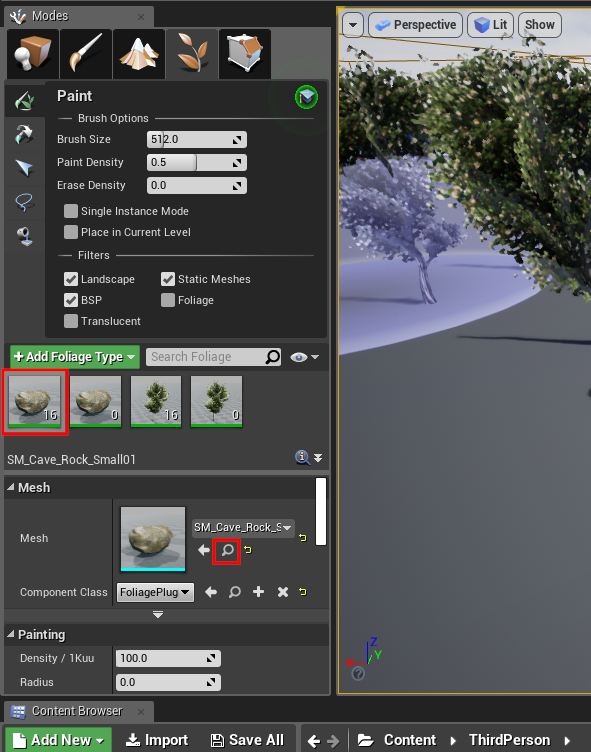
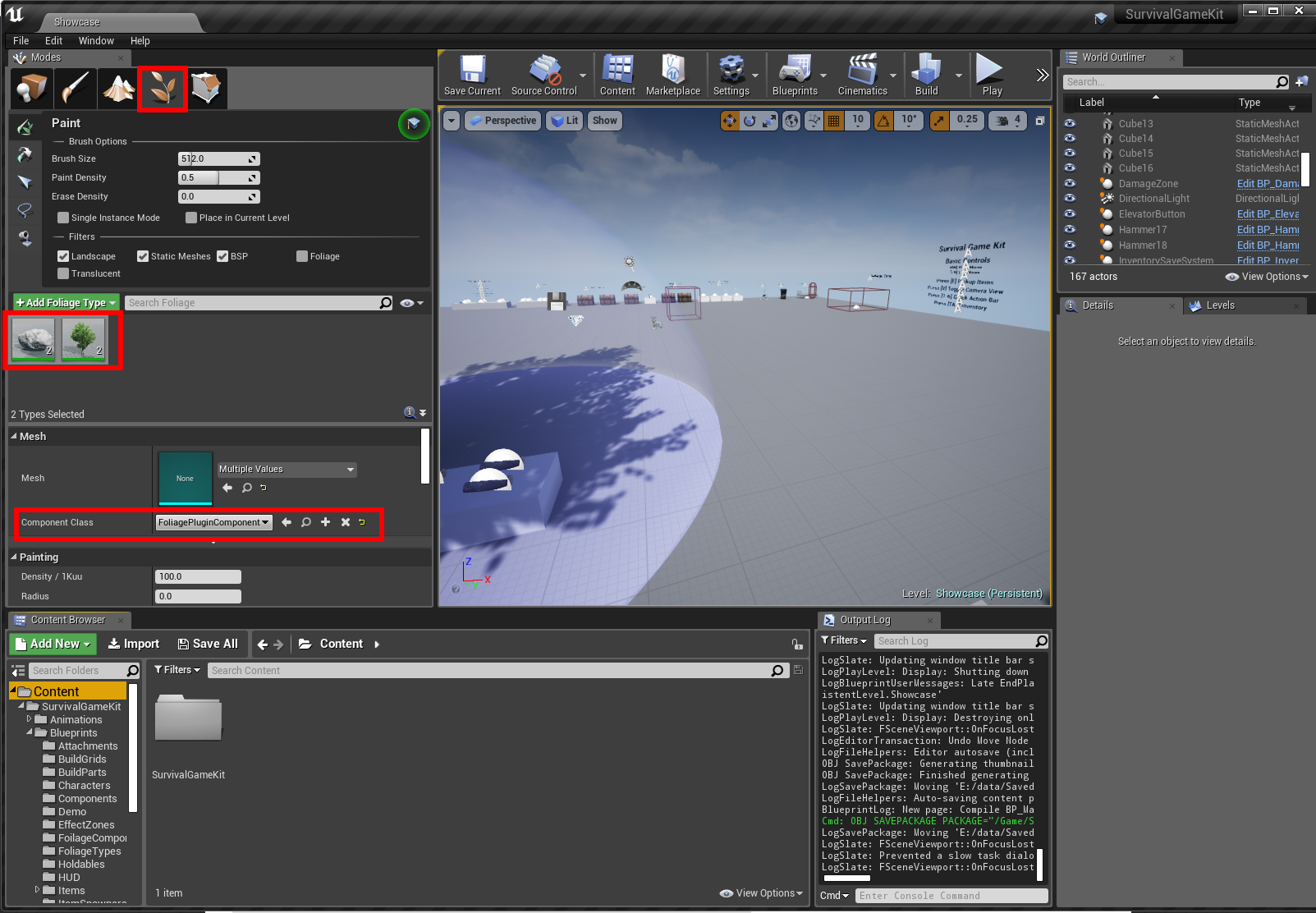
Change the Component Class for your Foliage to use the "FoliagePluginComponent"
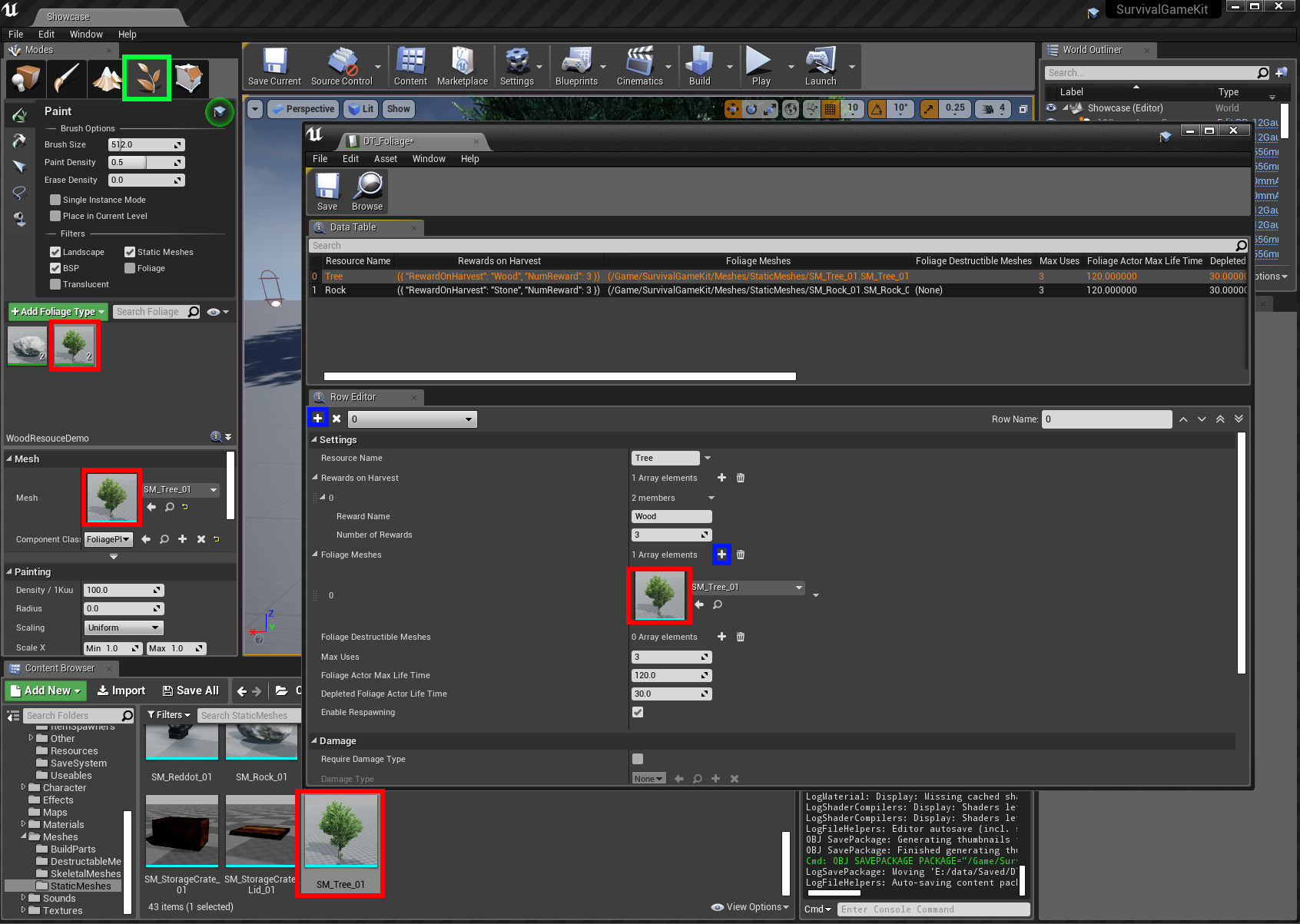
Create a new Tree resource in the Foliage Data Table you previously created, see example below
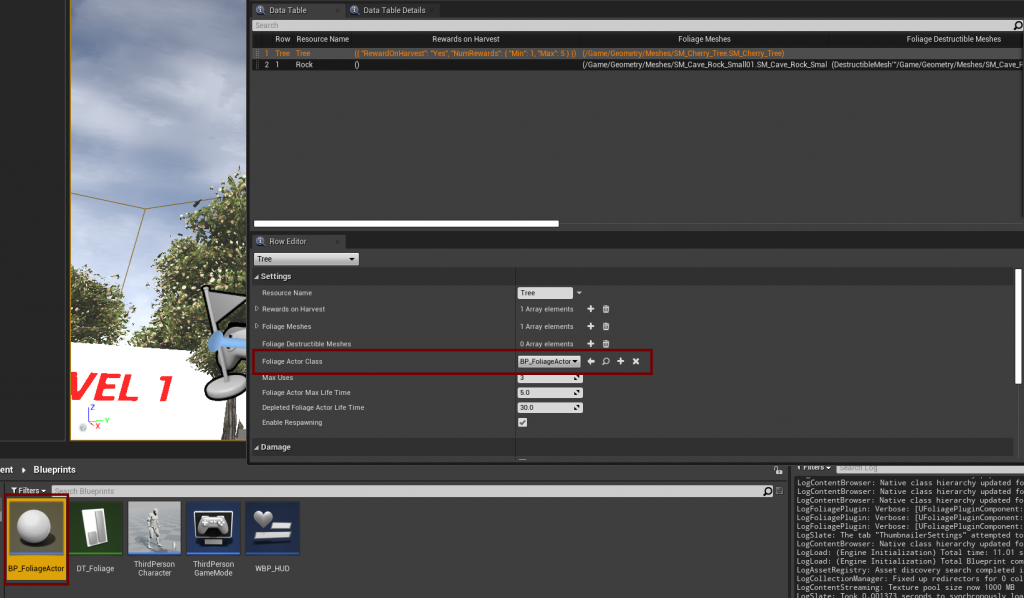
Set the BP_FoliageActor class that you created earlier in the DataTable
Create a new Rock resource in the Foliage Data Table you previously created, see example below
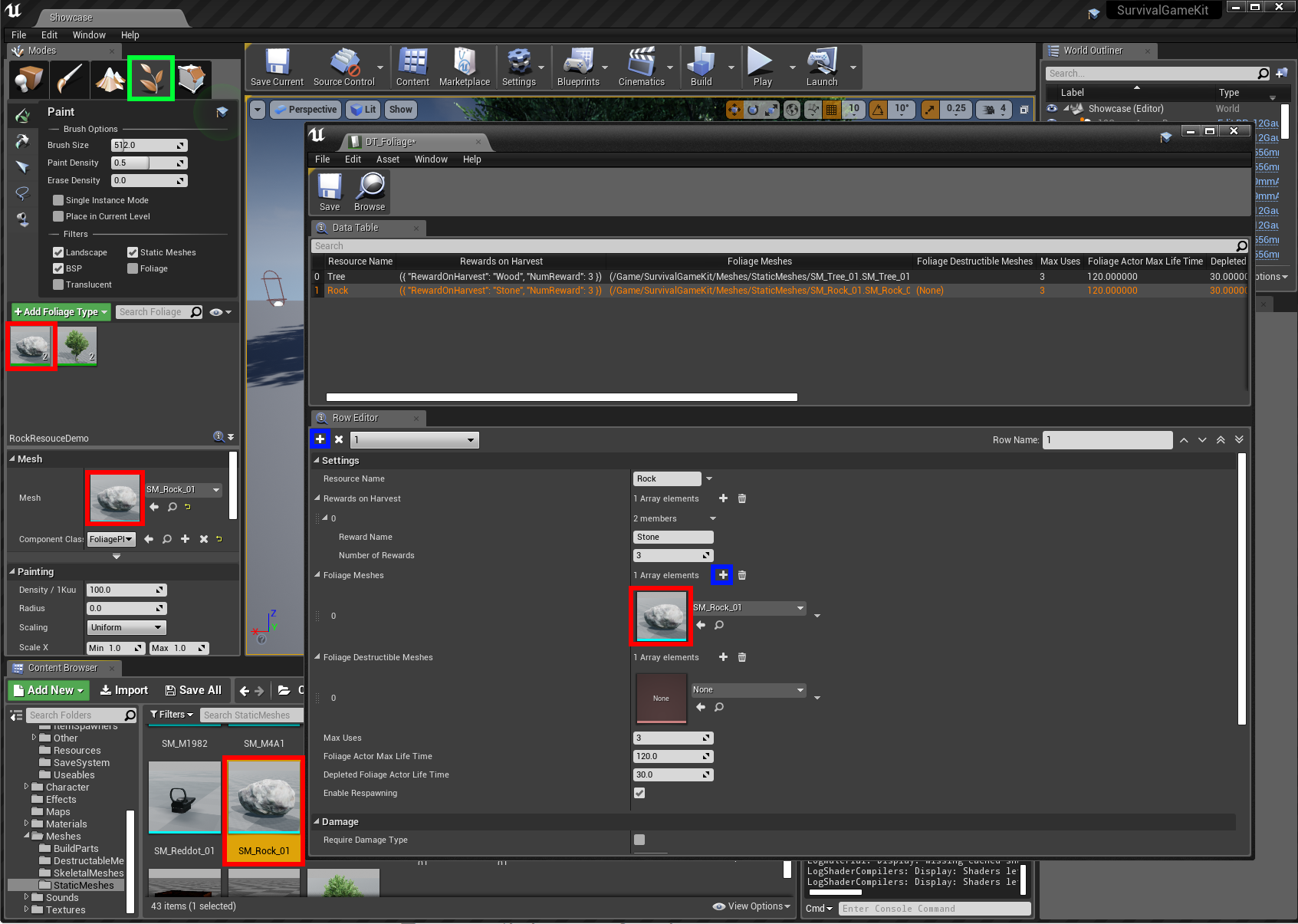
In the BP_SurvivalCharacter Blueprint, add the Foliage Plugin Interface
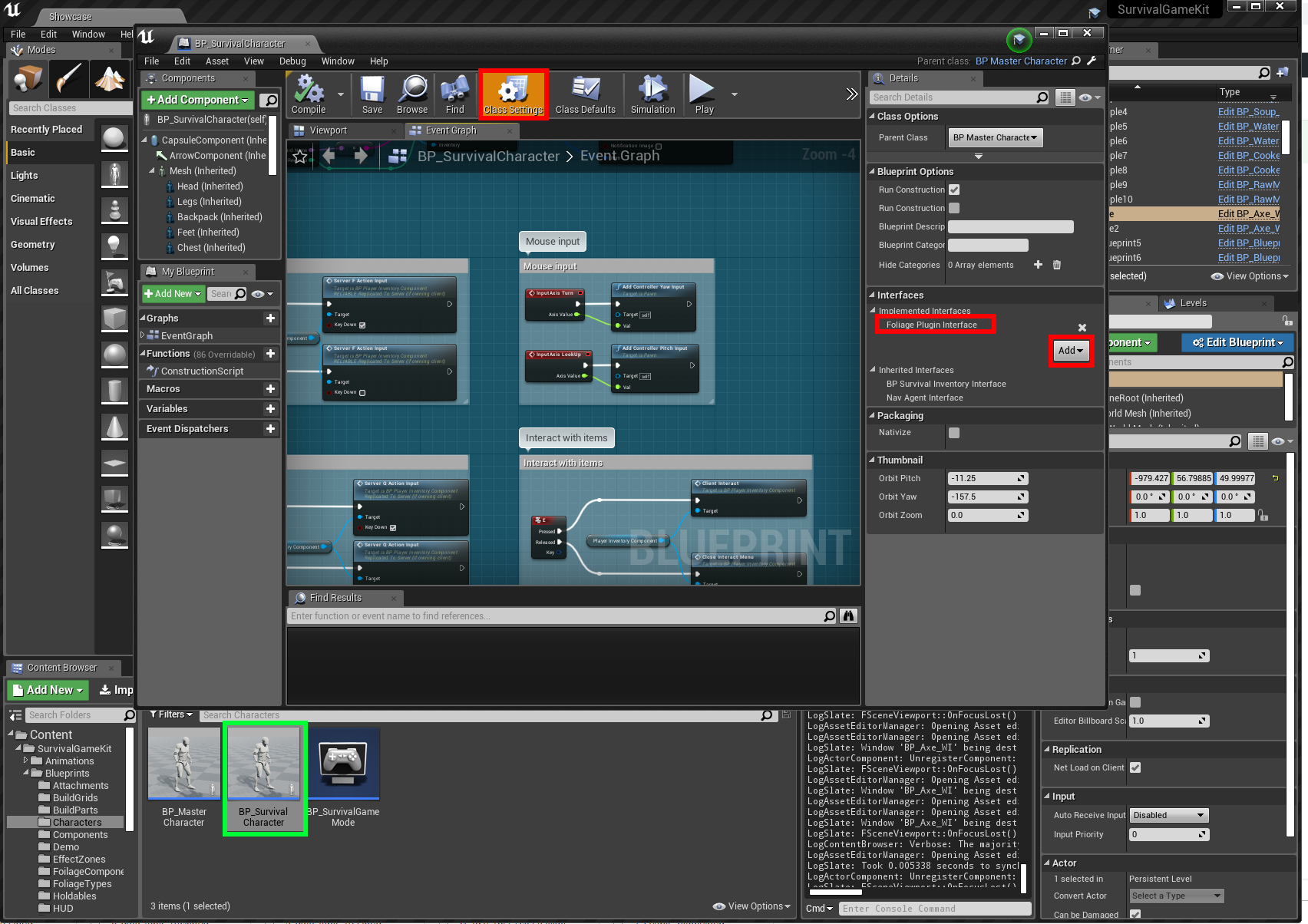
Example of adding the harvested resources to our inventory
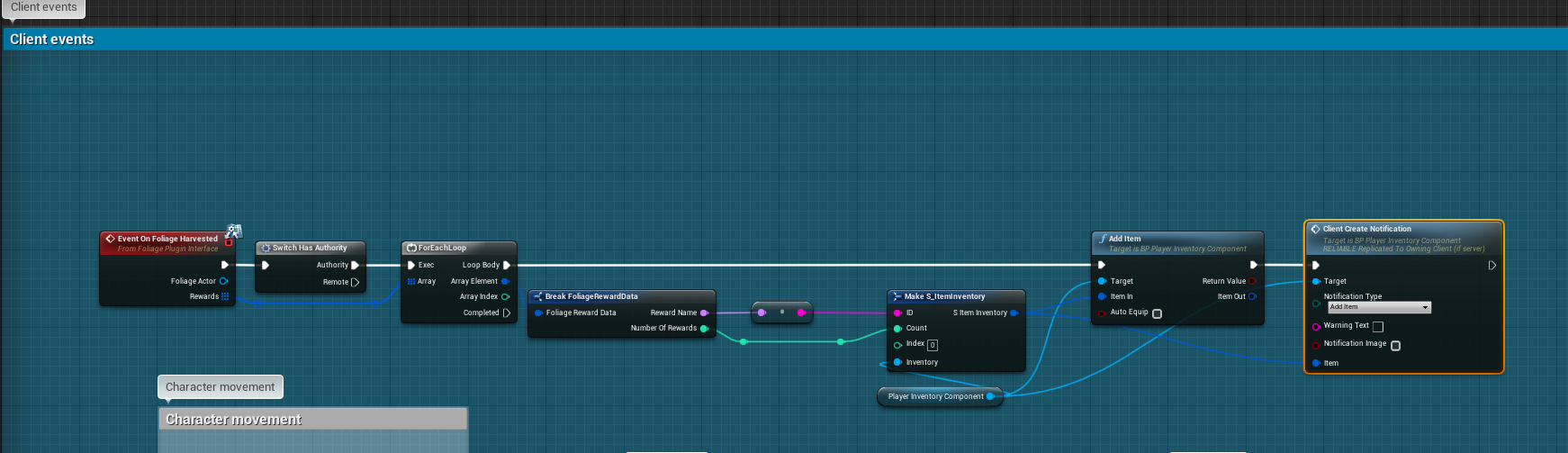
Example of how to enable Melee Weapons to harvest Trees and Rocks

OPEN THE "BP_MASTERMELEEWEAPON" BLUEPRINT (/BLUEPRINTS/HOLDABLES/BP_MASTERMELEEWEAPON) AND MODIFY THE "GIVE DAMAGE ONCE" FUNCTION TO THE EXAMPLE BELOW
Example of how to enable harvesting with "E" Interact Key

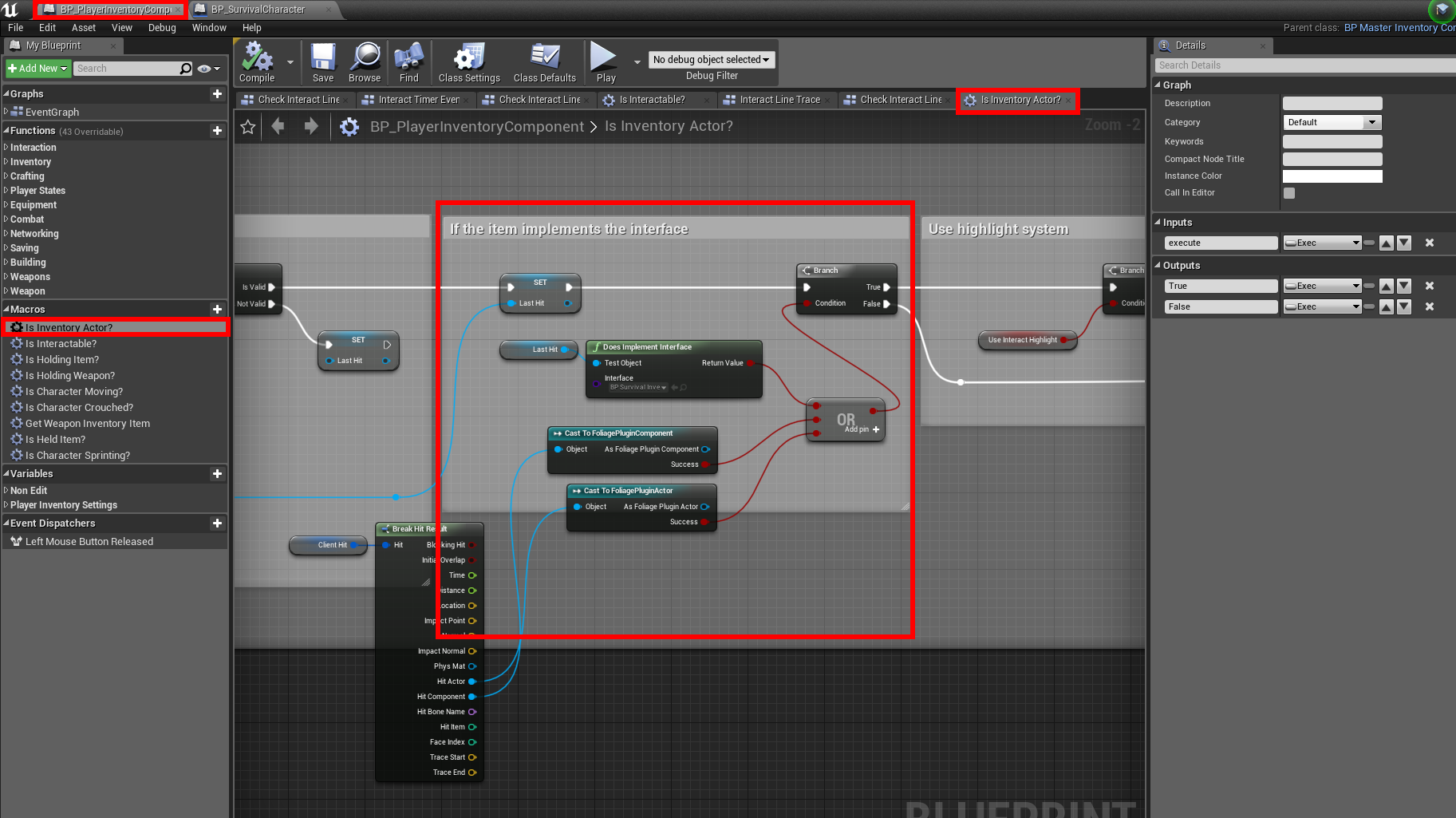
Open the "BP_PlayerInventoryComponent" (/Blueprints/Components) and modify the "Is inventory actor?" macro
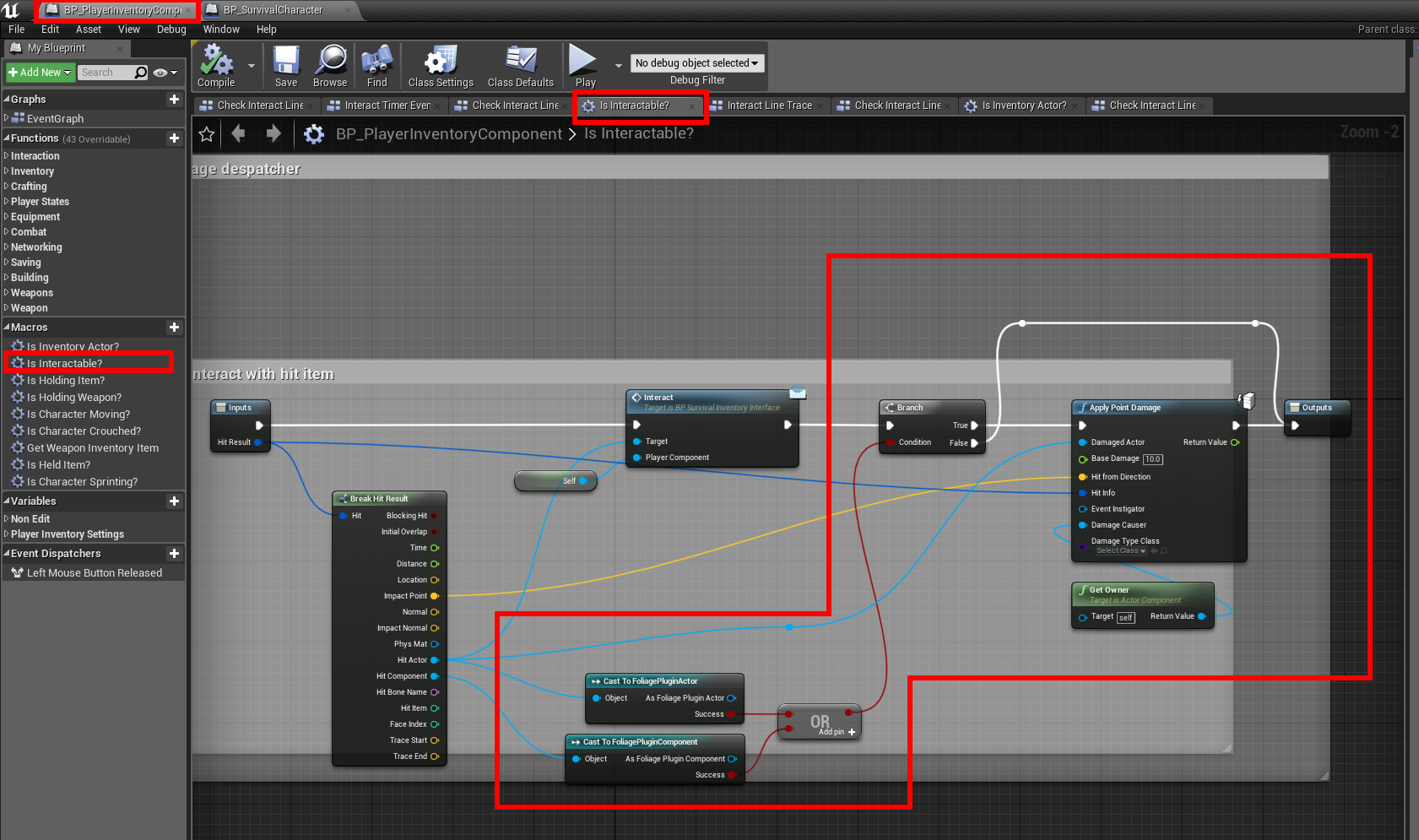
Open the "Is interactable?" Macro and modify as such
Foliage Plugin Damage Types

· One min read
Developer

Setting up Damage Types for the Foliage Plugin

If you haven't setup the Foliage Plugin yet, follow this tutorial first.

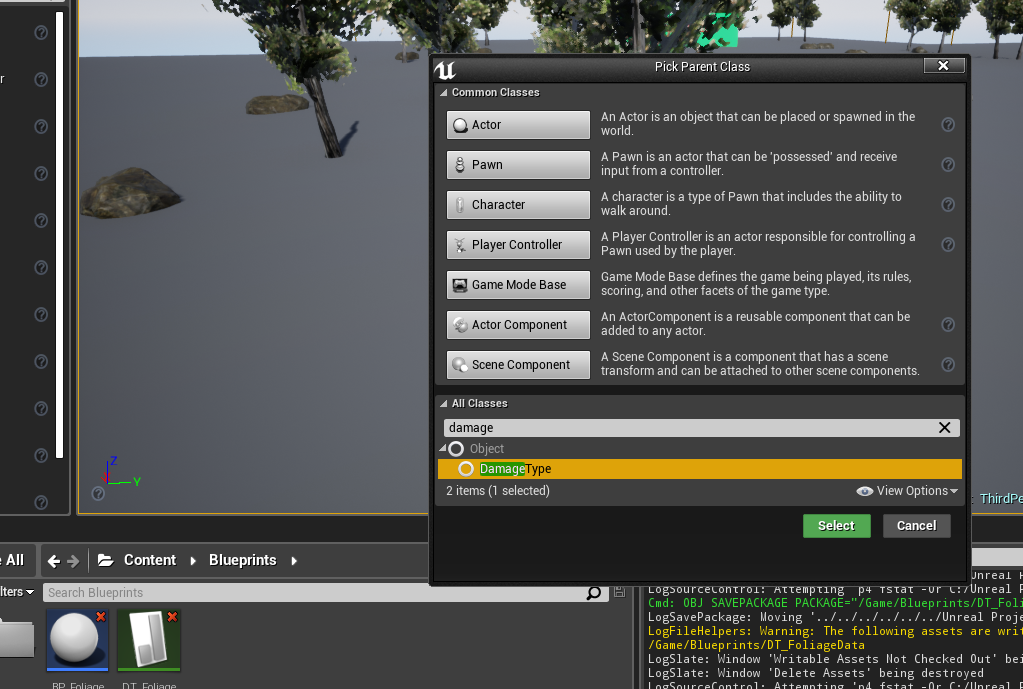
Create a new Blueprint Class based on the DamageType

Set the new Damage Type required in your Foliage DataTable

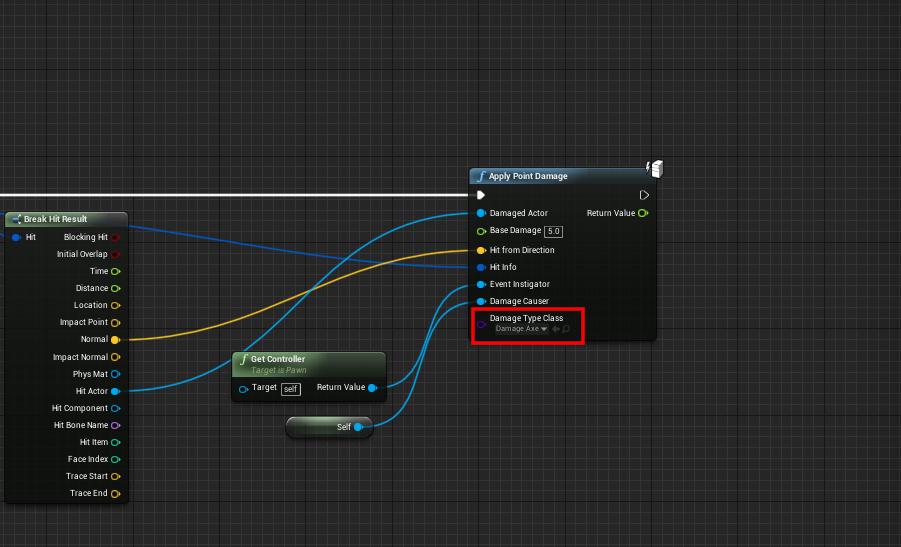
When Applying damage to your Foliage, specify the new Damage Type

All done, if the incorrect damage type is applied, you will not be able to interact with the Foliage

Foliage Plugin - Destructible Meshes

· 2 min read
Developer

Setting up Destructible Meshes with the Foliage Plugin

If you haven't setup the Foliage Plugin yet, follow this tutorial first.

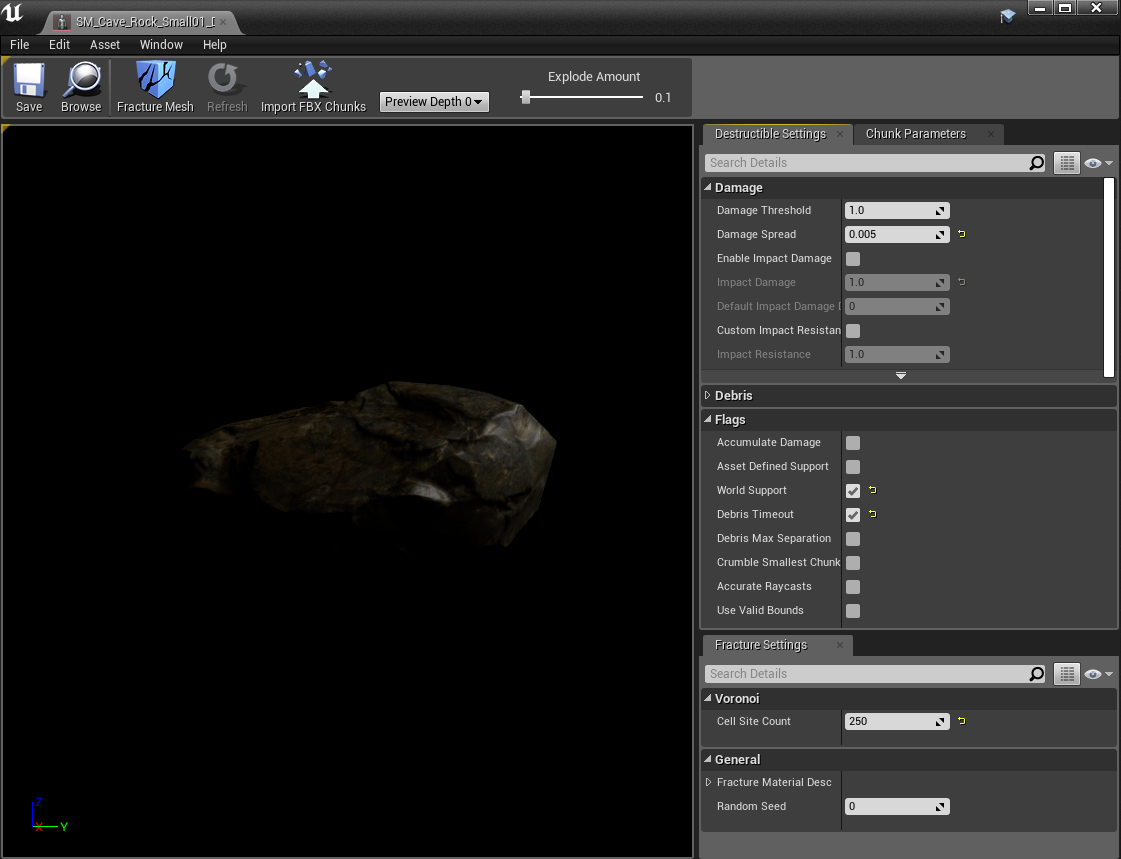
Create a Destructible Mesh of your Foliage Mesh

Example Settings of a Destructible Mesh (a rock in this example)

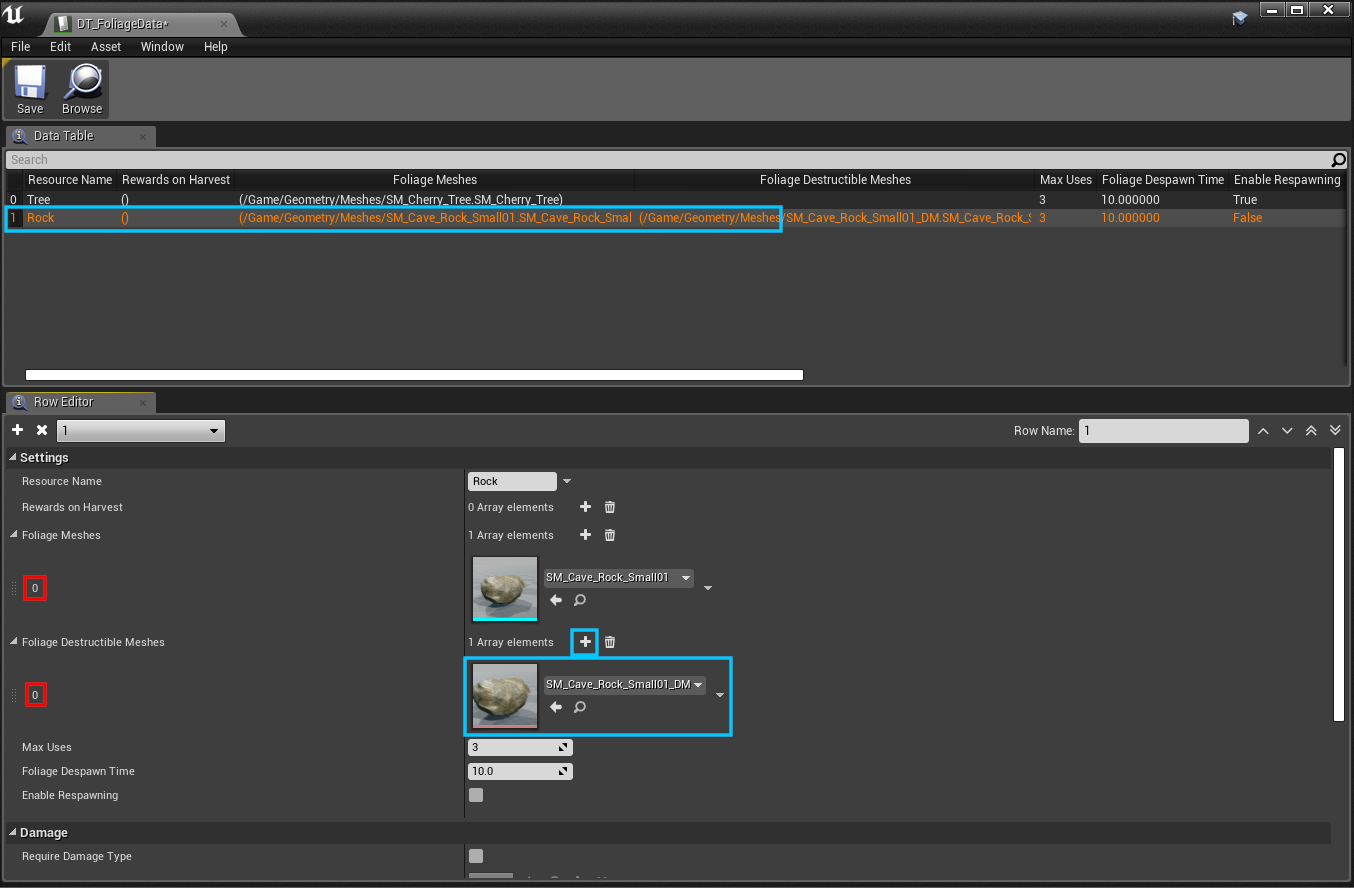
Add the Destructible Mesh to the Foliage DataTable you created in the previous tutorial

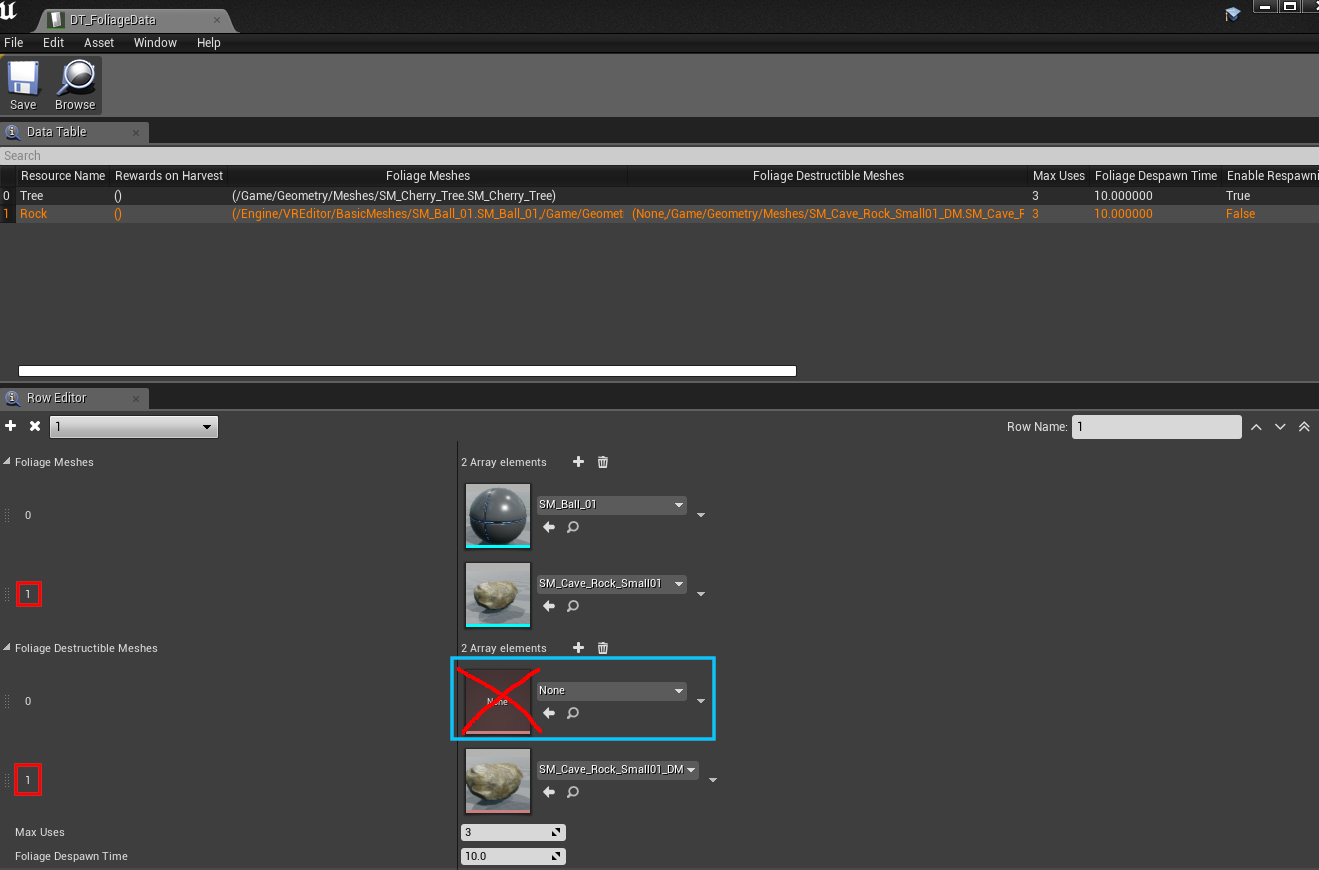
Important here is that the IDs (marked in RED) are the SAME, it doesn't matter if the Destructible Mesh is Empty (if you don't have one for a different mesh)

Another Example

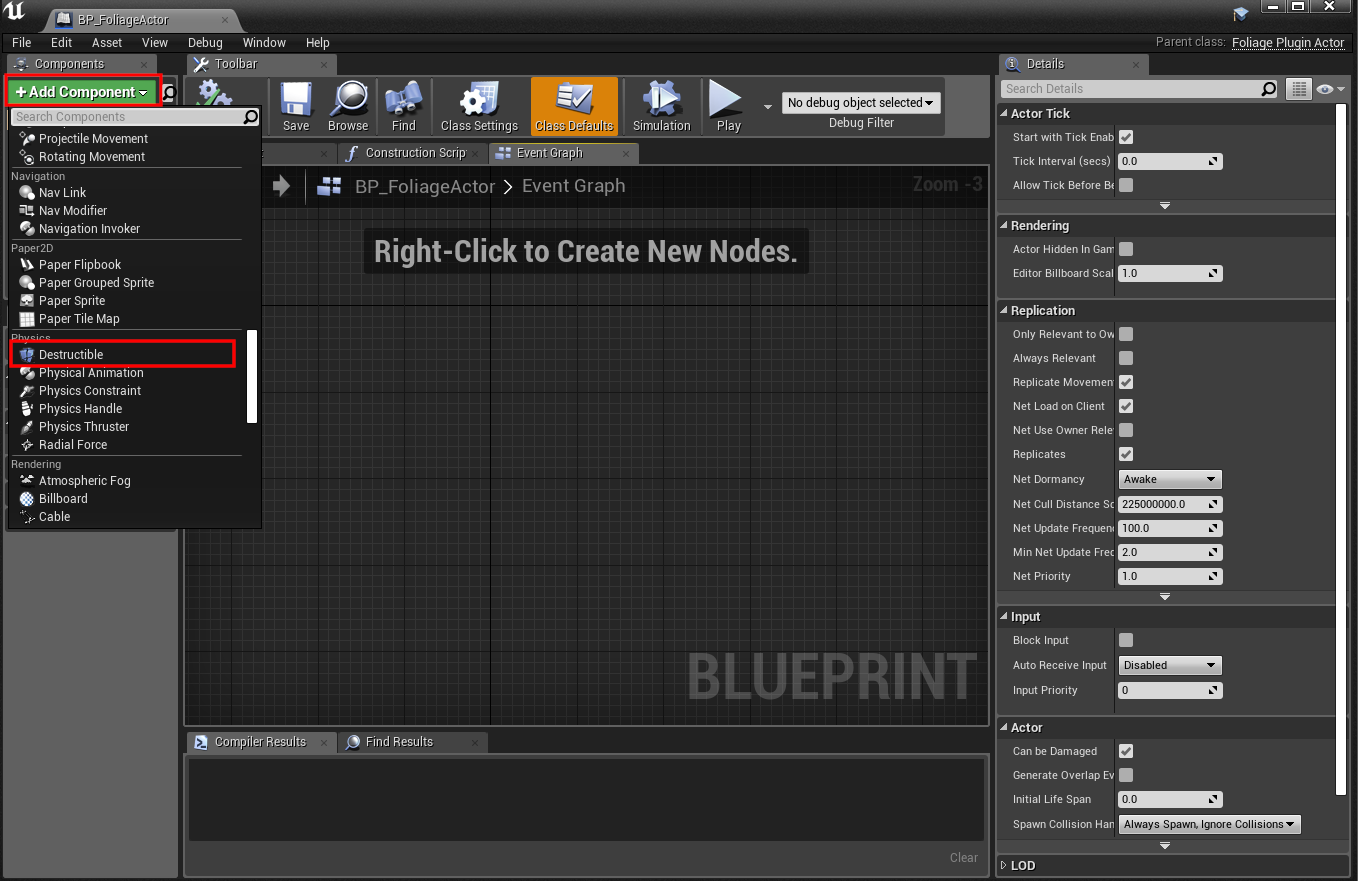
Add a Destructible Component to your BP_FoliageActor that you created in the previous tutorial

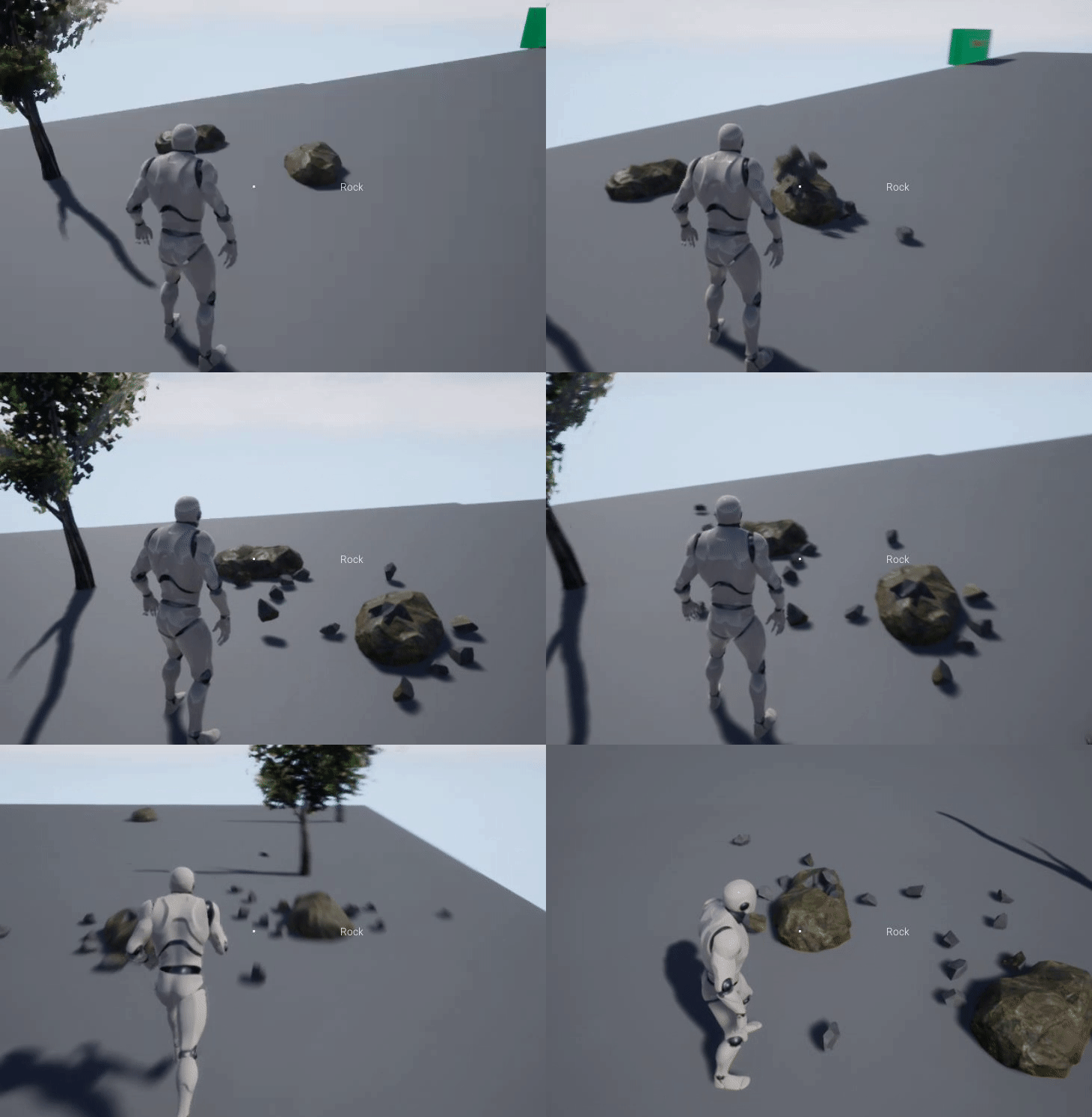
All done, the Foliage Plugin will handle dealing damage and visibility of the Destructible Mesh

Configuring Sockets

· 2 min read
Developer

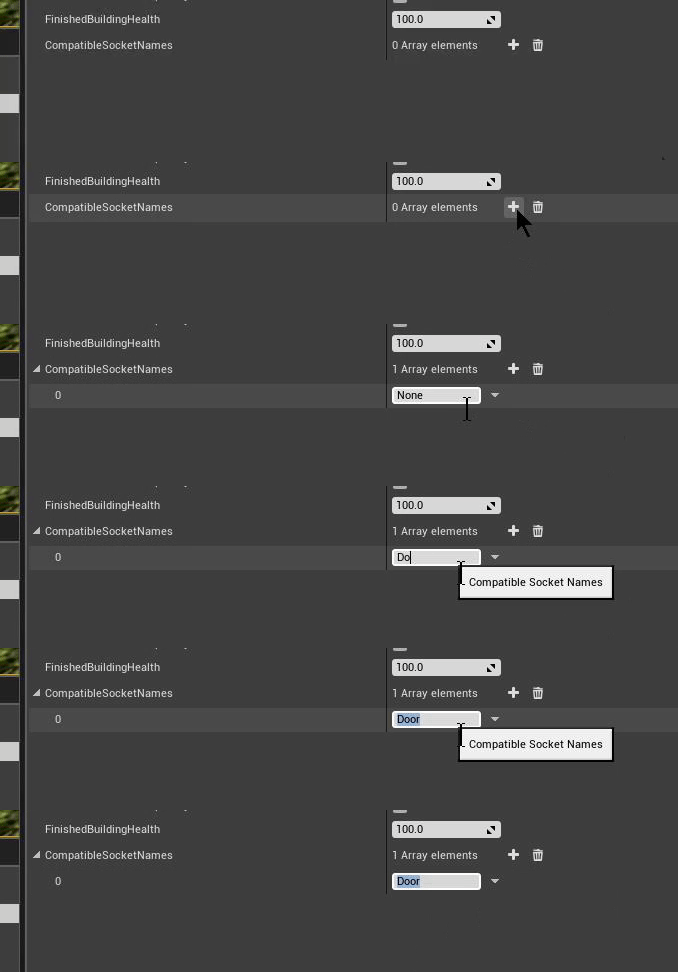
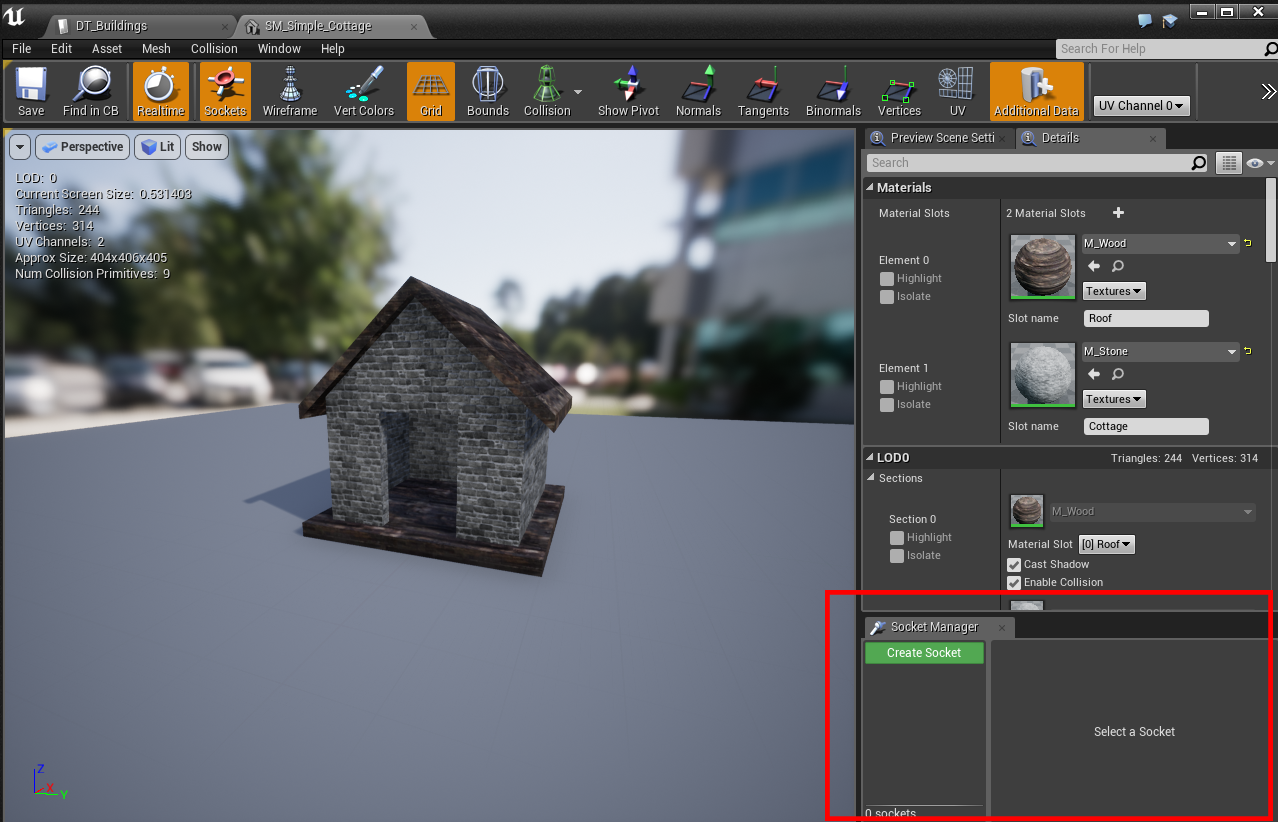
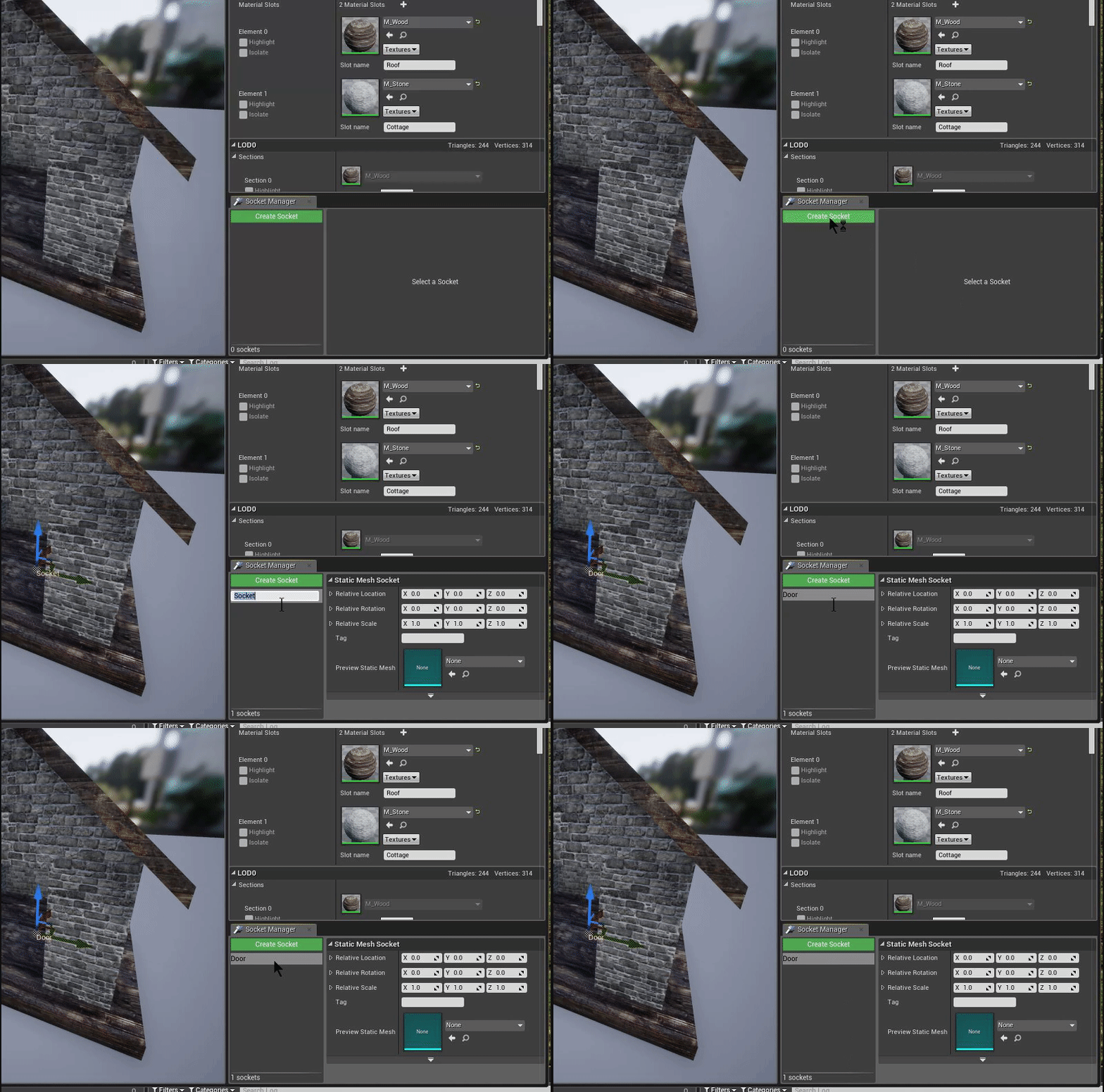
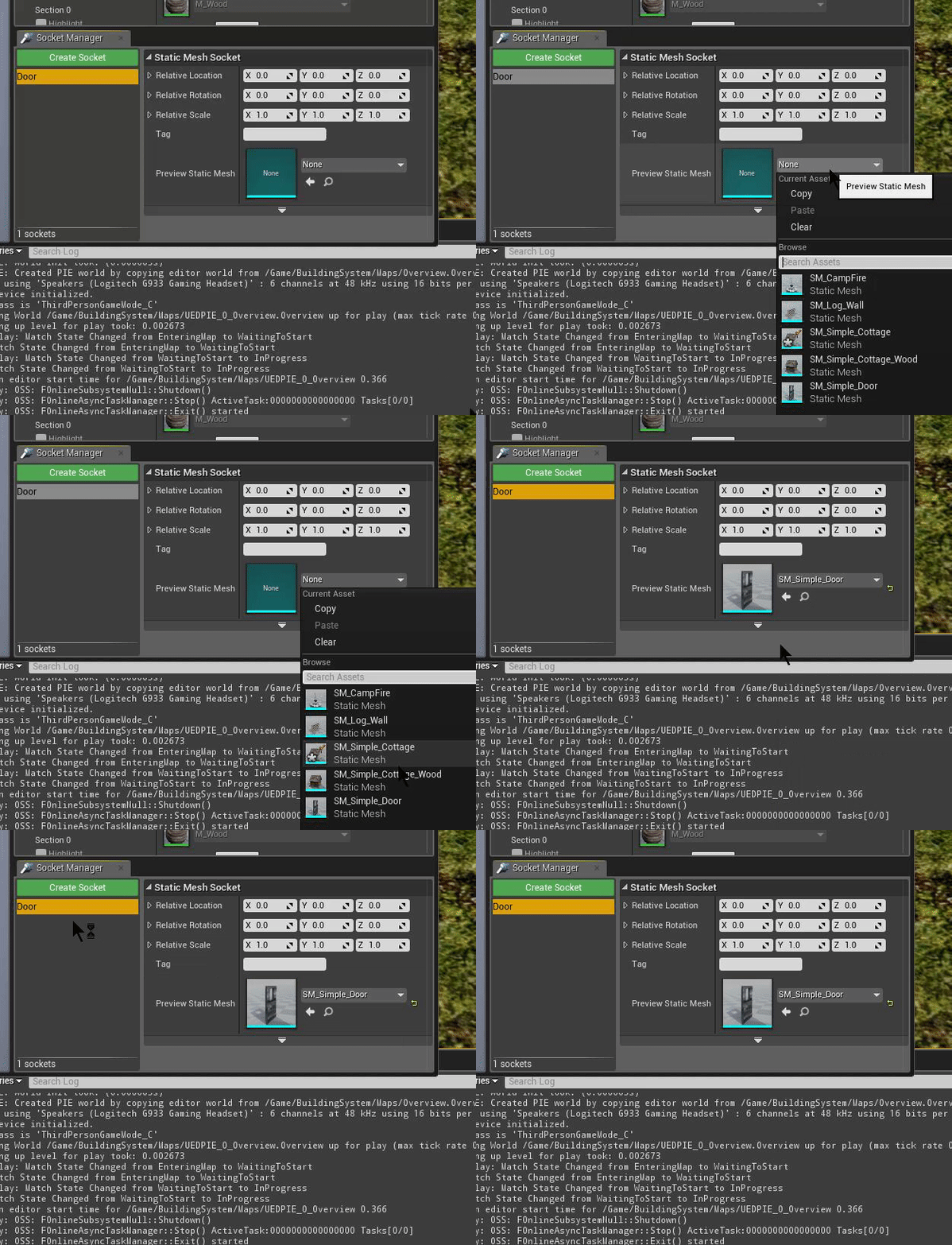
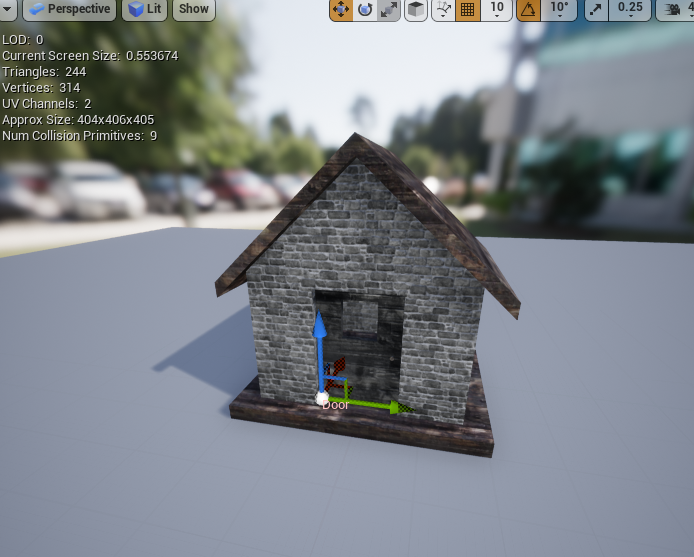
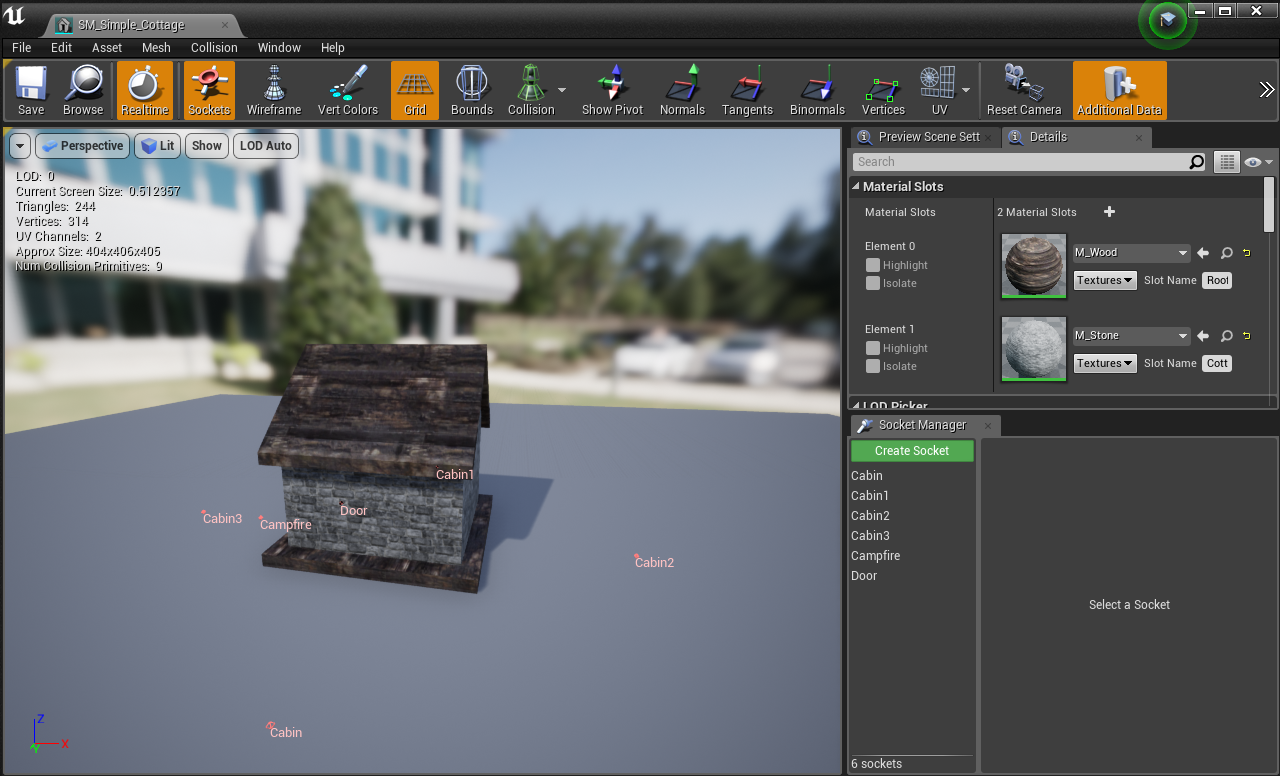
Begin by adding your building to the DT_Buildings DataTable Add a new socket to the CompatibleSocketNames array, here you determine what sockets that this building component can be placed on, in this example, Door is our compatible socket name, every building that has the socket "Door" we will be able to snap our new building to. Inside /BuildingSystem/Meshes, open up any mesh that require a "Door" (can be anything), in this example, we'll use "SM_Simple_Cottage" Once the Static Mesh Editor is open, in the lower right corner you'll find the Sockets editor Create a new socket and name it "Door"   In the "Preview Static Mesh" selector, pick the "SM_Simple_Door" mesh as a preview mesh so that we can position it correctly   Use the preview window to move the door into the correct position [video width="528" height="464" mp4="http://eeldev.com/wp-content/uploads/2018/05/df64ca4e45601658524785899bc8eaa7.mp4"\]\[/video\] You can do this for anything you want to "snap" onto a building

Done!

[video width="800" height="514" mp4="http://eeldev.com/wp-content/uploads/2018/05/137532e4b50a44e91af15ef1519b273b.mp4"\]\[/video\]

Simple Building System 1.2 Update

· One min read
Developer

Version 1.2 is now available on the UE4 Marketplace!

  • Added a Health system to finished buildings, use Q to apply damage to a finished building
  • Added a damage system
  • Added destruction system to buildings
  • Added socket placement for buildings
  • Added visual sockets for placement locations
  • Major changes in the C-Foliage component, a lot of improvements

http://eeldev.com/index.php/configuring-sockets/ You can get the building system here: https://www.unrealengine.com/marketplace/simple-building-system

Simple Building System Sockets

· One min read
Developer

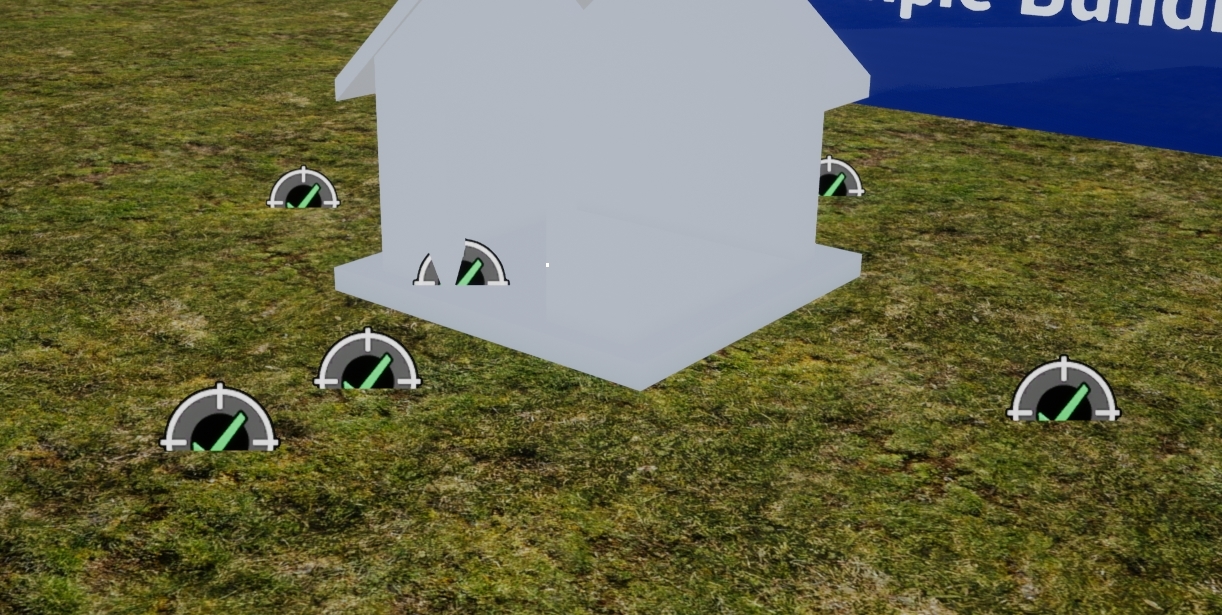
The socket system is an easy way to determine the location of a new building that you want to place in the world. There is a new array in the DT_Buildings DataTable that allows you to specify what sockets that this building is compatible with, for example: The door building is compatible with a Door socket

Visual Sockets

You have the option to toggle the creation of visible placement sockets in the world (DT_Buildings)

Farming System 1.1 Update

· One min read
Developer

The Farming System 1.1 Update contains a lot of fixes and improvements

Max Harvesting Distance Making the player unable to harvest and water plants when exceeding the set range.

Removed several blueprint interface functions Replaced with a single Struct instead (PlantState)

Cleaned up a lot of the variables and functions in the BP_FarmActor Replaced with PlantState Struct instead

Close Plant Selection Widget This option will close The Plant Selection Widget when you've planted a new seed.

Farm Actor To Spawn You can now choose which farm actor to spawn (2 versions are available, the one placed on the ground, and one with legs)

Alot of other fixes and improvements as well.

Farming System + MSGT (Multiplayer Survival Game Template)

· One min read
Developer

HOW TO INTEGRATE THE FARMING SYSTEM WITH THE MULTIPLAYER SURVIVAL GAME TEMPALTE (MSGT)

  • Begin by Migrating the Farming System to your MSGT installation

  • Add the FarmingSystem component to the MSGT's SurvivalController

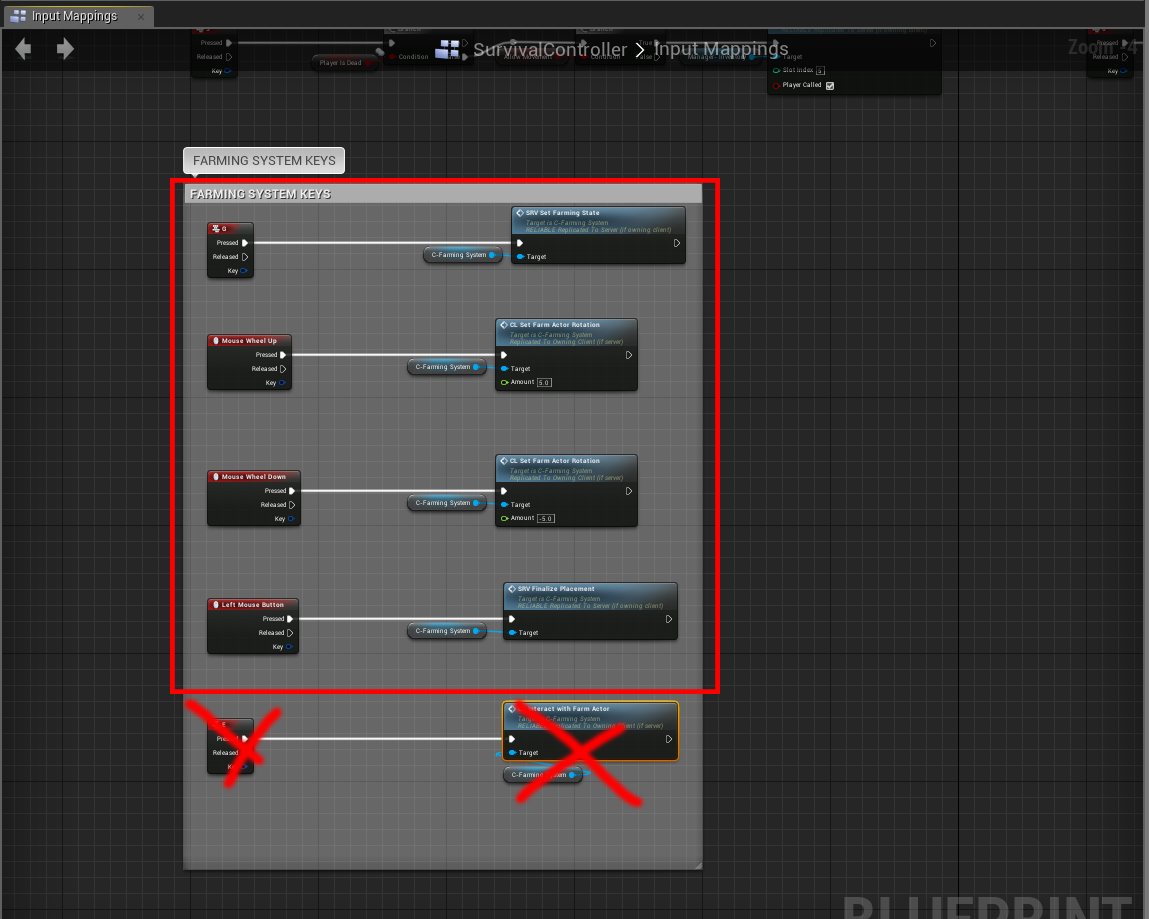
  • Copy the Events from the BP_PlayerController (inside the FarmingSystem folder) to your SurvivalController, EXCEPT the last event (Input: E), we'll add this to the MSGT's own interaction system.

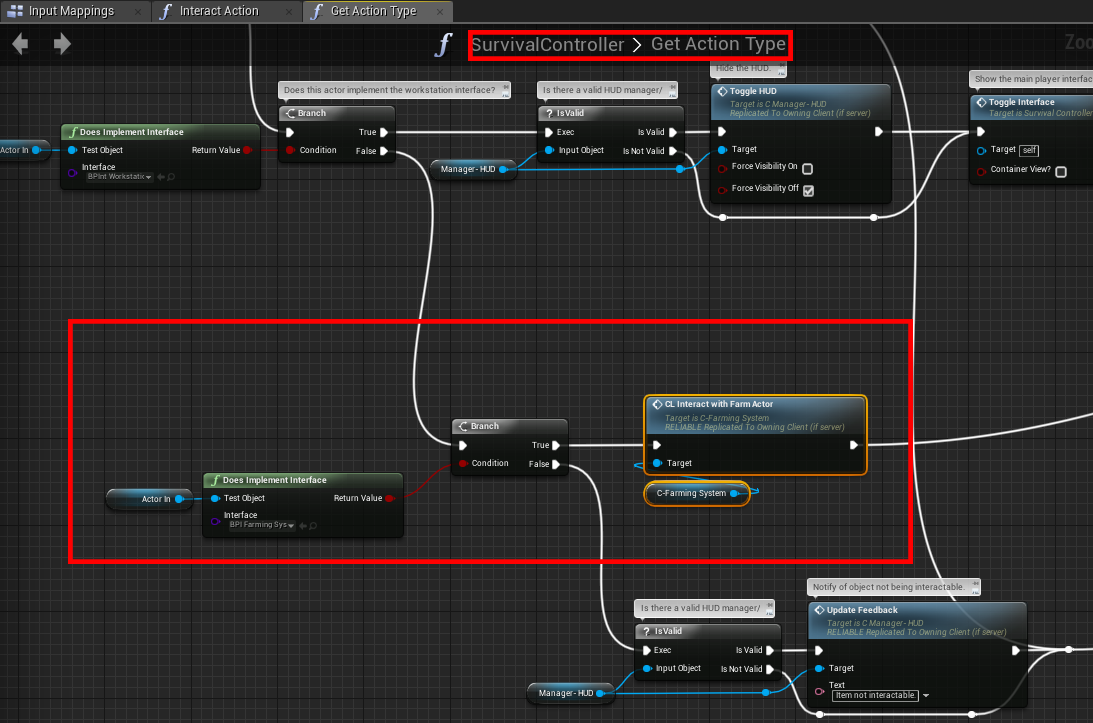
  • Inside the SurvivalController, open the "GetActionType" function, modify it as such:

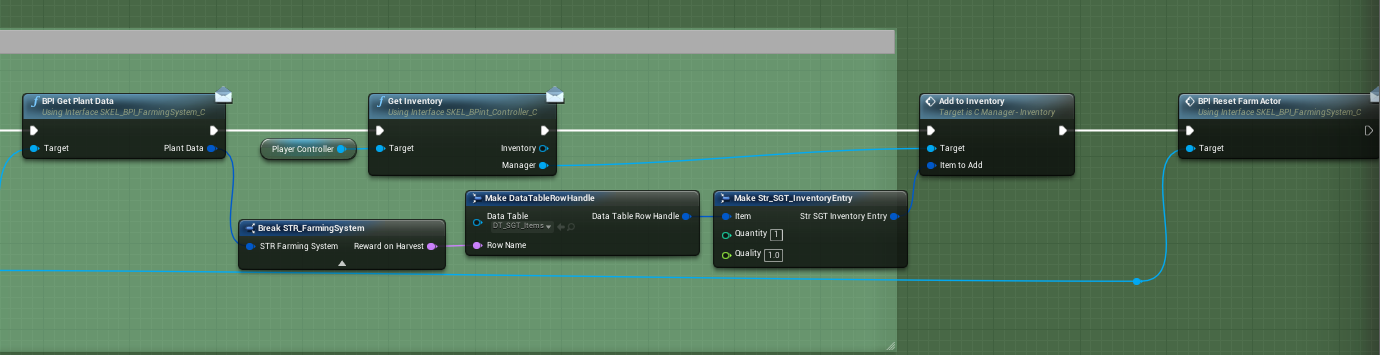
  • Open the C-FarmingSystem component (Inside /FarmingSystem), below is an example to get the reward when harvesting a plant

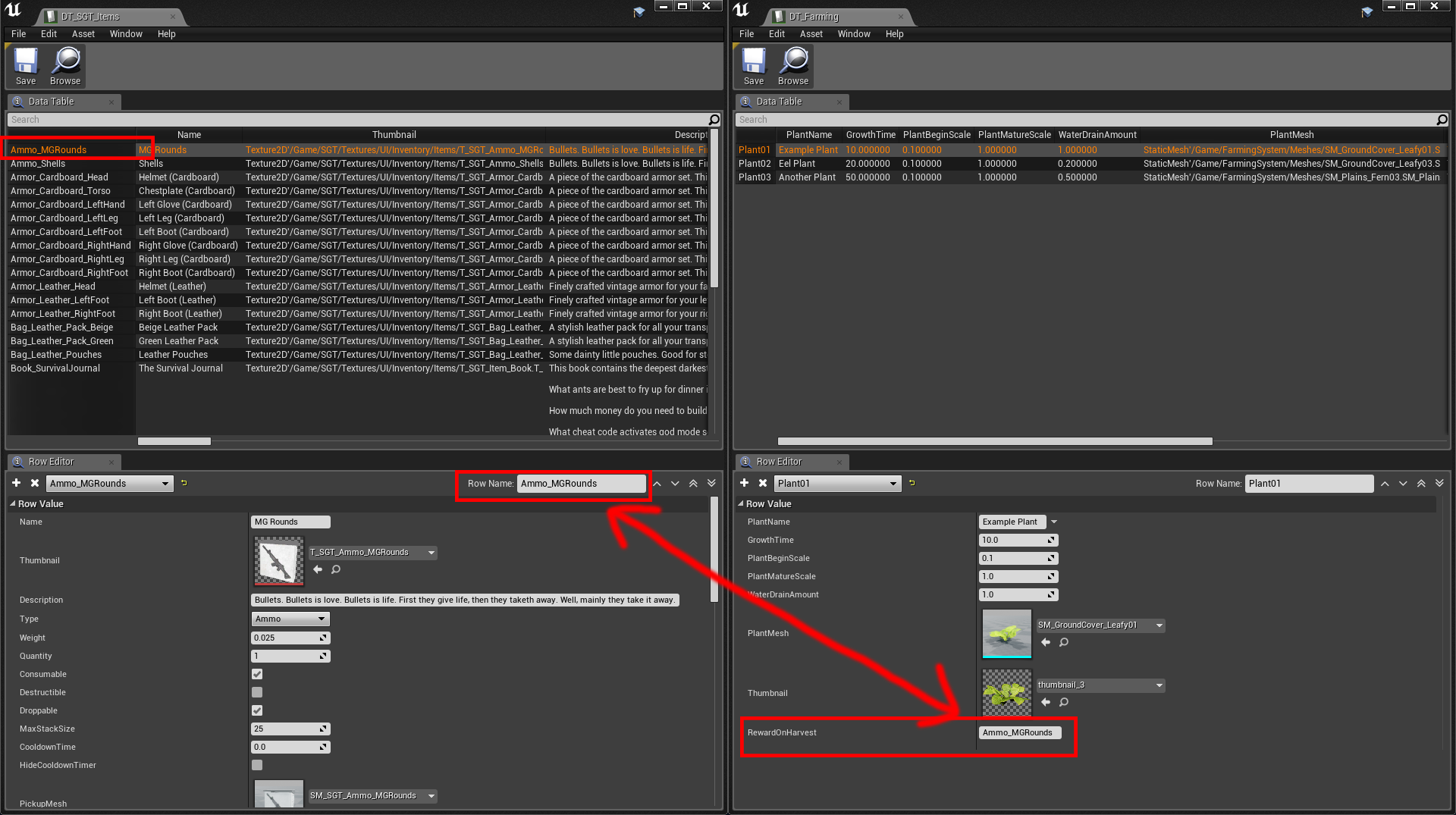
  • The reward when harvesting a plant is simply a "Row Name" that you define in your own DT_SGT_ITEMS DataTable, whatever you type into Rewards (on the right screen) is what you will get when harvesting a plant.

That's it!

Farming System - HOW TO USE

· One min read
Developer

HOW TO ADD THE FARMING SYSTEM TO YOUR OWN PROJECT

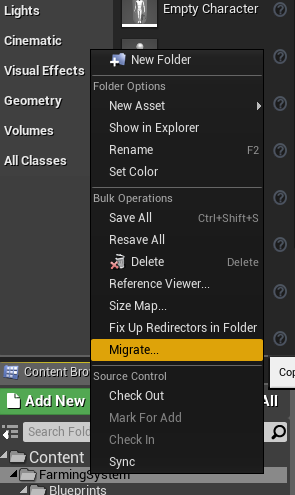
Begin by Migrating the FarmingSystem to your own project

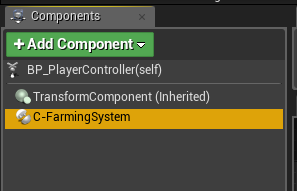
Add the Component to your PlayerController

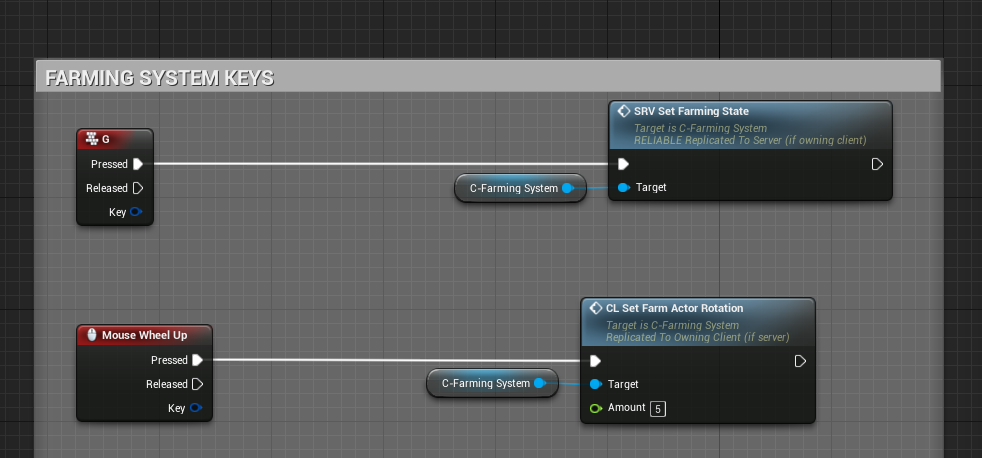
Check the example BP_PlayerController on what functions/events to execute from your own PlayerController.

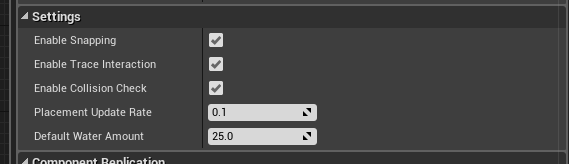
Settings

  • Enable Snapping Enable/Disable placement snapping when placing new farm actors
  • Enable Trace Interaction Enable/Disable the Farming System's built in Actor tracing (when aiming at a Farming Actor, it will display a "Interact" text on screen
  • Enable Collision Check Enable/Disable collision check when placing down farm actors, it only checks if it's colliding with any other farm actors
  • Placement Update Rate Determines how often we want to update the placement location, this can be decreased at the cost of performance and make the movement smoother
  • Default Water Amount This default water value will be added to the new farm actor when placed